Nozzle clogged: partial and complete blockages
LayerWalker is a participant in the Amazon Services LLC Associates Program. We may earn a commission when you buy through links on our site, at no extra cost to you.
Cold pull first. Heat, push filament in, cool to the pull temperature, then pull firmly and straight. It clears most clogs without removing anything, and what comes out tells you what caused it.
Difficulty moderate
Time 20-30 min
Parts under $10
Tools Needle, flush cutters, nozzle spanner
A complete clog is obvious. A partial one is worse because it degrades quality slowly: walls thin out, corners round off, and you blame the filament for weeks.
Where to buy


8Pcs 3D Printer Upgraded Hardened Steel MK8 Nozzles w/DIY Tool Storage Box

3D printer nozzle clogged: cold pull
Nothing extrudes, or extrusion is weak and inconsistent
Restricted or blocked nozzle bore
- Heat the hotend to the material printing temperature.
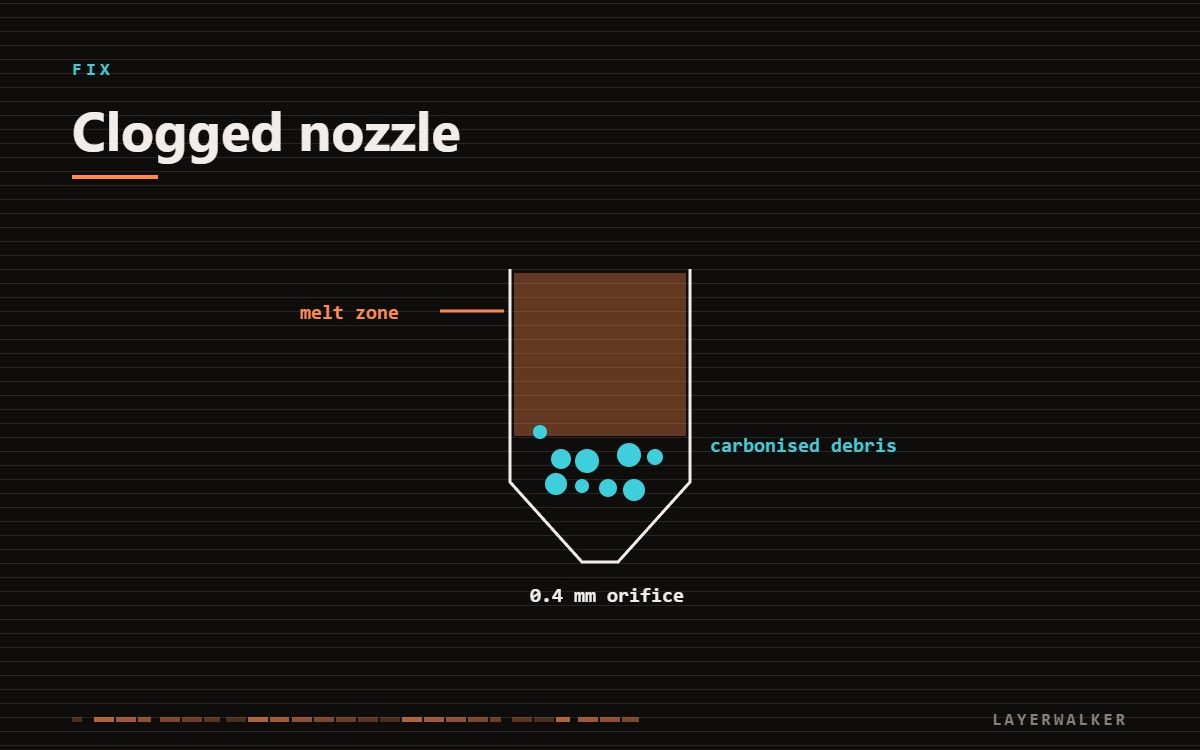
- Push filament in by hand until a little extrudes. This packs the melt zone.
- Let it cool to the pull temperature for that material.
- Pull firmly and straight out. Do not twist.
- Inspect the plug. A clean cone means it worked. Black flecks mean burnt residue. Grit means abrasive filament debris.
- Repeat until the plug comes out clean.
| Property | Value |
|---|---|
| PLA | heat 220 degC, pull at 90 degC |
| PETG | heat 250 degC, pull at 120 degC |
| ABS / ASA | heat 260 degC, pull at 130 degC |
| TPU | heat 230 degC, pull at 100 degC |
On an Ender 3 specifically, the thread, sizes and the clearing routine are set out in the Ender 3 nozzle guide.
On a Prusa the same condition usually surfaces as a code: error 13101, stuck filament detected, which the extruder raises before the jam gets worse.
Heat creep is the cause people miss
If clogs keep coming back in the same machine, the problem may not be in the nozzle at all. Heat creeping up past the heatbreak softens filament above the melt zone, where it swells and jams. The usual cause is a heatsink fan that has slowed or stopped. Check that fan spins whenever the hotend is hot.
Never clear a nozzle by heating it beyond the material’s range to burn residue out. That produces fumes and can damage PTFE components in the hotend, which degrade into something you should not be breathing.
A clog stops plastic coming out but does not stop the block getting hot. If the hotend will not reach temperature at all, you are looking at Creality K1 error 2564 instead.

LayerWalker
Print defect diagnosis, calibration procedures and parts that actually fit. Corrections welcome through the contact page.