PLA Stringing: Why Dry PLA Still Strings, and the Settings That Stop It
LayerWalker is a participant in the Amazon Services LLC Associates Program. We may earn a commission when you buy through links on our site, at no extra cost to you.
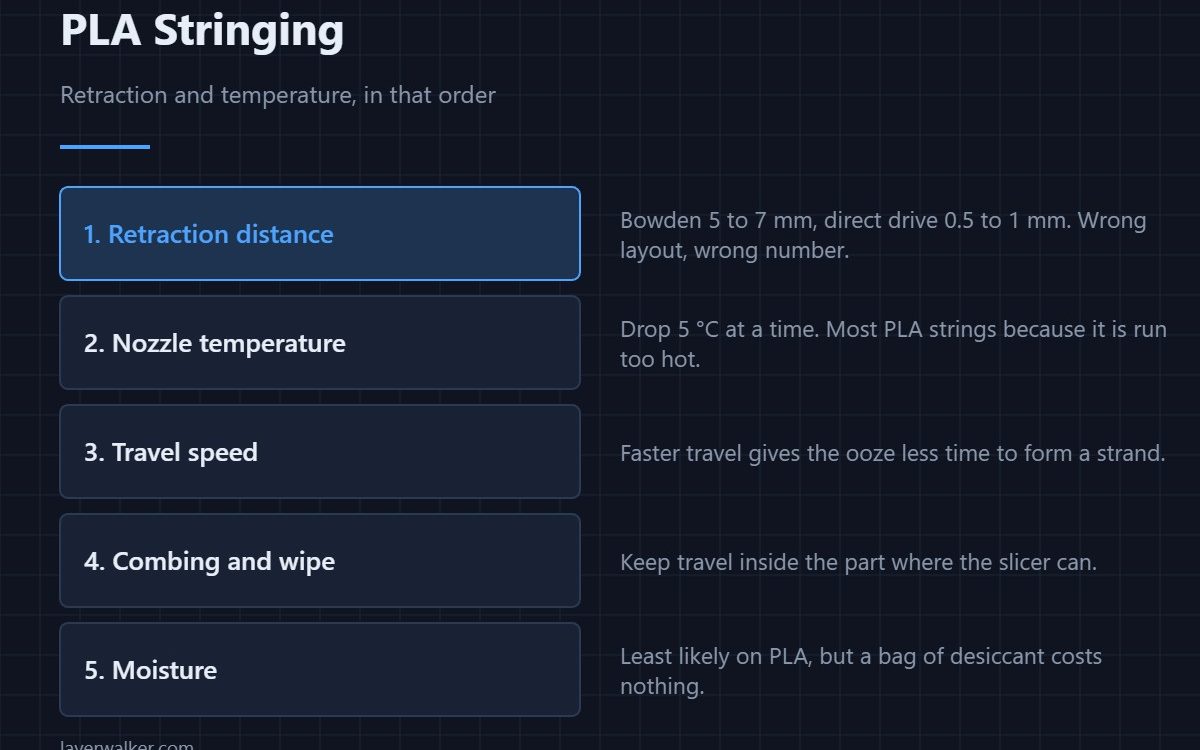
PLA stringing is retraction distance first and nozzle temperature second, and dry PLA still strings badly if either is wrong. On a Bowden printer start at 5–7 mm of retraction, on direct drive 0.5–1 mm, then drop the nozzle 5 °C at a time until the strands stop. Moisture is the last thing to suspect on PLA, not the first.
PLA is the least hygroscopic common filament, which is why “just dry it” is poor advice here even though it is excellent advice for PETG. On PLA, strings between two towers are nearly always a mechanical problem: plastic is still under pressure in the nozzle when the head moves.
Where to buy


1. Retraction distance, matched to your extruder layout
This is where the big win is, and the correct number depends entirely on how far the filament has to travel. A Bowden setup has 400–600 mm of tube that acts like a spring, so it needs 5–7 mm. A direct drive has about 40 mm of path and needs 0.5–1 mm; giving it 6 mm pulls molten plastic up into the cold zone and causes jams instead. Full numbers and speeds are in retraction settings.
2. Temperature, downward
Most PLA is printed too hot because people copy the top of the range off the spool. Hotter plastic is thinner and oozes more. Run a temperature tower from 215 °C down to 190 °C and take the lowest band where layers still bond and overhangs look clean — usually 200–205 °C for ordinary PLA, higher for silk and filled blends.
3. Travel speed and combing
Faster travel gives a forming strand less time to attach. 150–200 mm/s of travel is safe on most machines. Turn on combing so the head stays inside the part where it can, and enable a retract-on-layer-change if your slicer separates the two.
A test you can run in eight minutes
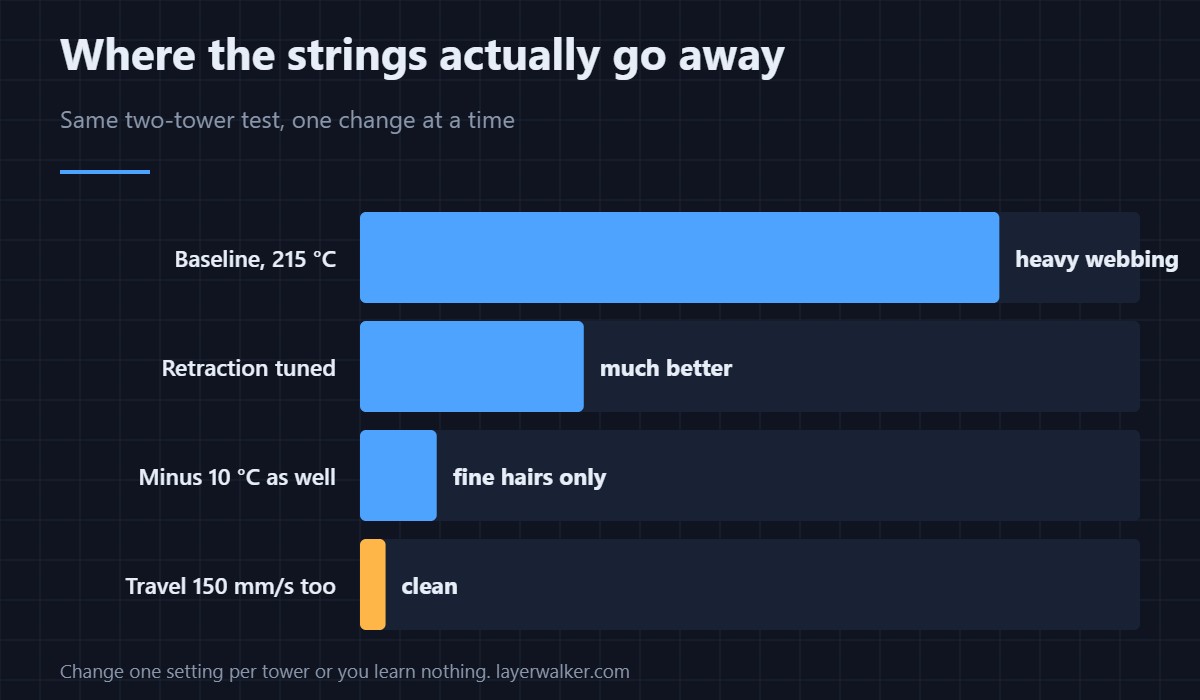
Print two thin towers 40 mm apart, 30 mm tall. That is enough travel to produce strands and short enough to iterate. Change exactly one setting per print — retraction, then temperature, then travel speed — because changing two teaches you nothing about either. A broader test print is useful once you are close.
When it is not settings
A worn nozzle, a partially blocked nozzle, or a loose PTFE coupler all produce stringing that no profile fixes. If the strings appeared suddenly on a profile that used to work, check hardware before settings: pull the filament and look at the tip, and check for partial blockage. The general picture across all materials is in stringing and oozing.
PLA Stringing FAQ
Does drying PLA reduce stringing?
A little, and only if the spool is genuinely damp — months on an open shelf, or a humid climate. PLA absorbs water far more slowly than PETG or nylon. Fix retraction and temperature first; drying PLA rarely changes much on its own.
Why does my PLA string more at high speed?
Because higher flow needs higher temperature, and the higher temperature is what strings. If you raised speed and stringing appeared, retune the temperature downward rather than reaching for more retraction.
Is some stringing normal with PLA?
Fine hairs that brush off are normal and not worth chasing. Thick strands that need cutting are not. Judge it after the part cools, not while it is printing.
Can too much retraction cause problems?
Yes. On direct drive especially, excessive retraction pulls soft filament into the heat break where it swells and jams. If clogs started after you increased retraction, that is the cause.

LayerWalker
Print defect diagnosis, calibration procedures and parts that actually fit. Corrections welcome through the contact page.