3D Printer Cooling Fans: The Two Fans Do Opposite Jobs
LayerWalker is a participant in the Amazon Services LLC Associates Program. We may earn a commission when you buy through links on our site, at no extra cost to you.
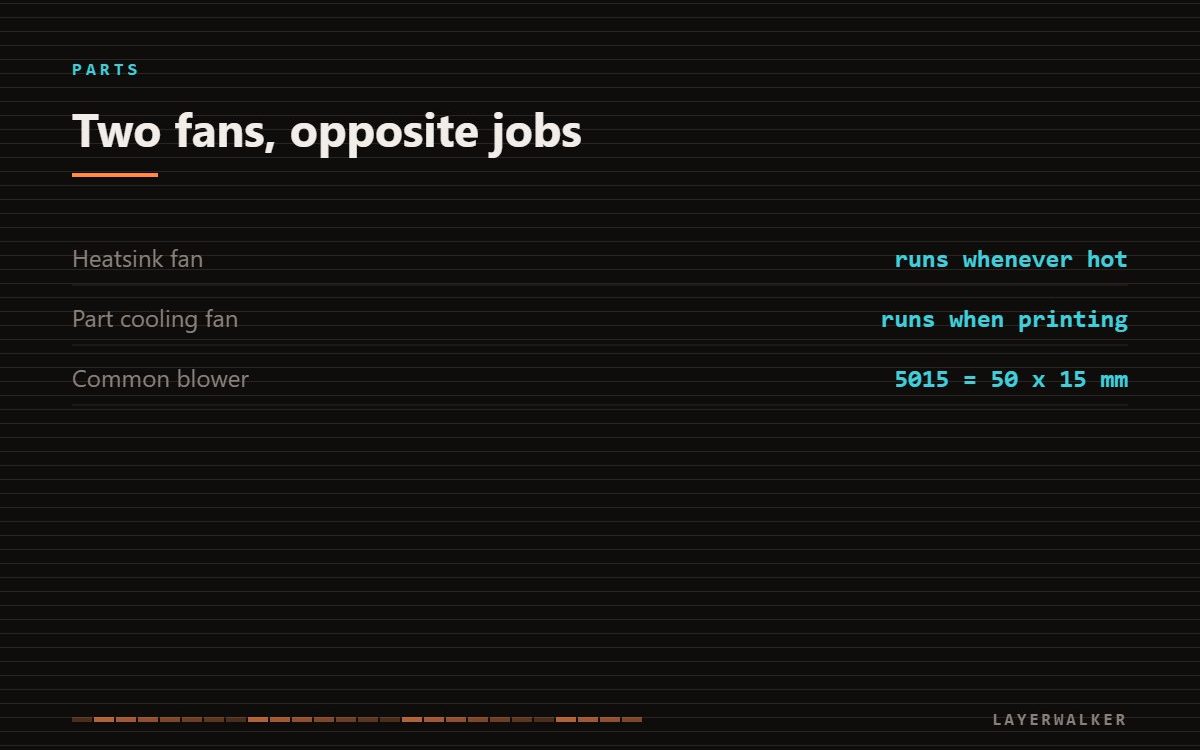
There are two fans near the toolhead and they do opposite jobs. The heatsink fan holds filament solid above the melt zone and runs whenever the hotend is hot. The part cooling fan blows on the plastic you have just extruded and only ramps up once printing starts. Replacing the wrong one is the usual mistake.
Where to buy


What to look for
Match three things: size, voltage and connector. A 5015 is a 50 x 15 mm blower with a side outlet and is the usual part cooling fan; heatsink fans are more often a 40 mm axial and are frequently specific to the machine. Most current printers are 24 V, and fitting a 12 V fan to a 24 V rail destroys it quickly. Buy a pair rather than a single, because the second one tends to fail soon after the first.
The heatsink fan is the one that prevents jams
The hotend deliberately keeps a sharp boundary between molten plastic at the nozzle and solid filament a few millimetres above it. The heatsink and its fan maintain that boundary. Take the airflow away and the soft zone creeps upward into a part of the path never designed for molten plastic; the filament swells, grips, and the extruder can no longer push. That failure is heat creep, and it feels exactly like a nozzle clog without being one. On Bambu machines this fault has its own HMS code.
The part cooling fan is a quality tool, not a safety one
Part cooling decides how quickly each bead freezes. Plenty of it gives you crisp overhangs and bridges in PLA. Too much of it on ABS or ASA causes layer splitting, because those materials need to cool slowly and evenly. This is why enclosed machines printing high-shrinkage material run part cooling low or off while the heatsink fan still runs at full speed.
Telling which one failed
Heat the hotend to 200 C with no print running. The heatsink fan should spin; the part cooling fan should not. Whichever is silent at that moment is the one to order. A fan that spins but sounds rough has a failing bearing and will stop mid-print, so replace it on that evidence rather than waiting.
Do not run without the heatsink fan
It is tempting to finish a job with a dead fan. Heat creep does not merely fail the print; it welds filament inside the heatbreak and turns a cheap fan replacement into a hotend replacement.
Not every overheating warning is about the hotend. Prusa error 13213 is the control board, and the fan to check is the one in the electronics bay.
3D printer cooling fan FAQ
Can I fit a bigger fan for more cooling?
Only if the shroud and mount allow it. Airflow that misses the part does nothing.
Why does my ABS crack when cooling is high?
ABS shrinks as it cools. Fast, uneven cooling puts the layers under tension and they separate.
Is a noisy fan urgent?
For the heatsink fan, yes. It is the one whose failure damages the hotend.
On a Prusa the printer names the fault rather than leaving you guessing: a stalled heatsink fan reports as Prusa error 13828, and it stops the print because heat creep follows within minutes.

LayerWalker
Print defect diagnosis, calibration procedures and parts that actually fit. Corrections welcome through the contact page.