Prusa Error 13828: Hotend Fan Not Spinning
LayerWalker is a participant in the Amazon Services LLC Associates Program. We may earn a commission when you buy through links on our site, at no extra cost to you.
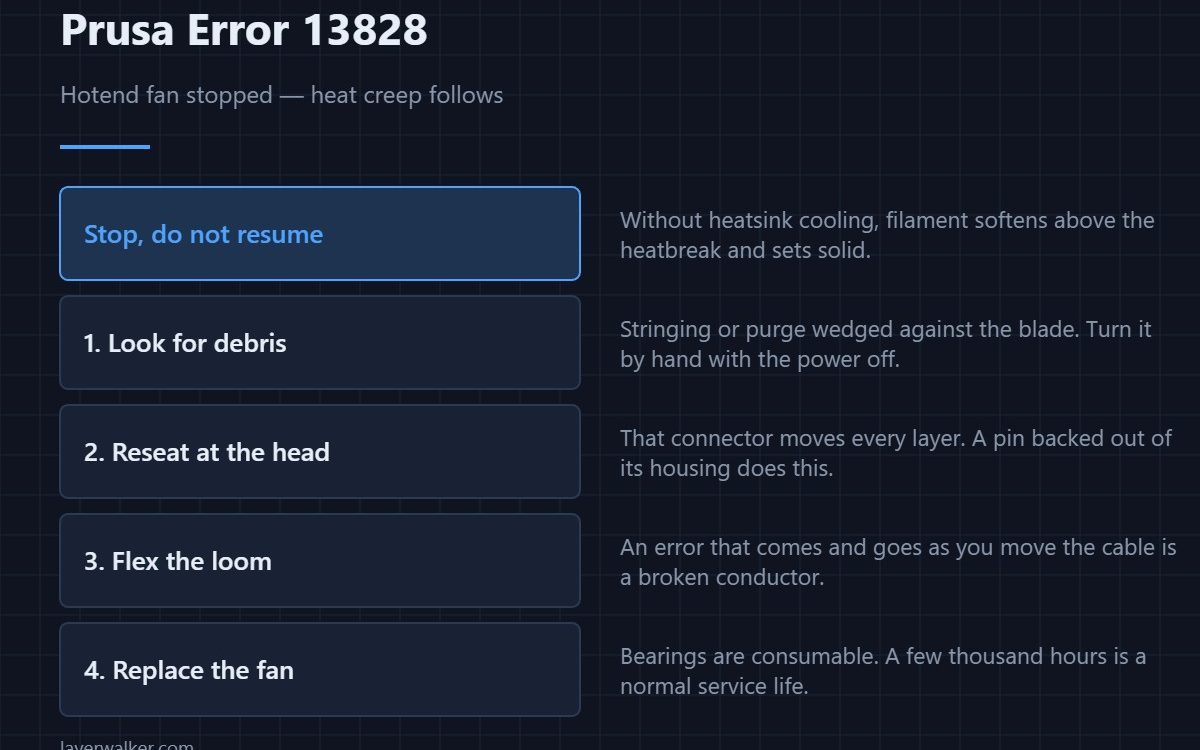
Prusa error 13828 means the hotend fan has stopped turning, and the printer halts rather than carry on. This is the small fan that cools the heatsink above the nozzle, not the one that cools your part. Without it the heat creeps up the heatbreak, the filament softens too early and jams solid inside the throat.
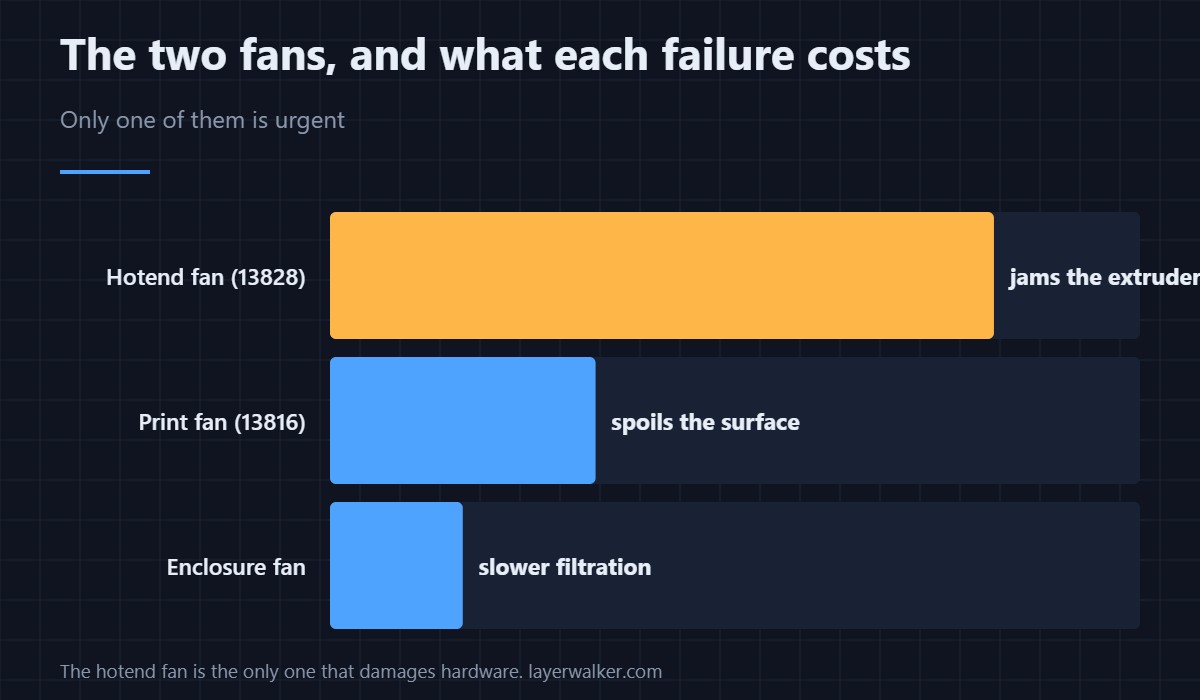
The distinction matters because people reach for the wrong fan. The part fan blows sideways onto the print and can fail without wrecking anything. The hotend fan points at the metal fins and is the only thing standing between a working extruder and a heat-creep clog.
Where to buy


Check debris before you check wiring
Most of these are mechanical. A strand of stringing, a fragment of purge, or a build-up of dust wedges between the blade and the housing and the fan simply cannot start. Power the printer down, look into the fan with a torch, and turn the blade with a cocktail stick. If it grinds or refuses to spin freely, you have found it.
A fan that spins freely by hand but still reports the error has an electrical fault instead, and the order below is worth following.
The wiring order that finds it fastest
Start at the connector on the print head, not at the board. That end moves with every layer and is where a pin backs out of its housing. Reseat it, then flex the loom gently along its length while the printer is on and watch whether the error appears and clears. A fault that comes and goes as you move the cable is a broken conductor, not a broken fan.
If the connector is solid and the loom does not provoke it, the fan itself has worn out. They are consumable parts with sleeve or ball bearings, and a printer with a few thousand hours on it is due one.
Why Prusa error 13828 stops the print instead of warning
Because the damage is quick and expensive. Once the heatsink stops being cooled, molten plastic travels up past the heatbreak into the cold side and sets there. Clearing that means dismantling the hotend. Stopping the print costs you one plate; carrying on costs you an afternoon with a heat gun and a drill bit — see clearing a clogged nozzle for what that involves.
The temperature errors that follow
A failing hotend fan often shows up first as temperature instability rather than a fan code. If the thermistor readings climb where they should be flat, you may see 13206 MAXTEMP before this code ever appears. The same loom carries both signals, which is why one bad connector can produce either.
This code reads 12828 on MINI, 17828 on XL, 23828 on MK3.5 and 31828 on CORE One. The part number differs per machine; the diagnosis does not.
Prusa Error 13828 FAQ
Which fan is the hotend fan?
The small one bolted to the heatsink fins directly above the nozzle, blowing at the metal rather than at the print. The larger fan aimed at your part is the print fan, covered under 13816.
Can I keep printing if I ignore it?
No, and the printer will not let you. Heat creep will jam the extruder within minutes, and the cleanup is far worse than the failed print.
Does a noisy fan mean it is about to fail?
Usually. Rising noise means the bearing is worn, and a worn bearing seizes eventually. Order a replacement before it stops rather than after — the general selection guide is in 3D printer cooling fans.
Could this be a board fault rather than a fan fault?
It can, but it is last on the list. Prove the connector and the loom first, then swap in a known-good fan; only if all three are clean does the driving circuit come into question. Background on how the assembly fits together is in the hotend explainer.

LayerWalker
Print defect diagnosis, calibration procedures and parts that actually fit. Corrections welcome through the contact page.

