Prusa Error 13310: MMU Port Overcurrent
LayerWalker is a participant in the Amazon Services LLC Associates Program. We may earn a commission when you buy through links on our site, at no extra cost to you.
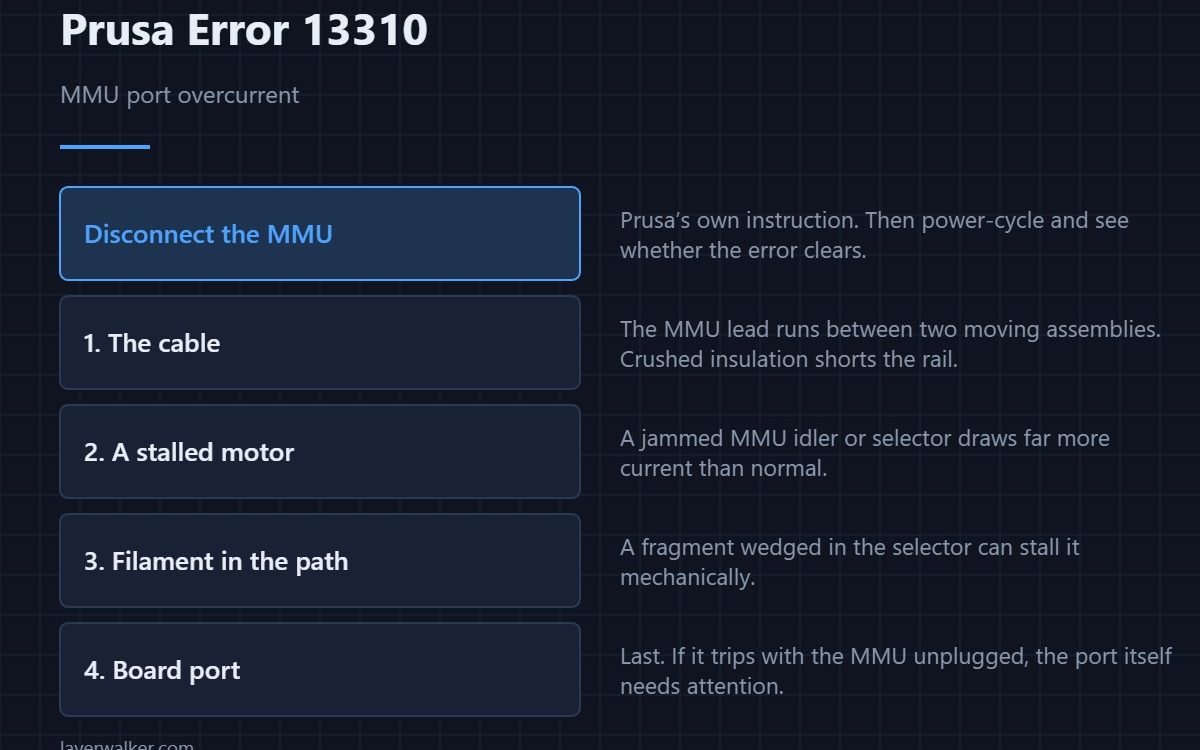
Prusa error 13310 means the board detected overcurrent on the MMU port and shut it down. Prusa’s instruction is to disconnect the device. Do that first, then power-cycle: if the error clears, the fault is in the MMU or its cable rather than the printer. The usual causes are a crushed cable or a motor stalled by jammed filament.
The MMU adds several motors and a long cable run between two moving assemblies. Both of those are good ways to produce an overcurrent condition, which is why this port has its own code.
Where to buy


What to do
- Disconnect the MMU and power-cycle. If the printer is happy without it, you have isolated the fault to the unit or its lead.
- Inspect the cable. It runs between the extruder and the MMU body and gets pinched, pulled and crushed. Damage inside intact insulation is common.
- Check for a stalled motor. A jammed selector or idler draws far more current than normal. Turn them by hand with the power off and feel for a tight spot.
- Look for filament fragments. A snapped-off piece wedged in the selector will stall it mechanically every time — brittle filament is usually a storage problem.
- If it trips with the MMU unplugged, the port itself needs attention and that is a support case.
Do not keep clearing it
Re-energising a shorted or stalled circuit repeatedly is how a protected fault becomes an unprotected one. The protection cutting in means it did its job.
Related codes
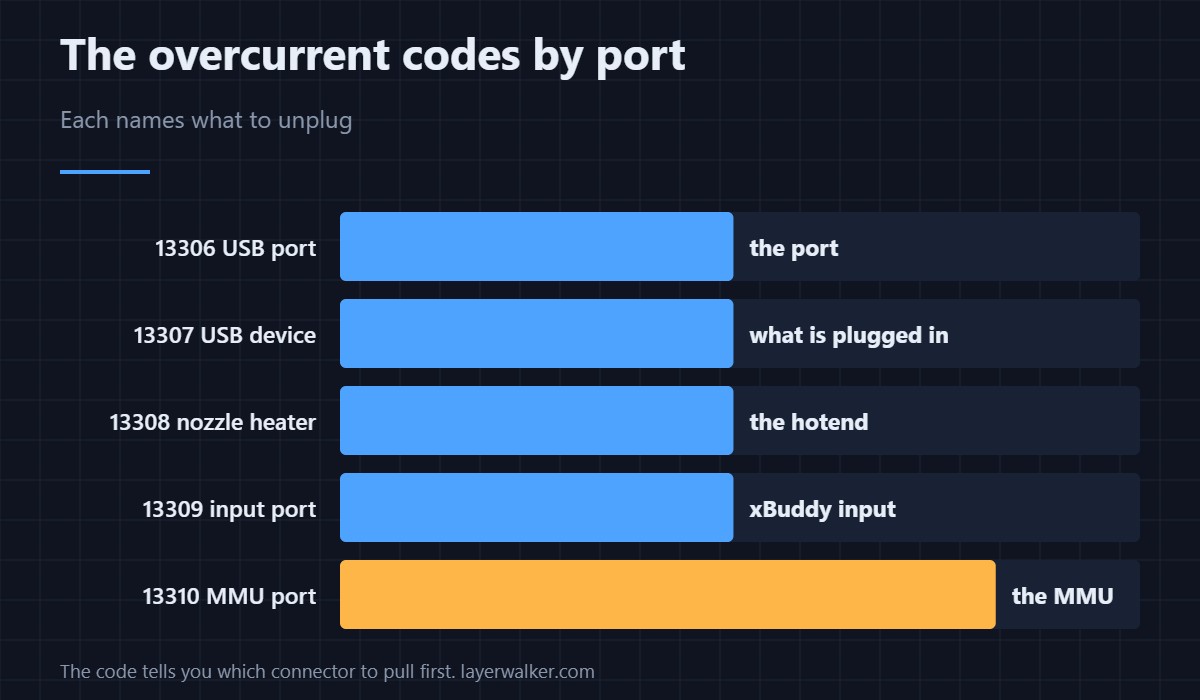
Each overcurrent code names its own port: 13309 is the xBuddy input, 13308 the nozzle heater, and 13306 and 13307 the USB port and the device on it. If you are weighing an MMU against other multi-material approaches, the comparison is in multi-head and toolchanger printers.
This error reads 31310 on CORE One, 35310 on CORE One L, 17310 on XL and 23310 on MK3.5.
Prusa Error 13310 FAQ
Is my MMU broken?
Not necessarily. Cable damage and mechanical jams are both more common than an electrical failure of the unit itself.
Can I print without the MMU connected?
Yes, in single-material mode, once the MMU is disconnected and the printer configured for direct feeding.
Why does it trip mid-print rather than at startup?
Because a stall or a short in a moving cable only occurs in certain positions or under load, not at rest.
Is it safe to keep retrying?
No. Find the cause first — repeatedly powering a faulty circuit risks damaging the port that is currently protecting itself.

LayerWalker
Print defect diagnosis, calibration procedures and parts that actually fit. Corrections welcome through the contact page.

