HMS 0500-0400-0002-0042: The Live Camera Is Dirty
LayerWalker is a participant in the Amazon Services LLC Associates Program. We may earn a commission when you buy through links on our site, at no extra cost to you.
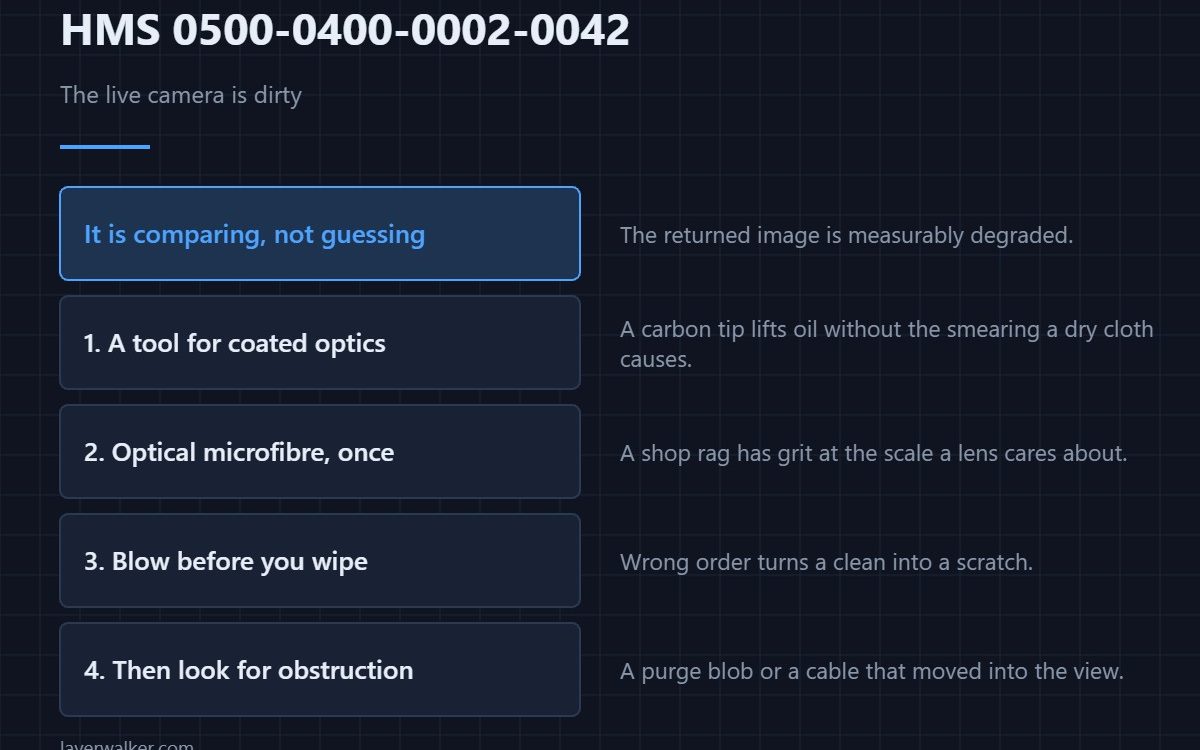
HMS 0500-0400-0002-0042 means the live camera is dirty or obscured, and asks you to clean it and continue. The machine is not guessing: it is comparing what the camera returns against what it should look like and finding the image degraded.
Everything a printer does produces fine dust, and a lens pointing into the chamber collects all of it.
Where to buy


Use a tool made for coated optics
A lens cleaning pen with a carbon tip lifts oily marks without the smearing a dry cloth causes. The retractable brush on the other end is for the dust you should remove first.
Finish with something that will not scratch
Optical microfibre cloths, used once and then washed, are what the lens should actually touch. A shop rag has grit in it at exactly the scale a lens cares about.
Blow the dust off before you touch it
A soft-tip air blower removes loose particles so that wiping does not drag them across the glass. Doing this in the wrong order is how a clean becomes a scratch.
Then check what is obscuring it
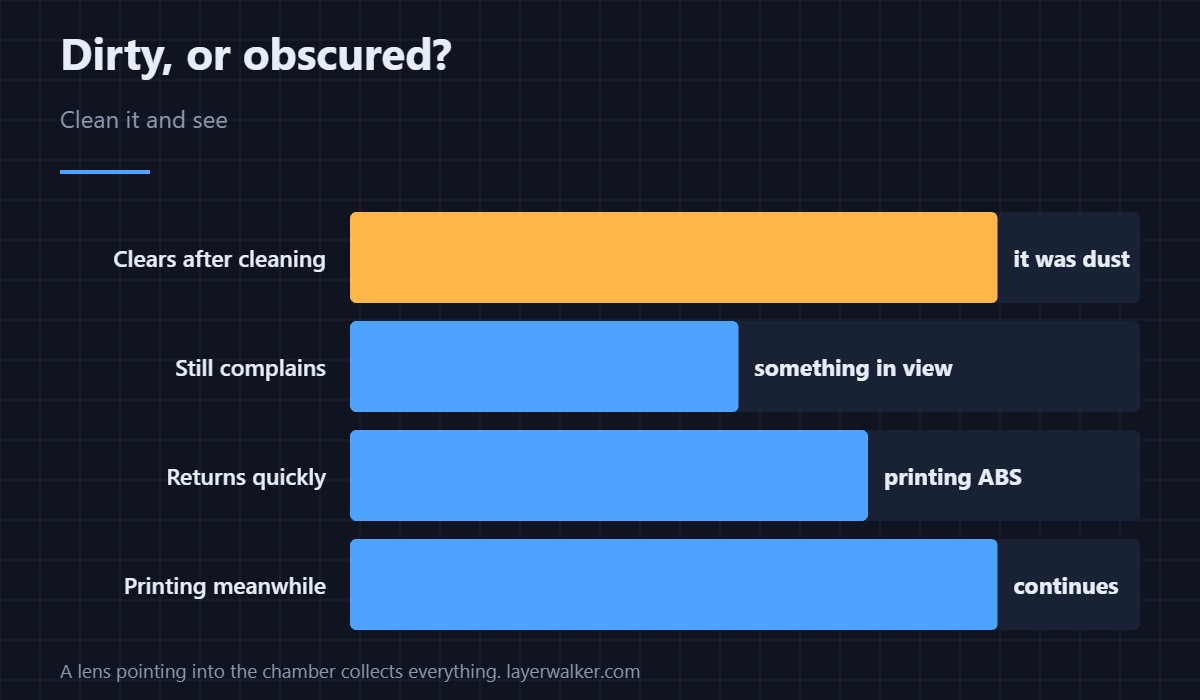
If it is clean and the message stays, look for something in front of the lens: a purge blob, a spool, a cable that has moved into the field of view.
How HMS 0500-0400-0002-0042 differs from a pose problem
A camera that has not been calibrated is HMS 0500-0400-0002-0031. Dirty is about the image quality, not about geometry.
What else dust stops working
An unreadable RFID tag is HMS 0500-0400-0002-0010, often for the same reason. Camera options are in printer cameras and the platform in the Bambu Lab H2D.
HMS 0500-0400-0002-0042 FAQ
Can I keep printing?
Yes, but monitoring and some checks degrade.
Is isopropyl safe on it?
Use a product sold for coated optics. Coatings are the issue.
How often should I clean it?
When the message appears, and sooner if you print ABS.
It is clean and still complains?
Then something is in front of it. Look along the lens axis.

LayerWalker
Print defect diagnosis, calibration procedures and parts that actually fit. Corrections welcome through the contact page.