3D Printer Camera: Official Add-On, Webcam or Phone, and What It Actually Catches
LayerWalker is a participant in the Amazon Services LLC Associates Program. We may earn a commission when you buy through links on our site, at no extra cost to you.
If your printer maker sells an official camera module, buy that: it plugs into the mainboard, shows up in the printer app, and often adds AI spaghetti detection. On a Klipper or OctoPrint printer, a USB webcam does the same for less and adds time-lapse. A phone on a tripod works for a weekend but not for remote monitoring.
A camera does not make prints better. It makes failures cheaper, because you stop a spaghetti print at minute 20 instead of finding it at hour 12, and it lets you check a first layer from the sofa. For a printer that runs overnight or in another room that is worth the price of a spool. The choice is between a maker’s own module, which integrates with the app, and a generic webcam on a host that supports one.
Where to buy


Creality Official Nebula Camera, Remote Monitoring, WiFi Connection, Auto Generate Time-Lapse Video, Compatible Sonic Pad/Nebula Pad/Ender-3 V3 KE/CR-10 SE/HALOT-MAGE
What to look for
- Integration. The maker’s module streams to the maker’s app and, on newer printers, feeds an AI failure detector that pauses the print. A webcam needs Klipper, OctoPrint or a similar host.
- Resolution and low light. 1080p is plenty; what matters is that the sensor copes with a dim enclosure and the LED bar. Check for an IR or low-light mode if the printer lives in a cabinet.
- Mount and view. The camera must see the whole bed and the nozzle at first-layer height. Front-corner mounts see both; top-down mounts miss the first layer.
- Cable route. On a bed-slinger the bed moves; a camera on the bed is useless. Frame or enclosure mounts only.
- Time-lapse. Layer-synced time-lapse needs the host to trigger a shot per layer; the maker modules and Klipper both do it.
The cameras in the box
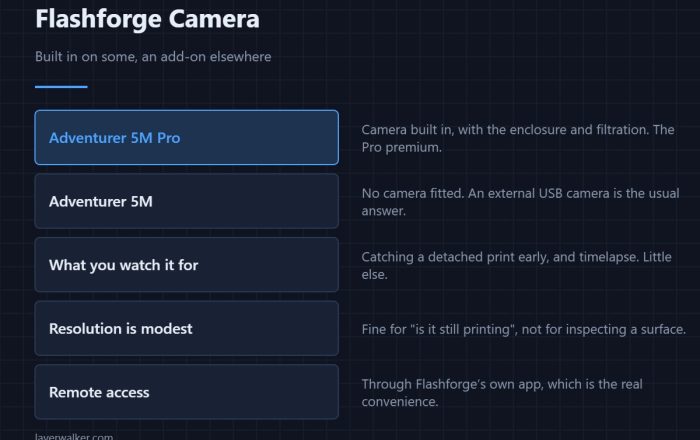
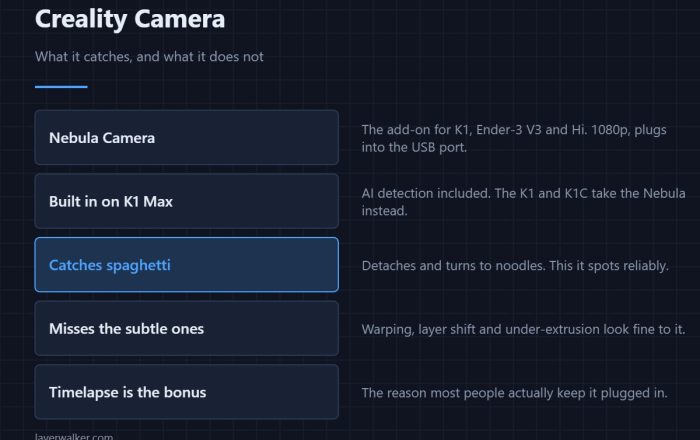
Anycubic’s Kobra 3 series camera is the official plug-in module for those printers: mainboard-powered, visible in the Anycubic app, with remote monitoring and time-lapse. Flashforge’s camera kit does the same for the Adventurer 5M, 5M Pro and AD5X and is the only camera that integrates with Flash Maker. Creality’s Nebula camera is Creality’s official module with WiFi, remote monitoring and auto time-lapse for the printers that support it. In each case the official module is the right buy if you own the matching printer; a generic webcam will not appear in the app.
Setting it up so it earns its place
- Aim it at the first layer. That is where most failures start; a camera that only sees the top of a tall print misses adhesion failures.
- Turn on failure detection if the app has it, and let it pause rather than cancel; false positives happen.
- Add light. A cheap LED strip in the enclosure turns a grainy feed into a usable one.
- Check the feed at the two failure points: end of the first layer and the first overhang.
When you do not need one
A printer on your desk that runs while you work. A printer that has never produced spaghetti. And any printer where you would not act on the alert anyway; a camera you do not check is a time-lapse toy.
Two brand-specific pages go further: the Creality Nebula, and Flashforge cameras, which are built in on some models and a retrofit kit on others.
3D printer camera FAQ
Can I use any USB webcam?
On Klipper and OctoPrint, yes, most UVC webcams work. On a stock Creality, Anycubic or Flashforge board, only the official module.
Does a camera slow the printer?
No. The stream runs on the host or the module, not the motion controller.
Do I need a camera on a Bambu Lab printer?
It is built in on the P and X series and on the A1 line; you only add one to a printer that shipped without.

LayerWalker
Print defect diagnosis, calibration procedures and parts that actually fit. Corrections welcome through the contact page.