HMS 0500-0100-0002-0002: Live View camera not connected
LayerWalker is a participant in the Amazon Services LLC Associates Program. We may earn a commission when you buy through links on our site, at no extra cost to you.
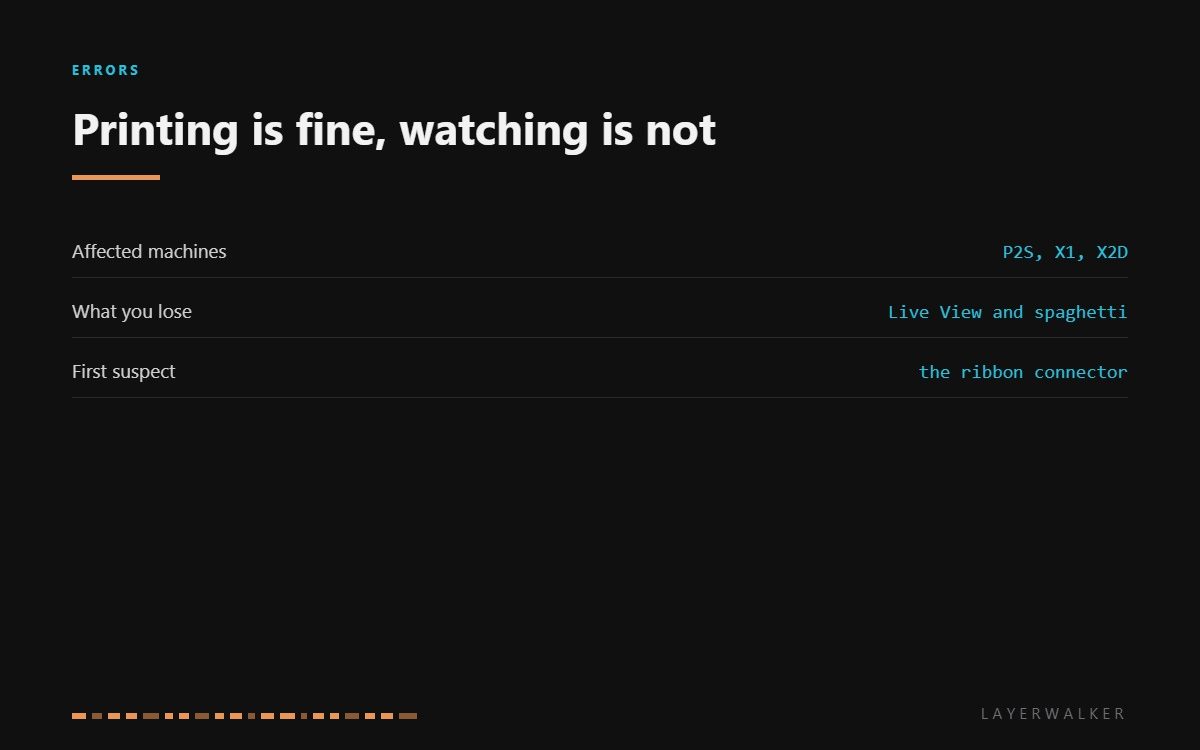
HMS 0500-0100-0002-0002 means the Live View camera is not answering. The printer will carry on printing, but you lose remote viewing, timelapse and spaghetti detection while it lasts. Bambu points at hardware and cable connections, and on these machines the flat ribbon at the toolhead is where the problem nearly always is.
Affected machines: P2S, X1 series and X2D. The camera rides with the moving part of the printer, so its cable flexes on every print. Anything that flexes millions of times is where a connection fails first, which is why this is a cable code and not a camera code.
Where to buy


What you actually lose
Three things, and only one of them matters much. Live View, which is convenience. Timelapse, which is a nice-to-have. And spaghetti detection, which is the one that earns its keep: it is the feature that stops a failed print before it welds a bird’s nest to the toolhead.
That last point decides how urgent this is. Short prints you are in the room for, carry on. Long unattended prints, fix the camera first, because you have just removed the thing that would have stopped the failure.
Live View is blank, timelapse is unavailable, or the printer reports the camera is not connected
Loose or damaged camera ribbon, occasionally a failed camera module
- Power off at the wall and let the printer cool if it has been printing.
- Open the toolhead or camera cover as appropriate for your model.
- Release the ribbon latch, withdraw the ribbon, and look at the contacts for dirt, a crease or a lifted trace.
- Reseat the ribbon square and close the latch fully. It should sit without a visible twist.
- Check the far end of the same ribbon at the mainboard, which is easy to forget and just as likely to be loose.
- Power up and open Live View. If it still fails with both ends reseated and the ribbon undamaged, the camera module has failed.
If the ribbon has a crease across the conductors, replace the ribbon rather than reseating it. A crease that has broken a trace will work intermittently for weeks and waste a great deal of your time.
The toolhead camera on the newer machines has its own code, toolhead camera not in place. Our page on printer cameras covers what each one is for, and the troubleshooting index covers the rest.
HMS 0500-0100-0002-0002 FAQ
Can I print with the camera disconnected?
Yes, but without spaghetti detection. Treat long unattended prints as unwise until it is back.
Is the camera a user-replaceable part?
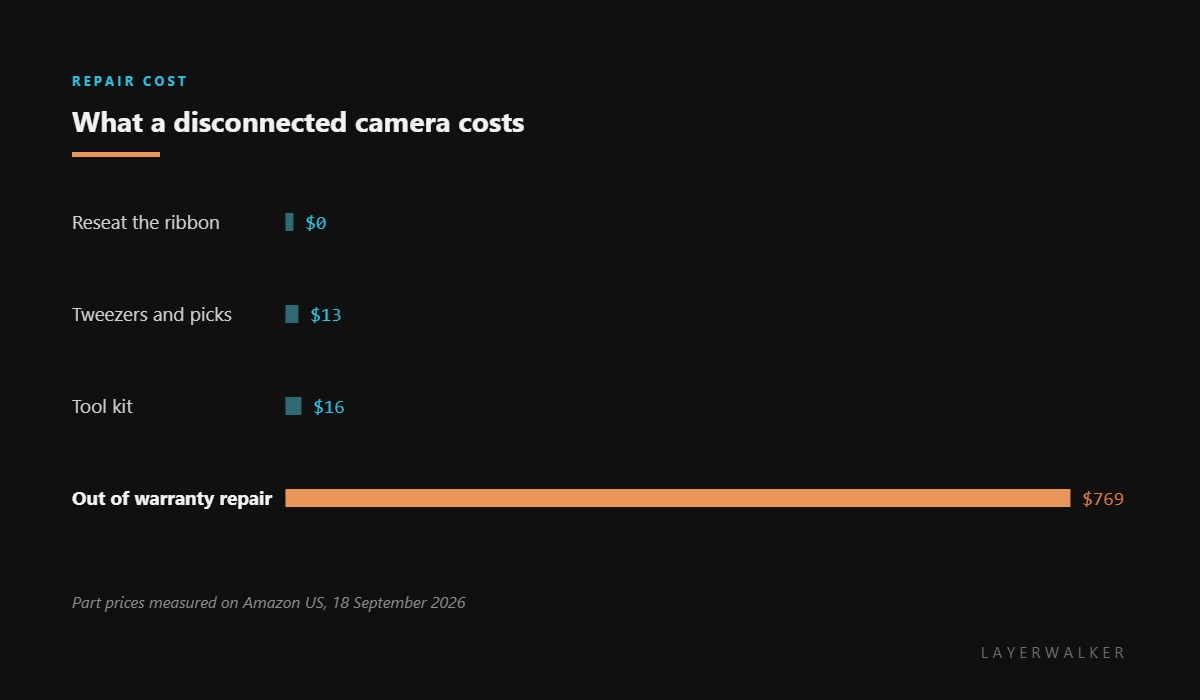
Not on these machines. It comes through service, which is why the useful purchase here is tools.
Why does it work sometimes?
That is the signature of a cracked trace in the ribbon. Intermittent means cable, not module.
Does a firmware update fix it?
Occasionally, if the camera stack has a known bug. Reseat the cable first; it is quicker and more often the answer.

LayerWalker
Print defect diagnosis, calibration procedures and parts that actually fit. Corrections welcome through the contact page.

