Creality Camera: What the Nebula Catches, and What It Misses
LayerWalker is a participant in the Amazon Services LLC Associates Program. We may earn a commission when you buy through links on our site, at no extra cost to you.
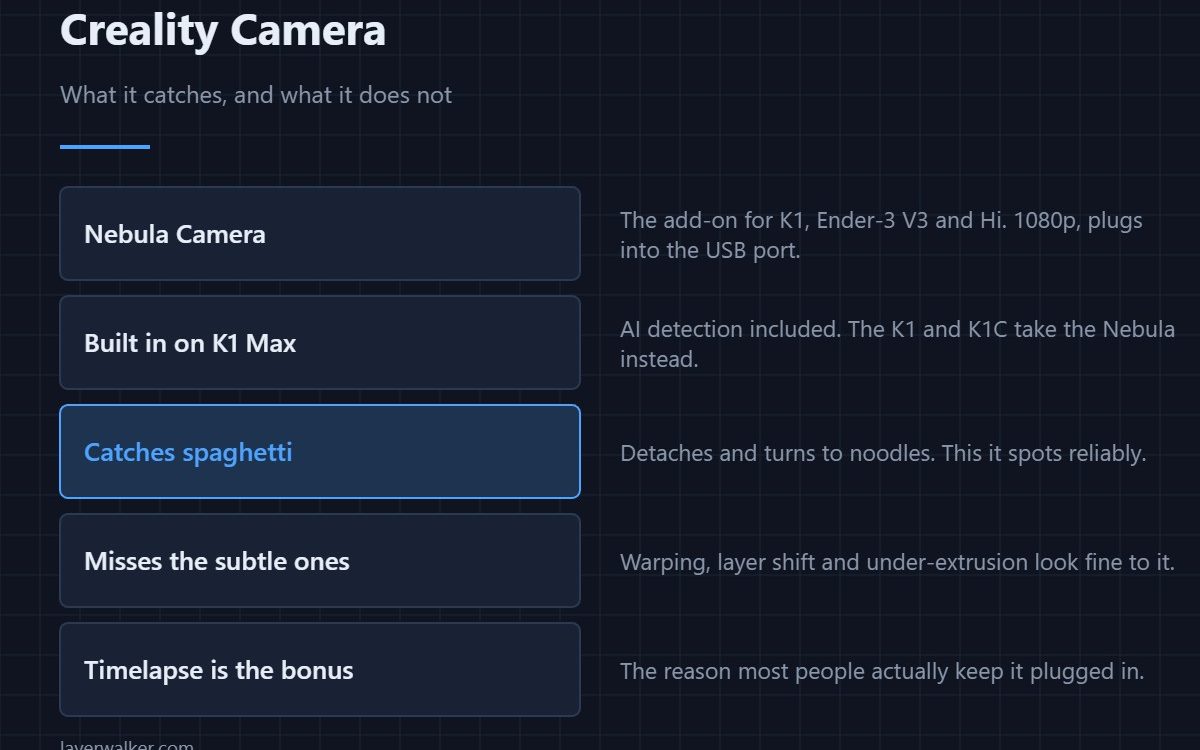
A Creality camera means one of two things: the Nebula Camera, a 1080p USB add-on for the K1, Ender-3 V3 and Hi families, or the unit built into the K1 Max. Both let you watch remotely and record a timelapse, and both detect the one failure that matters most — a print detaching and turning to spaghetti. Subtler faults they do not see at all.
Print monitoring is sold on failure detection and used for reassurance. Knowing what it genuinely catches keeps expectations honest and stops you trusting it with a long print you cannot afford to lose.
Where to buy


Which printer takes which
- K1 Max. Camera and AI detection built in from the factory.
- K1 and K1C. No camera fitted; the Nebula plugs into the USB port. Details on the machines in the K1 review.
- Ender-3 V3 and Hi. Nebula supported, mounted on the frame.
- Older Enders. Any USB webcam plus a Raspberry Pi running OctoPrint does the same job for less — see which Ender 3 you have.
What it actually detects
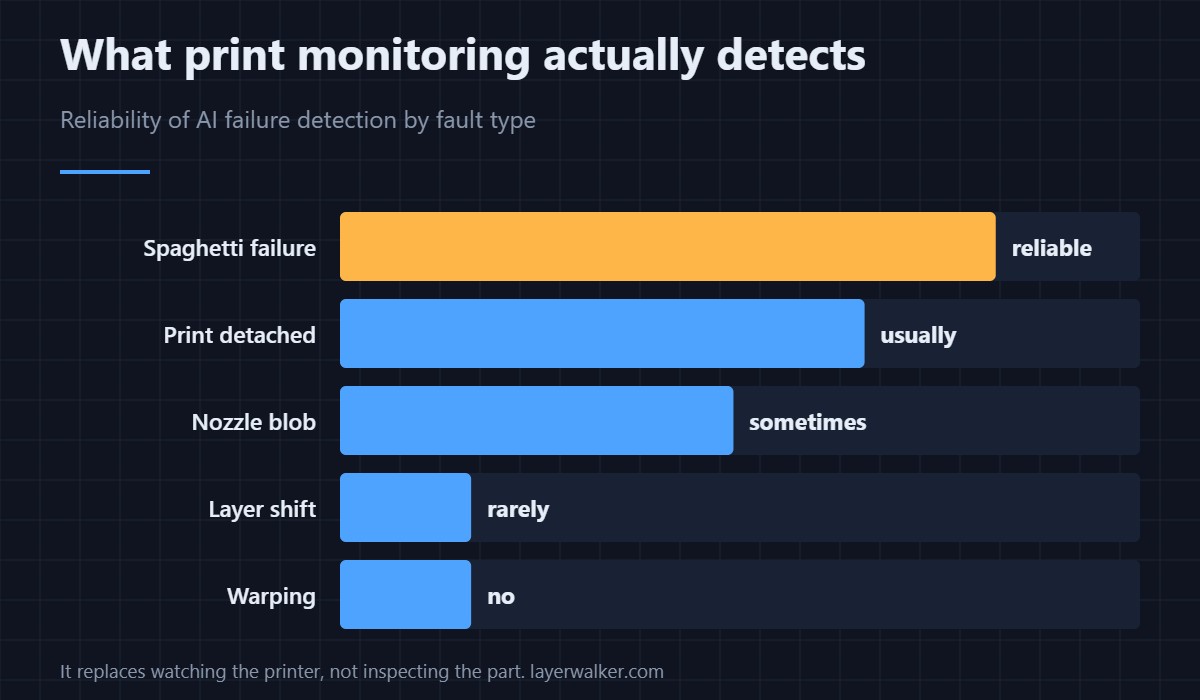
Spaghetti detection is genuinely reliable: when a part comes off the plate and the nozzle starts extruding into air, the change in the image is large and unmistakable. A detached print usually gets flagged too. Beyond that it degrades quickly — a nozzle blob is sometimes caught, and layer shift, warping and under-extrusion essentially never are, because they do not change what the camera sees in any obvious way.
That is not a criticism of Creality specifically. It applies to every consumer AI print monitor, including Bambu’s. The underlying detail is in 3D printer cameras, and the failure it does catch is described in print detached and turned to spaghetti.
The timelapse is the real reason people keep it
Frame-per-layer timelapse, with the head moved out of shot, is the feature that survives the novelty period. It is also useful diagnostically: scrubbing back through a recording to find the layer where something went wrong is far quicker than guessing from the finished part, especially for layer shifts that leave no other trace.
What to check before buying
Confirm the mount fits your exact model — Creality sells variants and the bracket differs between the K1 family and the Ender-3 V3 line. Check that your firmware is current, since camera support has been added over time. And be realistic about placement: a camera looking across the plate sees a detachment; one looking down at the nozzle sees almost nothing useful.
Creality Camera FAQ
Does the Creality Nebula camera work on any printer?
No. It is supported on specific Creality models — the K1 family, Ender-3 V3 line and Hi. On other machines a generic USB webcam with OctoPrint or Klipper does the same job.
Is the AI failure detection worth it?
For spaghetti failures, yes — it can stop a print that would otherwise run for hours extruding into air. For anything subtler, treat it as a live view rather than a safety net.
Can I watch the camera when away from home?
Yes, through Creality’s app and cloud service. That involves sending the video stream through their servers, which is worth knowing if the printer sits somewhere private.
Does the camera slow the printer down?
Not the printing itself. Timelapse in frame-per-layer mode adds a small pause at each layer change while the head moves clear, which lengthens the job slightly.

LayerWalker
Print defect diagnosis, calibration procedures and parts that actually fit. Corrections welcome through the contact page.