Creality K1 Error 101: AI Detected Spaghetti and Paused
LayerWalker is a participant in the Amazon Services LLC Associates Program. We may earn a commission when you buy through links on our site, at no extra cost to you.
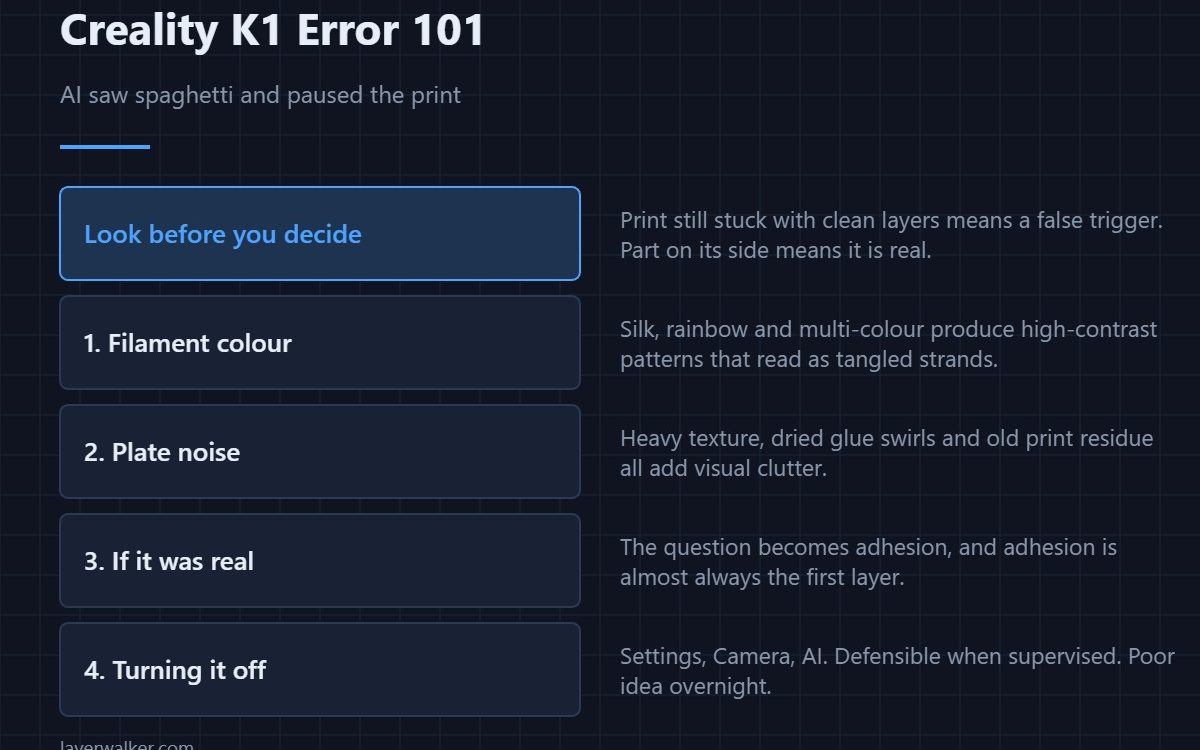
Creality K1 error 101 means the AI camera decided your print had turned into spaghetti and paused the job. Sometimes it is right and the part has detached. Often it is a false trigger, and the two commonest causes are bright or multi-coloured filament and a busy build surface. Look at the plate before you decide.
The detection runs on the onboard camera and scores each frame for the stringy mess a detached print produces. It is a statistical guess, not a measurement, so it has a false-positive rate you can actually predict.
Where to buy


Decide in ten seconds: is it real?
Open the door and look. A print still stuck to the plate with clean layers is a false trigger, and you resume from the screen, the slicer or Creality Cloud. A part lying on its side with filament being air-printed above it is real, and resuming only wastes more material.
Why Creality K1 error 101 fires on filament that is fine
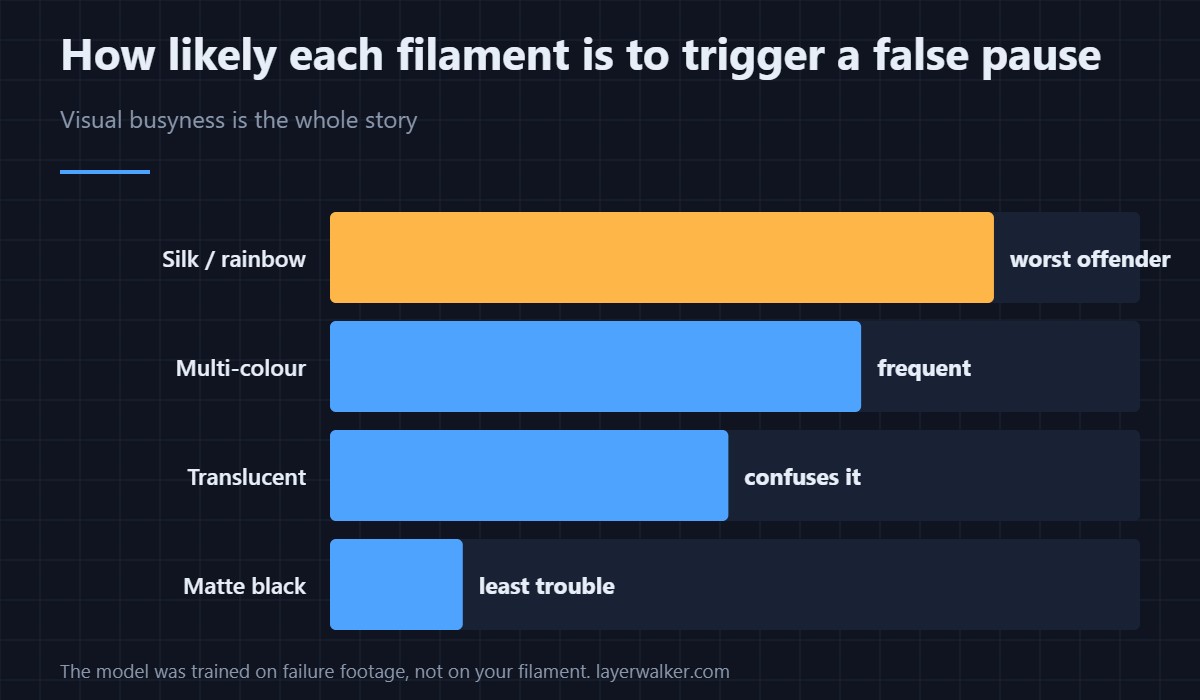
The model was trained on typical failure footage, and certain materials look like failure to it. Bright multi-colour, silk and rainbow filaments produce high-contrast patterns that read as tangled strands. Translucent filament confuses it in the other direction. Matte black is the least likely to trip it, mostly because it is the least visually busy — the general quality differences are covered in PLA filament brands.
The plate matters as much as the filament
A textured PEI sheet with heavy patterning, glue residue dried in swirls, or the remains of a previous print all add visual noise the camera has to see past. Cleaning the plate properly reduces false triggers noticeably, and it is worth doing anyway — see cleaning a print bed.
When it was a real failure
If the print genuinely detached, the code told you something useful and the question becomes why it let go. That is adhesion, and it is almost always first layer rather than anything later — start with first layer problems. A print that failed at layer two and a print that failed at layer two hundred have different causes, and the camera cannot tell you which.
Turning it off, and when that is reasonable
System Settings, then Camera, then the AI function. Switching it off is defensible if you print supervised, in one colour, and are tired of resuming. It is a poor idea for long unattended jobs, because spaghetti that runs for six hours can weld itself around the hotend. How the camera is used for the rest of its features is covered in the Creality camera guide.
Creality K1 Error 101 FAQ
Is 101 the same as 103?
No. This one watches the whole print for spaghetti. 103 looks specifically at the first layer and fires much earlier.
Can I resume safely after a false trigger?
Yes. The printer parks and holds temperature, so resuming from a false positive normally leaves no mark beyond a slight seam where it paused.
Why does it keep pausing the same print?
Because whatever it is seeing has not changed. Either the filament colour or the plate surface is provoking it, or the print really is failing in a way you have not spotted yet.
Does the camera also detect objects on the plate?
That is a separate check with its own code, 104, and it runs before the print rather than during it.

LayerWalker
Print defect diagnosis, calibration procedures and parts that actually fit. Corrections welcome through the contact page.

