Prusa Error 13309: Input Port Overcurrent on the xBuddy Board
LayerWalker is a participant in the Amazon Services LLC Associates Program. We may earn a commission when you buy through links on our site, at no extra cost to you.
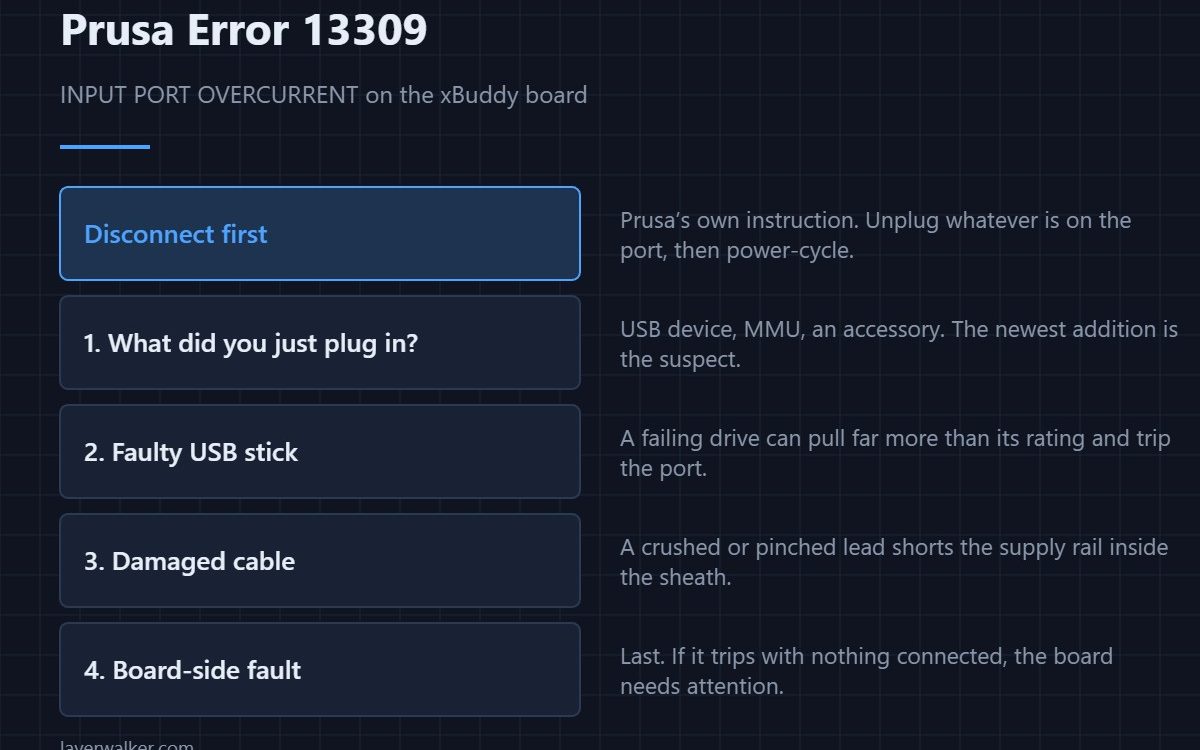
Prusa error 13309 means the xBuddy board detected overcurrent on its input port and shut that port down. Prusa’s instruction is blunt and correct: disconnect the device. Whatever you most recently plugged in is the suspect — a failing USB drive, an accessory, or a damaged cable shorting the supply rail.
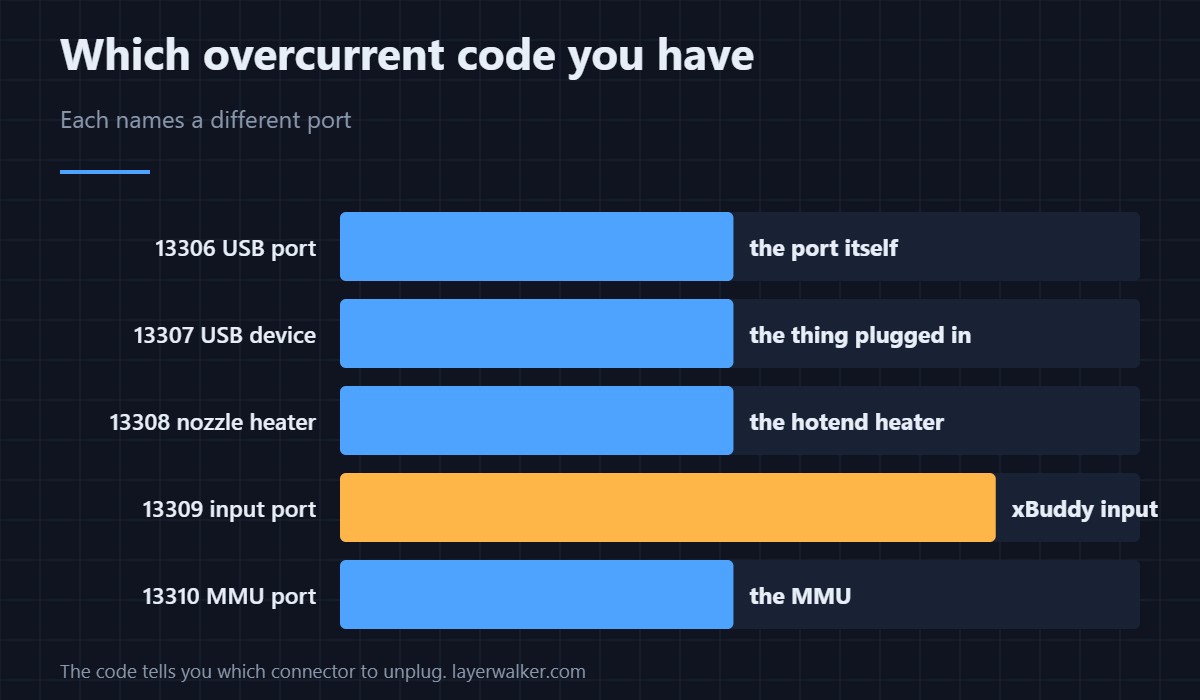
The board monitors current on several ports independently, and each has its own code. That is genuinely useful: the number tells you which connector to unplug rather than leaving you to guess.
Where to buy



What to do
- Disconnect everything from the port and power-cycle. If the error clears, the fault is in what you removed, not the printer.
- Reconnect one item at a time. Power-cycle between each. The one that brings the error back is the faulty device.
- Suspect USB drives first. A failing flash drive can draw far more than its rating. Try a different one before anything else, and keep a spare with your tool kit.
- Inspect the cable. A crushed or pinched lead shorts the supply inside the sheath with no visible damage outside it.
- If it trips with nothing connected, the fault is board-side and needs Prusa support rather than a swap of accessories.
Why this protects you
Current limiting on a port exists so that one failing accessory cannot take the board with it. An error here means the protection worked. The thing not to do is keep clearing it and plugging the same device back in.
Related codes
13308 is overcurrent on the nozzle heater, which is internal wiring rather than an accessory. 13321 is power panic, which is about supply loss rather than excess draw. Accessories worth owning, and the ones that cause trouble, are in 3D printer accessories.
The same error reads 31309 on CORE One, 35309 on CORE One L, 16309 on iX and 23309 on MK3.5.
Prusa Error 13309 FAQ
Which device is causing it?
Disconnect everything, then reconnect one at a time with a power-cycle between each. The error returns with the faulty one.
Can a USB stick really trip this?
Yes. A drive with a failing controller can pull well above its rated current, which is exactly what the port monitor is watching for.
Is the board damaged?
Usually not — the protection cut in before damage. If the error persists with nothing connected, then the port itself needs attention.
Is it safe to keep clearing the error?
No. Repeatedly re-energising a shorted circuit is how a protected fault becomes an unprotected one.

LayerWalker
Print defect diagnosis, calibration procedures and parts that actually fit. Corrections welcome through the contact page.