Prusa Error 13816: Print Fan Not Spinning
LayerWalker is a participant in the Amazon Services LLC Associates Program. We may earn a commission when you buy through links on our site, at no extra cost to you.
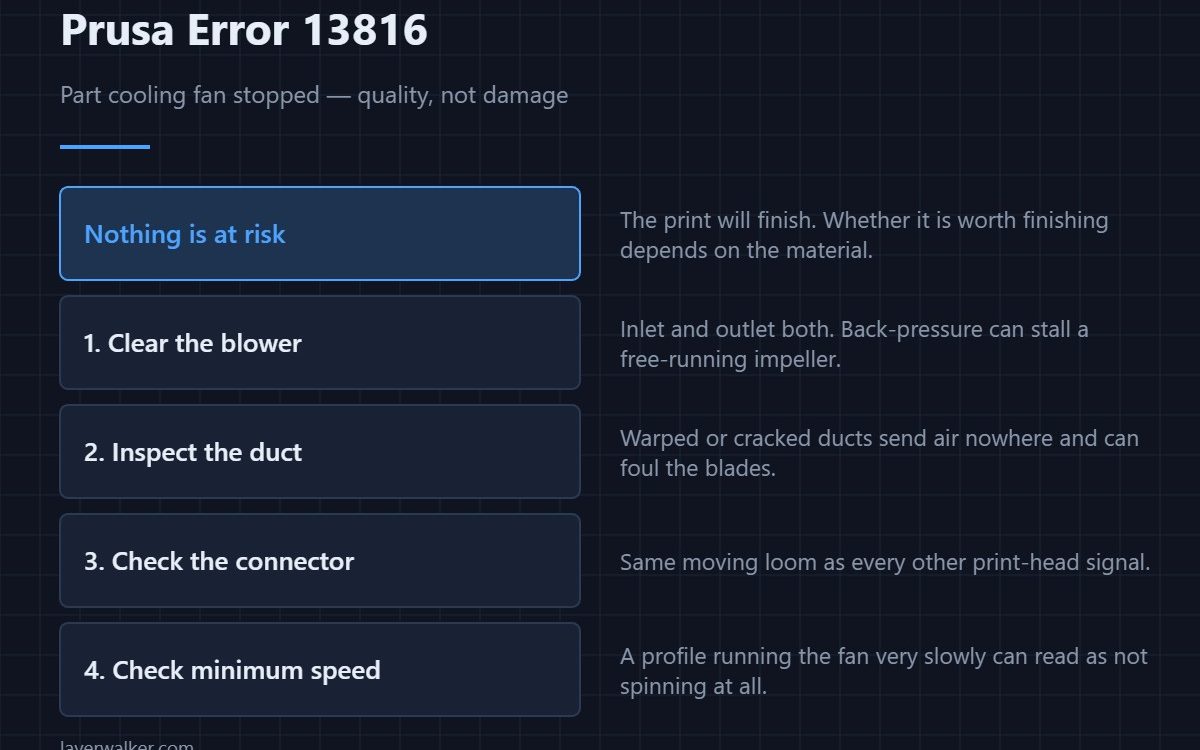
Prusa error 13816 means the print fan has stopped turning. This is the part cooling fan, the one that blows across the model so each layer sets before the next arrives. Nothing is at risk of damage, but overhangs sag, bridges droop and fine detail smears — and with PLA the effect is severe enough that the print is usually not worth finishing.
Unlike the hotend fan, this one is about quality rather than survival. That is why it is worth knowing which fan the code refers to before you panic.
Where to buy


Debris first, as always
Blower fans on a print head sit right under the nozzle and collect exactly what you would expect: stringing, purge fragments and dust. Power down, look into the blower inlet and the outlet duct, and turn the impeller by hand. A blocked duct can also stall the fan by back-pressure even when the impeller itself is free.
Why the duct matters as much as the fan
Prusa print fans push air through a printed or moulded duct that wraps around the nozzle. That duct gets hit by the nozzle during a crash, warps if it touches a hot block, and cracks with age. A deformed duct sends air nowhere useful, and in the worst case it fouls the impeller. Inspect it while the fan is out.
What printing without it actually looks like
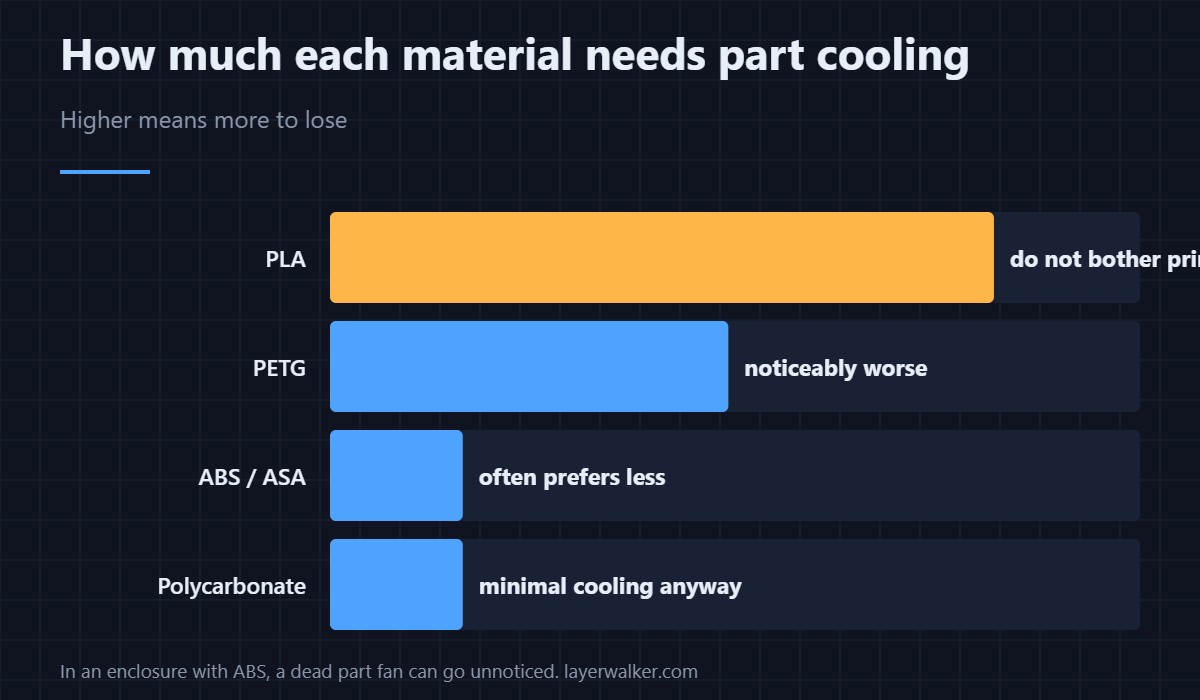
PLA is the material that depends on part cooling most, and prints made without it show rounded corners, stringy overhangs and layers that stay soft long enough to be dragged by the nozzle. PETG tolerates less cooling, and ABS and ASA actively prefer it reduced, which is why an enclosure print can look fine when the fan is barely running. If your quality problems began at the first layer rather than partway up, the cause is elsewhere — start with first layer problems.
Prusa error 13816 versus the hotend fan code
They sound the same in the menu and are not remotely equivalent. 13828 is the heatsink fan and means stop immediately. This one is the part fan and means your surface finish is about to suffer. Confirm which fan the printer is complaining about before you order anything — sizes and connectors differ, and the cooling fan guide covers what fits where.
The same fault reads 12816 on MINI, 17816 on XL, 23816 on MK3.5 and 31816 on CORE One.
Prusa Error 13816 FAQ
Can I finish the print with the fan dead?
In PLA, rarely worth it. In ABS or ASA inside an enclosure, often yes, because those materials want little or no part cooling anyway.
Why does the fan only fail partway through a print?
Because it only runs from the second layer onwards on most profiles, and because debris accumulates as the print goes on. A fan that passes the self-test and fails at layer forty is usually collecting stringing.
Is a blower fan the same as an axial fan?
No. Blowers are the squat cylindrical type that push air out of a side slot, and print heads almost always use them for part cooling. Axial fans are the flat square type used on heatsinks and enclosures, like the exhaust fan arrangement.
Does the fan speed in the slicer affect this error?
Not directly, but a profile that runs the fan very slowly can leave it below the speed the printer expects to detect, which reads as not spinning. If the error only appears on one profile, check its minimum fan speed.

LayerWalker
Print defect diagnosis, calibration procedures and parts that actually fit. Corrections welcome through the contact page.

