Prusa Error 13811: Repeated Collision Detected
LayerWalker is a participant in the Amazon Services LLC Associates Program. We may earn a commission when you buy through links on our site, at no extra cost to you.
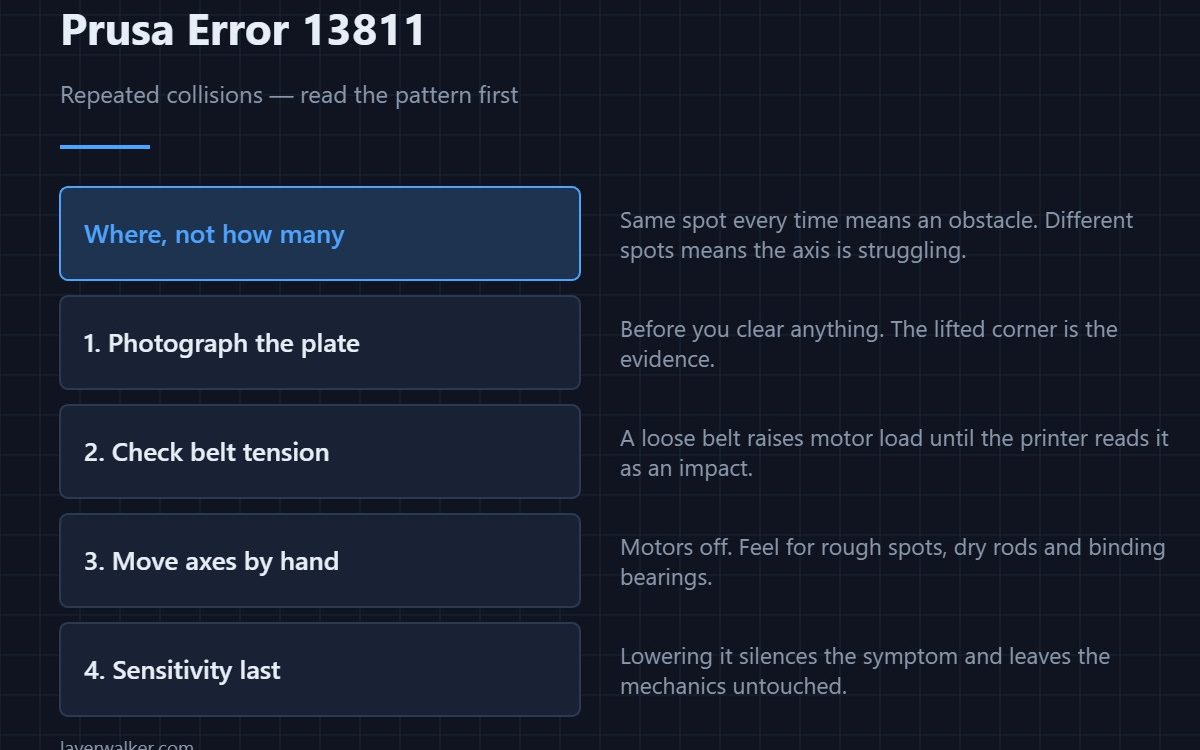
Prusa error 13811 means the printer has detected repeated collisions and is asking whether to resume or pause. A single crash can be a warped corner or a stray clip. Repeats are not random: something is physically in the way, or the axis is losing steps and reporting the missed motion as an impact.
Prusa machines sense crashes through motor load rather than a bump switch, which is why the same detection catches both real obstacles and mechanical slop. Knowing which of the two you have decides whether resuming is sensible.
Where to buy


Read where it crashes before you touch anything
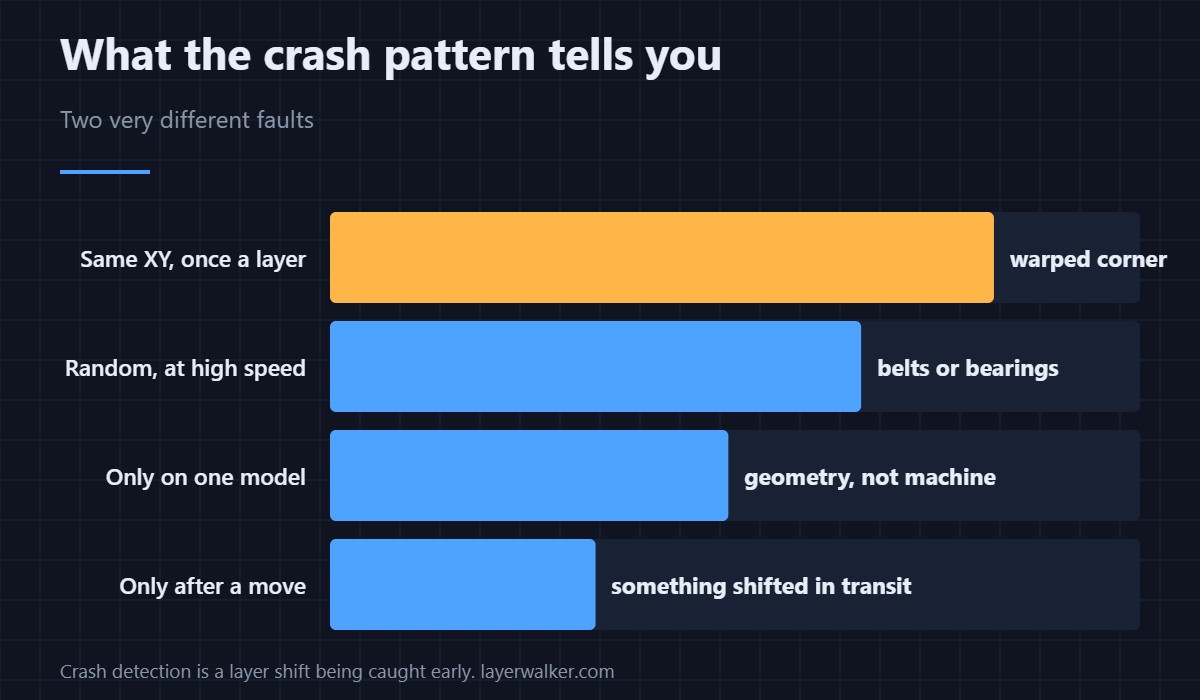
If the collisions happen at the same XY location each time, you have an obstacle: a lifted corner on the print, a blob of purge welded to the plate, or a clip left on the sheet. If they happen at different places but at similar speeds or accelerations, the axis is struggling rather than colliding.
That single observation saves most of the work. Take a photo of the plate before you clear it.
When it is a warped print
A corner that lifts becomes taller than the layer the nozzle is trying to lay, and the head hits it on every pass. The crash then happens roughly once per layer, at the same corner, getting worse as the print goes up. That is an adhesion and warping problem rather than a machine fault, and resuming only postpones it.
When the axis is at fault
Loose belts, dry rods and a binding bearing all raise the force the motor needs, and past a threshold the printer reads that as a collision. The telltale is crashes at high-speed travel moves rather than during printing. Check belt tension first — the routine is in belt tension — then move each axis by hand with the motors off and feel for rough spots.
Why Prusa error 13811 and layer shifts are the same family
Crash detection is the printer noticing what would otherwise become a layer shift. On a machine without it, the same lost steps simply move the rest of the print sideways. Seeing the code is better than not seeing it, even though it interrupts you.
If the printer cannot home at all rather than colliding mid-print, that is a different branch — see 13812. This code reads 12811 on MINI, 17811 on XL, 23811 on MK3.5 and 31811 on CORE One.
Prusa Error 13811 FAQ
Should I choose resume or pause?
Pause, then look. Resuming without clearing the obstacle produces the same crash a layer later, and each impact costs a little belt tension and a little alignment.
Does resuming ruin the print anyway?
Not necessarily. If the crash was caught and the axis re-homed cleanly, the geometry survives. What ruins prints is a series of small uncorrected shifts — see 13304 if homing itself starts failing.
Can crash detection be too sensitive?
Yes, and it is adjustable, but lowering sensitivity to silence repeats hides the fault rather than fixing it. Only reduce it once the mechanics are known good.
Why does it only happen with one model?
Because that model warps, or because it contains tall thin features that get knocked and then stand proud. Both produce an obstacle that is specific to the geometry rather than the machine.

LayerWalker
Print defect diagnosis, calibration procedures and parts that actually fit. Corrections welcome through the contact page.

