Input shaper and resonance compensation explained
LayerWalker is a participant in the Amazon Services LLC Associates Program. We may earn a commission when you buy through links on our site, at no extra cost to you.
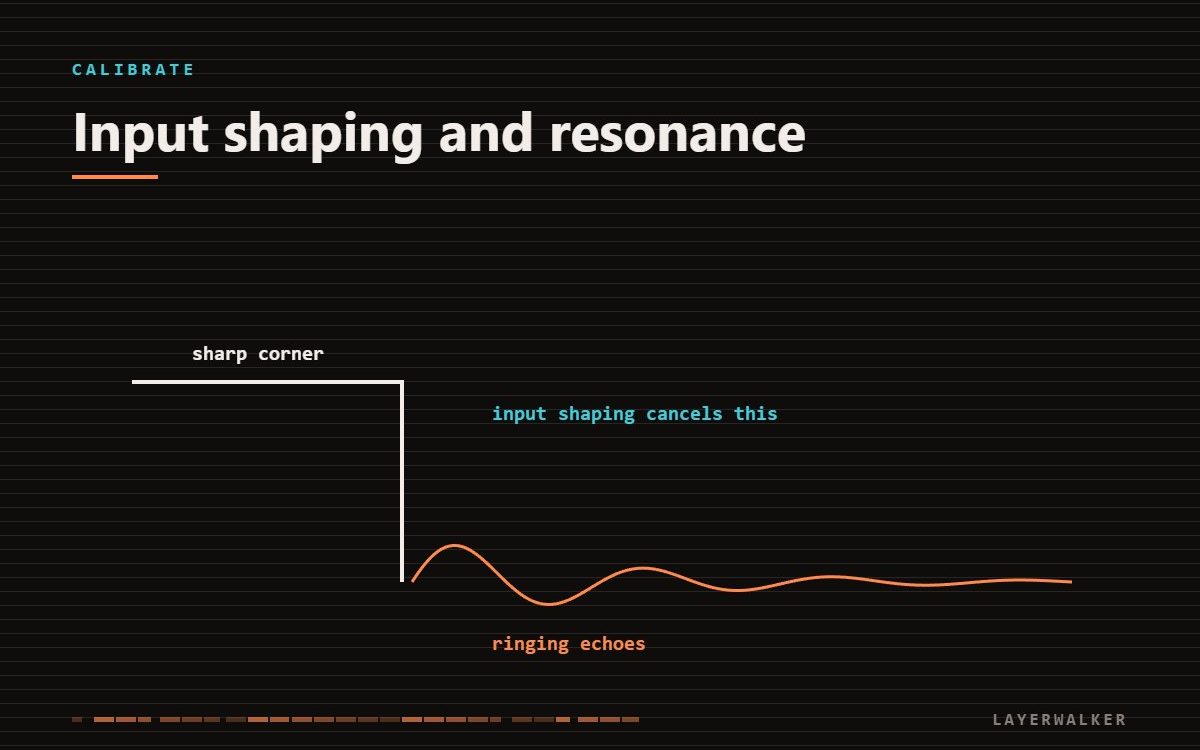
Input shaper measures how your machine vibrates and pre-distorts motion commands to cancel it. Run the calibration, then you can raise acceleration without ringing appearing. It does not fix loose belts.
Every printer frame has resonant frequencies. When the toolhead changes direction, it excites them, the frame rings, and the nozzle traces that ringing into the wall. Input shaping cancels it by splitting each move into components timed to interfere destructively with the resonance.
Input shaper 3D printer: tighten the machine first
Input shaper compensates for the frame you have. If belts are loose or bolts are slack, it will measure and compensate for a badly assembled machine, and the result will be worse than a tight machine with no shaping. Check tension and fasteners before you calibrate.
Ringing after corners even at moderate speeds
Uncompensated frame resonance
- Check belt tension and frame bolts first.
- Put the printer on a rigid surface, not a flexing table.
- Run the machine’s resonance calibration routine.
- Note the frequencies it finds. Very low frequencies, under about 30 Hz, indicate a mechanically slack machine rather than a normal one.
- Raise acceleration in steps and print a ringing test at each step until artefacts return.
- Re-run calibration after any mechanical change, including adding anything to the toolhead.
What it cannot fix
Input shaping addresses vibration after direction changes. It does nothing for backlash, loose pulley grub screws, a bent leadscrew, or Z banding. If artefacts persist after a good calibration, the cause is mechanical and shaping is hiding a symptom.
Pressure advance is the other half
Input shaping controls motion. Pressure advance controls extrusion pressure through those same direction changes. Run both — they address different halves of the same problem and neither substitutes for the other.

LayerWalker
Print defect diagnosis, calibration procedures and parts that actually fit. Corrections welcome through the contact page.