Ender 3D Printer: Which One to Actually Buy
LayerWalker is a participant in the Amazon Services LLC Associates Program. We may earn a commission when you buy through links on our site, at no extra cost to you.
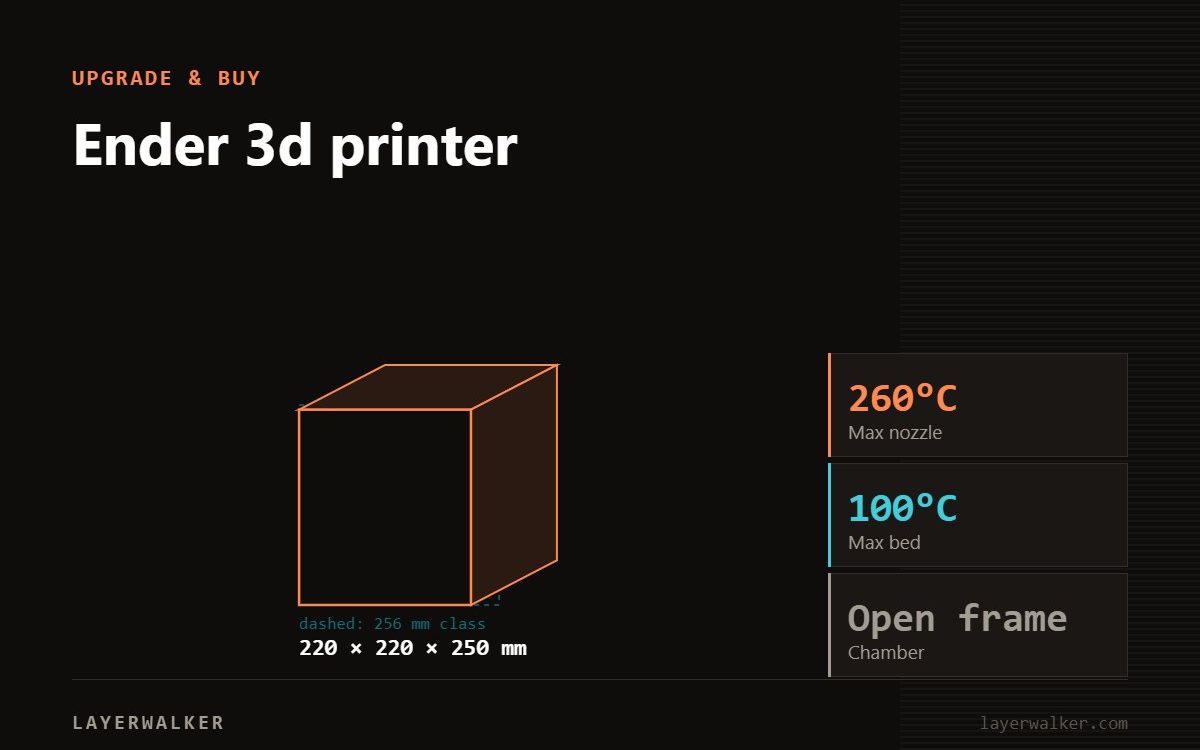
Ender is Creality’s budget line, and the name now covers a decade of very different machines. If you are buying today, buy from the V3 generation: the Ender-3 V3 gives 220 x 220 x 250 mm at up to 600 mm/s and 20,000 mm/s2 with auto levelling and a 4.3 inch touchscreen, and the V3 KE runs a Sprite direct extruder to 300 degC. The older Ender-3, Ender-3 Pro and Ender-3 V2 are still sold but belong to a slower, more manual era. For large parts, the Ender-5 Max reaches 400 x 400 x 400 mm at up to 700 mm/s.
The problem with “Ender 3D printer” as a shopping term is that it does not narrow anything down. Creality has used the name across bed-slingers, cube-frame machines, kits and fully automatic printers, and the price range spans a factor of three. Here is the map.
Where to buy


The current generation
| Model | Build volume | Speed / accel | Notable |
|---|---|---|---|
| Ender-3 V3 | 220 x 220 x 250 mm | Up to 600 mm/s / 20,000 mm/s2 | 7.83 kg, 4.3 inch HD touch, auto levelling, 32-bit board, layer 0.1-0.35 mm |
| Ender-3 V3 KE | – | Up to 500 mm/s / 8,000 mm/s2 | Sprite direct extruder to 300 degC |
| Ender-5 Max | 400 x 400 x 400 mm | Up to 700 mm/s / 20,000 mm/s2 | 300 degC, 100 degC bed, 64-point ABL, epoxy flexible plate, 1250 W |
The jump from the older Enders to the V3 generation is not marketing. A 32-bit board, auto levelling and a real touchscreen remove most of the fiddling that gave the line its reputation, and 600 mm/s with 20,000 mm/s2 is a genuine motion upgrade.
The legacy models, and why they persist
The Ender-3, Ender-3 Pro and Ender-3 V2 are still listed. The Pro gives 220 x 220 x 250 mm, the same envelope as the V3. What it does not give you is the modern electronics, the levelling or the speed.
Their real appeal was always the ecosystem: an enormous body of community documentation, cheap parts everywhere, and a design simple enough that a beginner could learn how a printer works by fixing one. If learning the machine is part of what you want, that argument still holds. If you want to print things, it does not.
See our individual notes on the Ender-3 Pro and the Ender-3 V2, and the Ender-3 V3 page for the current one.
Which Ender should you buy
For a first printer where the goal is printing rather than tinkering, the Ender-3 V3 or V3 KE. Auto levelling alone justifies the difference, because a manually levelled bed is where most beginners give up. Our page on bed levelling and mesh explains what the machine is doing for you.
For large parts, the Ender-5 Max. 400 mm cubed at up to 700 mm/s with a 64-point mesh is a serious specification, and the cube frame suits tall prints better than a bed-slinger. See our Ender-5 Max notes.
For a project rather than a tool, a used Ender-3 or Ender-3 Pro. Cheap, endlessly documented, and every upgrade you can imagine already exists.
And a comparison worth making before you commit: at this price point the Bambu A1 series offers full automatic calibration and a one-clip hotend, which is a different philosophy from Creality’s. Our entry-level guide covers that decision.
What no Ender will do
None of the open-frame Enders will print ABS or ASA reliably, because those need warm still air. For that you want an enclosed machine with a heated chamber, which in Creality’s range means the K2 Plus at 350 degC with a 60 degC chamber. Filled filaments also need a hardened nozzle whatever the machine.
Ender 3D Printer FAQ
Which Ender is best for a beginner?
The Ender-3 V3 or V3 KE, for auto levelling and modern electronics.
Is the old Ender-3 still worth buying?
Only as a cheap project machine. The V3 generation is a different experience.
What is the biggest Ender?
The Ender-5 Max, 400 x 400 x 400 mm at up to 700 mm/s.
Can an Ender print ABS?
Not the open-frame ones, not reliably.

LayerWalker
Print defect diagnosis, calibration procedures and parts that actually fit. Corrections welcome through the contact page.

