3D Printer Bed Temperature: Settings by Material, and Why Yours Reads Wrong
LayerWalker is a participant in the Amazon Services LLC Associates Program. We may earn a commission when you buy through links on our site, at no extra cost to you.
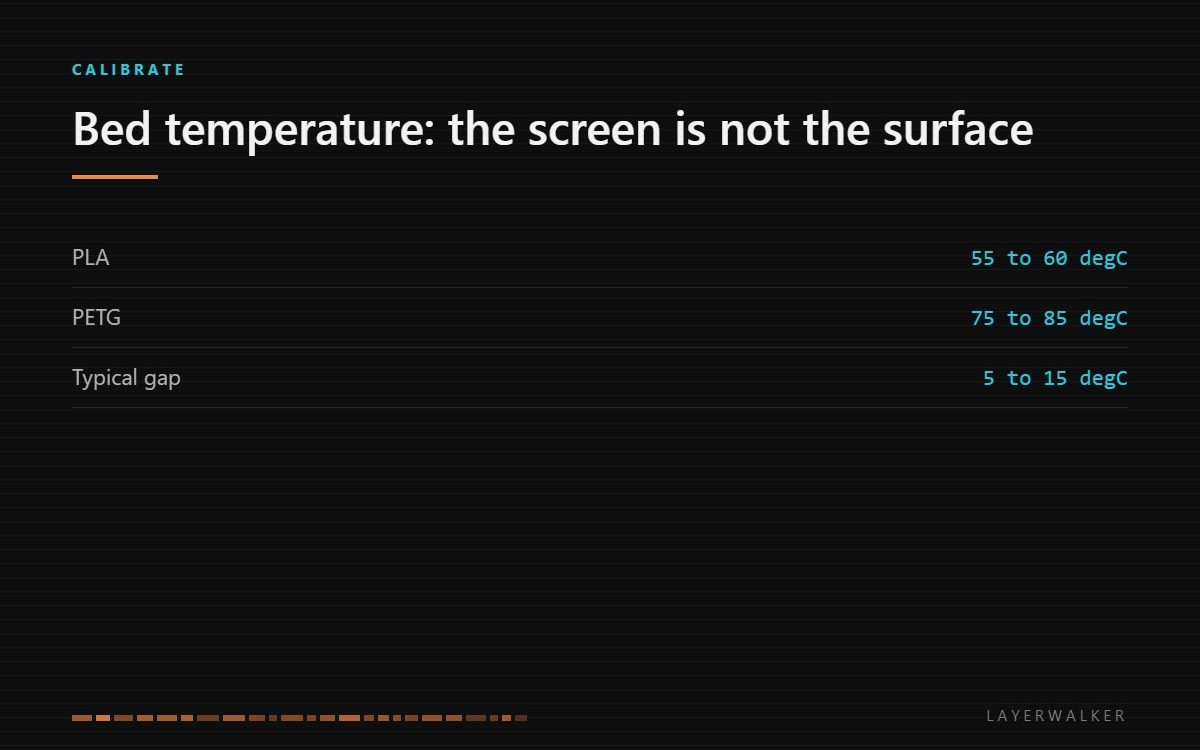
PLA 55 to 60 degC, PETG 75 to 85, ABS 95 to 110, ASA 90 to 110, TPU 40 to 60. The screen reports the sensor under the plate, not the surface your part touches, and the gap between them is often 5 to 15 degrees.
Where to buy


What to look for
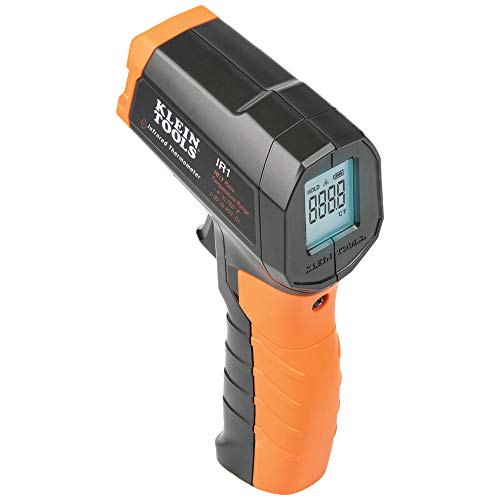
The useful purchase here is a way to measure what you actually have. An infrared thermometer costs very little and settles arguments that otherwise run for weeks: point it at the plate, read the surface, compare with the screen. Almost every machine shows a difference, and knowing your machine’s offset turns every published temperature into something you can use.
Two things to know before buying one. Shiny surfaces read badly, because infrared thermometers assume an emissivity that smooth metal does not have, so measure on textured PEI rather than a bare mirror plate, or stick a square of matt tape on the plate and measure that. And the cheapest units have a wide measurement cone, meaning they average a large circle rather than the spot you aimed at; if you want to map cold corners, a model with a tighter ratio is worth the difference. The other part worth keeping is a spare bed thermistor, which is what fails when the reading goes implausible rather than merely inaccurate.
The numbers, by material
| Material | Bed | Nozzle | Notes |
|---|---|---|---|
| PLA | 55 to 60 degC | 200 to 220 degC | Higher does not help adhesion and softens the first few layers |
| PETG | 75 to 85 degC | 230 to 250 degC | Sticks too well to smooth PEI; use textured or a release layer |
| ABS | 95 to 110 degC | 240 to 250 degC | Needs an enclosure as much as it needs the bed |
| ASA | 90 to 110 degC | 240 to 250 degC | As ABS, with better UV stability |
| TPU | 40 to 60 degC | 220 to 235 degC | Low and slow; fuses to smooth PEI if run hot |
Why the screen is not the surface
The thermistor lives underneath the heater, bonded to the aluminium. Above it sits the plate: a spring steel sheet, a PEI coating, sometimes a magnetic layer between them. Each of those is a thermal resistance, and heat has to cross all of them before it reaches your first layer. The result is a surface that is reliably cooler than the reported number, typically by 5 to 15 degrees depending on the stack.
That gap explains a lot of behaviour that otherwise looks like bad luck. A published PETG profile that says 80 degrees was written by someone whose surface actually reached 80. On a machine with a thicker plate, setting 80 gives you perhaps 68 at the surface, and the corners lift. The fix is not a better profile but knowing your own offset and adding it.
Edges are colder than the middle
A bed is heated from the centre outward and loses heat from its perimeter, so the edges run cooler than the middle on almost every machine. On a large plate the difference can be significant, and it is why a part printed in the centre succeeds and the same part in a corner warps.
Measure it rather than assume it: bring the bed to temperature, wait for it to settle properly, then take readings at the centre and at each corner. If the corners are more than about 10 degrees down, you have found the cause of a class of adhesion failures, and the answer is usually an enclosure or simply moving the part inward rather than raising the setpoint.
Higher is not better
Raising bed temperature is the standard response to a part that will not stick, and past a certain point it causes the problem it was meant to solve. Too hot a bed keeps the first several layers soft for too long, which produces elephant foot, a part that spreads at the base and is out of tolerance where it matters most. On PLA it also makes the part harder to remove, because the plastic keeps flowing into the plate texture as long as it stays warm.
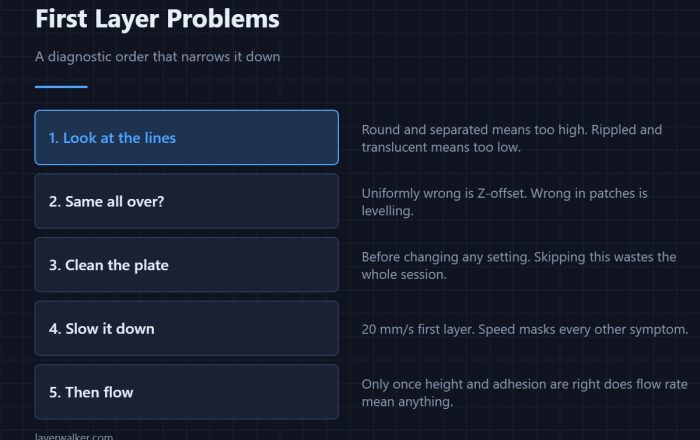
When a part is not sticking, the order that works is: clean the plate, check the first layer height, then adjust temperature last. Our pages on first layer adhesion and warping go through that sequence, and both put temperature well down the list for a reason.
Waiting long enough
Printers report the target reached as soon as the thermistor reaches it, which happens well before the plate above has caught up. On a thick bed the surface can still be climbing several minutes later. If your first layer is inconsistent on the first print of the day and fine on the second, that is what you are seeing, and the fix is a warm-up dwell rather than any change to the temperature itself.
When the number is right and parts still will not stay down, the material-specific pages go further: PLA and ABS and ASA, which need warm air as much as a warm plate.
3D printer bed temperature FAQ
What bed temperature for PLA?
55 to 60 degC at the surface. If your surface runs cold, set higher on the screen to get there.
Why does my part stick too well?
PETG and TPU on smooth PEI weld to the plate. Use textured PEI or a release layer rather than dropping the temperature.
Is a heated bed needed for PLA?
Not strictly, but an unheated plate makes adhesion depend entirely on the surface and the first layer height.
My reading jumped to an impossible number.
That is a sensor or connector fault, not a calibration issue. Check the plug before replacing the thermistor.
A bed that reaches PLA temperature but not ABS is usually marginal rather than broken. A K1 reports the timeout as Creality K1 error 2565, where the first suspect is the high-current solder joint.
Some printers warn you before the bed is hot enough to cause trouble. Bambu issues HMS 0500-0400-0002-0007 when the bed exceeds what the loaded filament tolerates, predicting a clog.

LayerWalker
Print defect diagnosis, calibration procedures and parts that actually fit. Corrections welcome through the contact page.