HMS 0500-0400-0002-0007: Bed Too Hot for the Filament
LayerWalker is a participant in the Amazon Services LLC Associates Program. We may earn a commission when you buy through links on our site, at no extra cost to you.
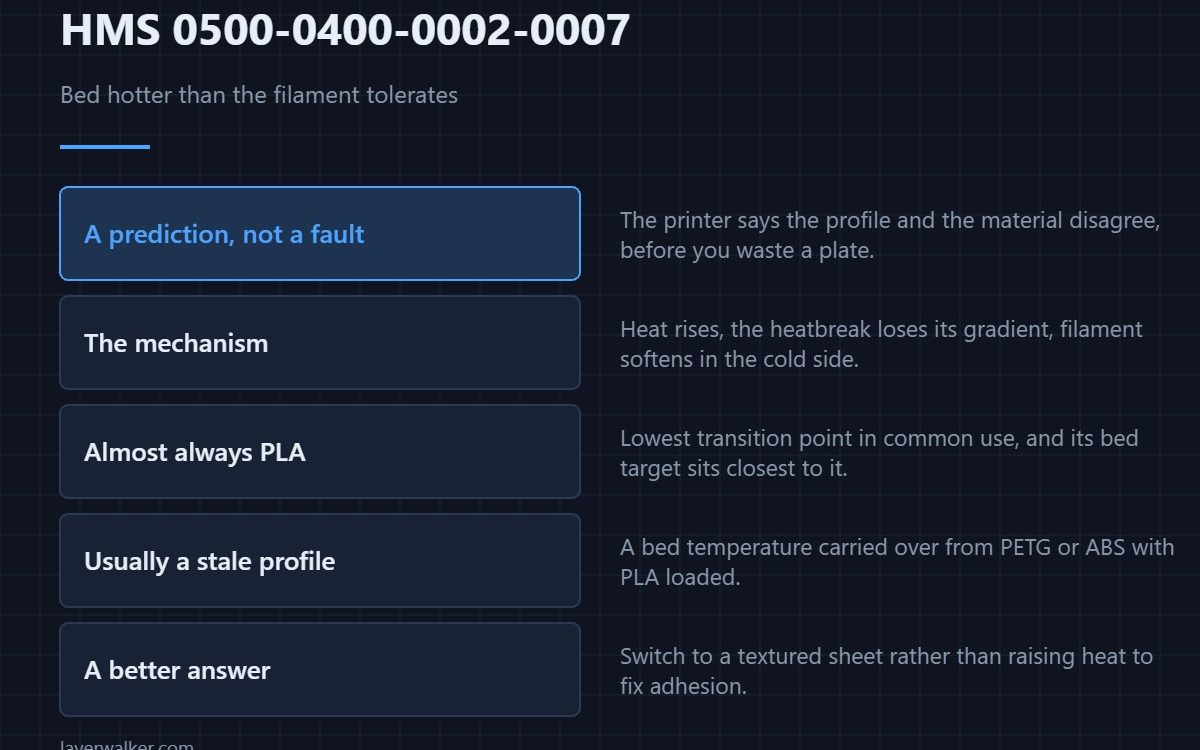
HMS 0500-0400-0002-0007 warns that the bed temperature exceeds the filament’s glass transition temperature, which may cause a nozzle clog. It is a prediction rather than a fault. A bed hotter than the filament can tolerate radiates heat upward, softens filament inside the nozzle before it should, and that is how a jam forms.
The printer is telling you the profile and the material disagree, before you waste a plate finding out.
Where to buy


Why a hot bed clogs a nozzle
Glass transition is the temperature at which a plastic stops being rigid. PLA softens around 60 degrees, which is why PLA bed temperatures sit just under that. Push the bed higher and the air immediately above it goes with it, the heatbreak loses its temperature gradient, and filament turns soft in the cold side where it should stay firm.
Which materials this catches
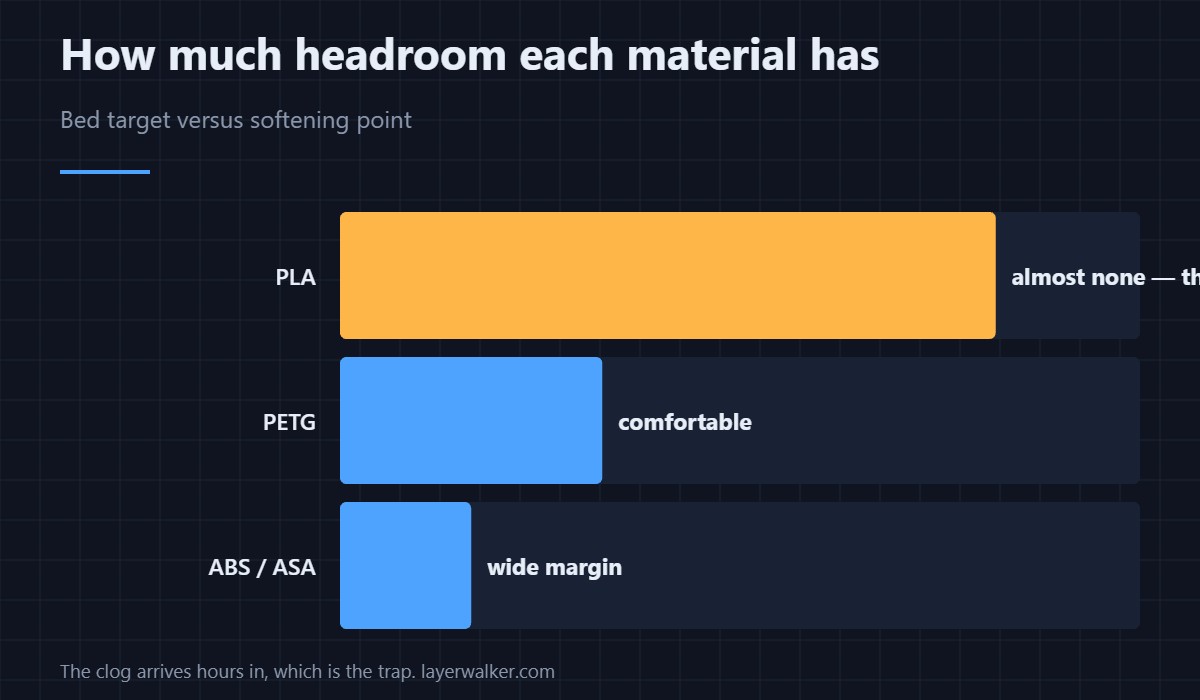
Almost always PLA, because its transition point is the lowest in common use and its recommended bed temperature sits closest to it. PETG and ABS tolerate far hotter beds, so the same bed setting that triggers this with PLA loaded is perfectly normal with them — the practical differences are in PLA versus PETG.
The usual cause is a mismatched profile
A bed temperature carried over from an ABS or PETG profile with PLA loaded produces exactly this. Check what material the slicer thinks is loaded against what is actually in the machine, because that mismatch explains most occurrences. Sensible targets by material are in bed temperature.
When HMS 0500-0400-0002-0007 is reasonable to accept
A high bed temperature is sometimes a deliberate choice to fix adhesion on a large flat part. If you know why you set it and the print is short and supervised, carrying on is defensible. On a long unattended job it is not, because the clog arrives hours in — and clearing one is covered in clearing a clogged nozzle.
The sheet matters too
A textured plate grips PLA well enough at lower bed temperatures that the ambitious setting becomes unnecessary. Switching sheet rather than raising heat is often the better answer — the trade-offs are in PEI build plates.
HMS 0500-0400-0002-0007 FAQ
Does it stop the print?
It is a warning rather than a stop. The decision is yours, which is why understanding the mechanism matters.
What is a safe PLA bed temperature?
Comfortably under its softening point, which is where standard profiles already sit. The warning appears when something pushed above that.
Could the bed sensor be wrong instead?
Possible, and worth checking if the number looks implausible. A genuinely wrong reading is a sensor fault with its own code.
Will the clog happen immediately?
No, and that is the trap. Heat creep takes time, so the failure arrives well into a long print.

LayerWalker
Print defect diagnosis, calibration procedures and parts that actually fit. Corrections welcome through the contact page.