HMS 0C00-0300-0003-000E: Printing Without Extruding on the X1
LayerWalker is a participant in the Amazon Services LLC Associates Program. We may earn a commission when you buy through links on our site, at no extra cost to you.
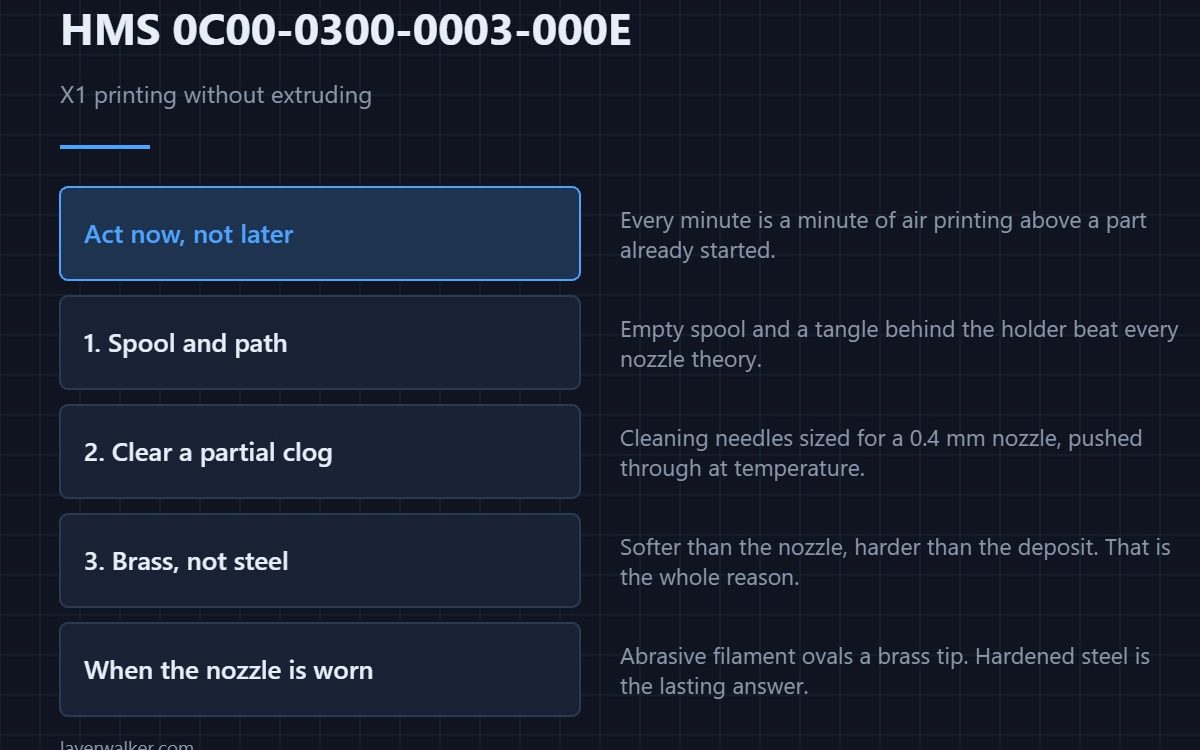
HMS 0C00-0300-0003-000E means the printer seems to be printing without extruding: the toolhead is moving through the job but the camera cannot see material arriving. On the X1 this is almost always a clog, a ground filament or an empty spool, and it is one of the few codes worth acting on immediately.
Every minute it keeps going is a minute of air printing, and air printing above a part that has already started is how a clean failure becomes a messy one.
Where to buy


Genuine Bambu Lab Hotend with Nozzle for P1S P1P X1C X1 Carbon 3D Printer .4mm Hardened Steel
Check the obvious two things first
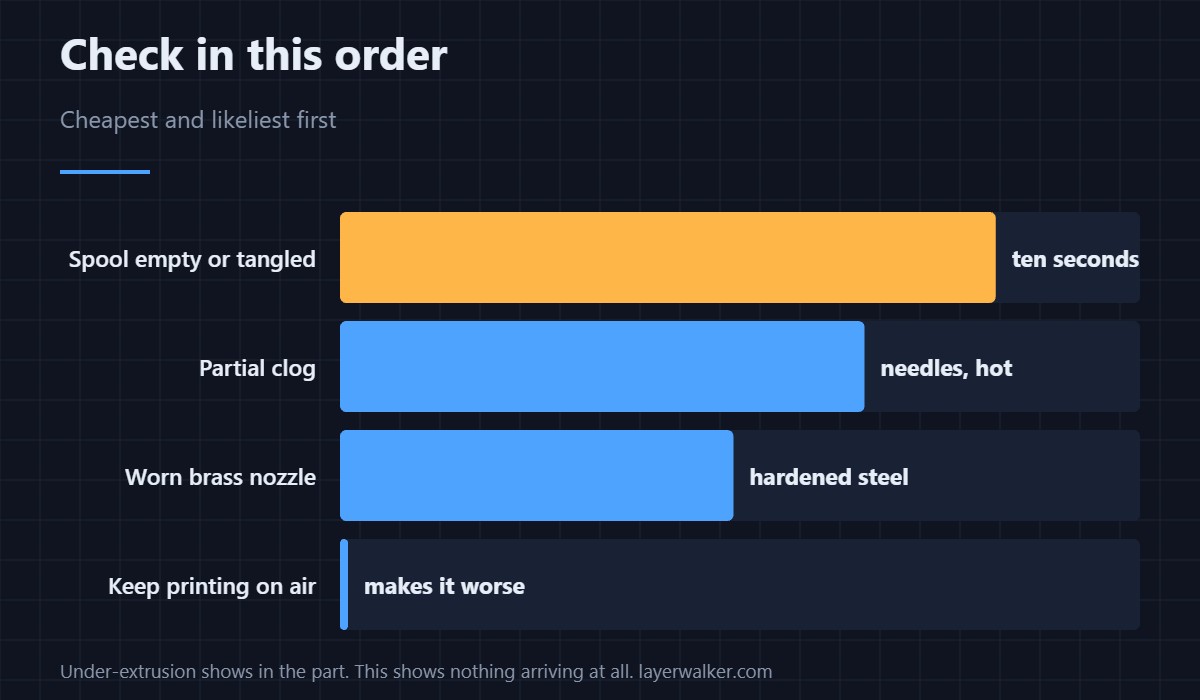
Is there filament on the spool, and is the path clear back to it? An empty spool and a tangle behind the holder account for more of these than any nozzle fault, and both are visible in ten seconds without tools.
Then clear the nozzle
A partial clog gives you this code long before it gives you a hard error. A set of cleaning needles sized for a 0.4 mm nozzle, pushed through at temperature, clears the common case; the step-by-step is in nozzle cleaning and the causes in a clogged nozzle.
Clean the outside while you are there
Material baked onto the outside of the nozzle drags on the part and radiates heat where it should not. A brass wire brush at temperature takes it off without scoring the nozzle, which is exactly why brass and not steel: softer than the nozzle, harder than the deposit.
When the nozzle itself is the problem
Abrasive filament wears a brass nozzle into an oval, and an oval nozzle under-extrudes no matter how clean it is. A hardened steel nozzle is the answer if you print carbon fibre or glow-in-the-dark material at all, and it is the only answer that lasts — sizes and threads are in the Bambu Lab nozzle guide.
How HMS 0C00-0300-0003-000E differs from under-extrusion
Under-extrusion gives you thin walls and gaps you can see in the part; this code means the camera saw nothing arriving at all. The gradual version is covered in under-extrusion and gappy walls, and it usually arrives first.
The same message on the H2
Bambu uses identical wording for the H2 under HMS 0C00-0300-0003-0010. The symptom is the same; the hardware you reach for is not, so use the code that matches your machine. The platform itself is reviewed in the Bambu Lab X1 Carbon.
HMS 0C00-0300-0003-000E FAQ
Should I cancel the print?
Yes, if nothing is arriving. Printing on air wastes time and makes the recovery harder.
Can it be a false alarm?
Occasionally, on a very sparse layer. Look at the part before you decide.
Does cold pulling work?
For soft clogs, yes. For a worn nozzle it changes nothing.
Why does it happen mid-print?
Heat creep and partial clogs both build up over hours rather than appearing at the start.
Knowing where to cut and cutting accurately are different problems. HMS 0C00-0400-0002-0018 means blade offset calibration failed, and Bambu names blade tip wear — which needs magnification to judge.

LayerWalker
Print defect diagnosis, calibration procedures and parts that actually fit. Corrections welcome through the contact page.