HMS 0C00-0300-0003-000B: Inspecting First Layer
LayerWalker is a participant in the Amazon Services LLC Associates Program. We may earn a commission when you buy through links on our site, at no extra cost to you.
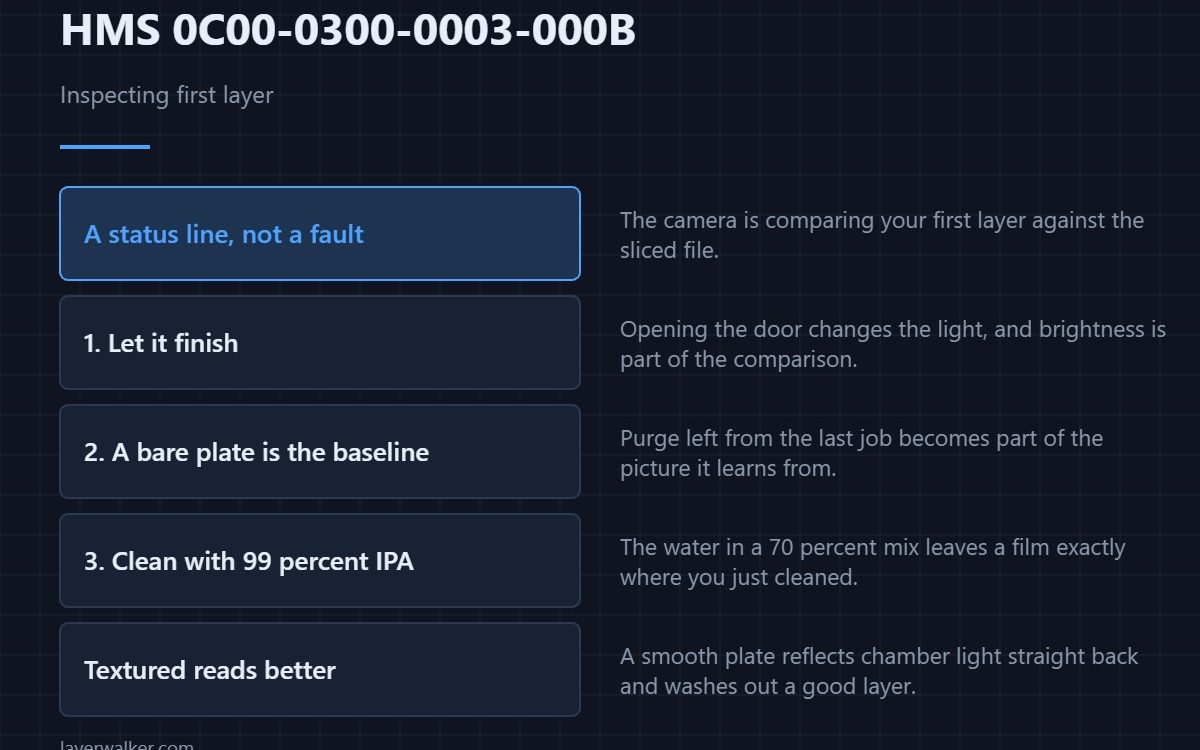
HMS 0C00-0300-0003-000B means the printer is inspecting the first layer right now. It is a status message rather than a fault: the camera photographs the first layer and compares it against the sliced file before the job commits to hours of printing. The only thing it asks of you is to let it finish.
Most owners meet this code and immediately open the door to look, which is the one unhelpful move available.
Where to buy


Let it finish, and keep the door shut
Opening the enclosure mid-inspection changes the light across the plate, and the comparison is partly a brightness comparison. Wait the few seconds out. The inspection runs once per plate, not continuously, so what you are interrupting does not come back around.
What the camera is actually looking at
It is looking at a bare textured plate with your first layer on it, so anything else on that plate becomes part of the picture. Purge left from the previous job is the usual culprit. Wipe the plate down with lint-free cleanroom wipes rather than kitchen paper, because paper sheds fibres onto the exact surface you are trying to clear, and a fibre standing up in the first layer reads as a defect. If you use alcohol with them, use 99 percent rather than the 70 percent bottle: the water in the weaker mix leaves a film behind.
Why your plate surface changes the result
A textured PEI surface scatters light and gives the camera plenty of contrast to work with. A smooth plate reflects the chamber lights straight back and can wash out a perfectly good layer. If this code is followed by complaints on a smooth plate but never on a textured one, that is the explanation rather than a fault — the two surfaces are compared in smooth versus textured PEI.
Look at the layer yourself as well
The camera reports a verdict; it does not show you why. A cheap USB digital microscope on the bench answers the question the code cannot, because gaps between first-layer lines are obvious at twenty times magnification and invisible at arm’s length. Ordinary first-layer faults are collected in first layer problems.
What HMS 0C00-0300-0003-000B leads to
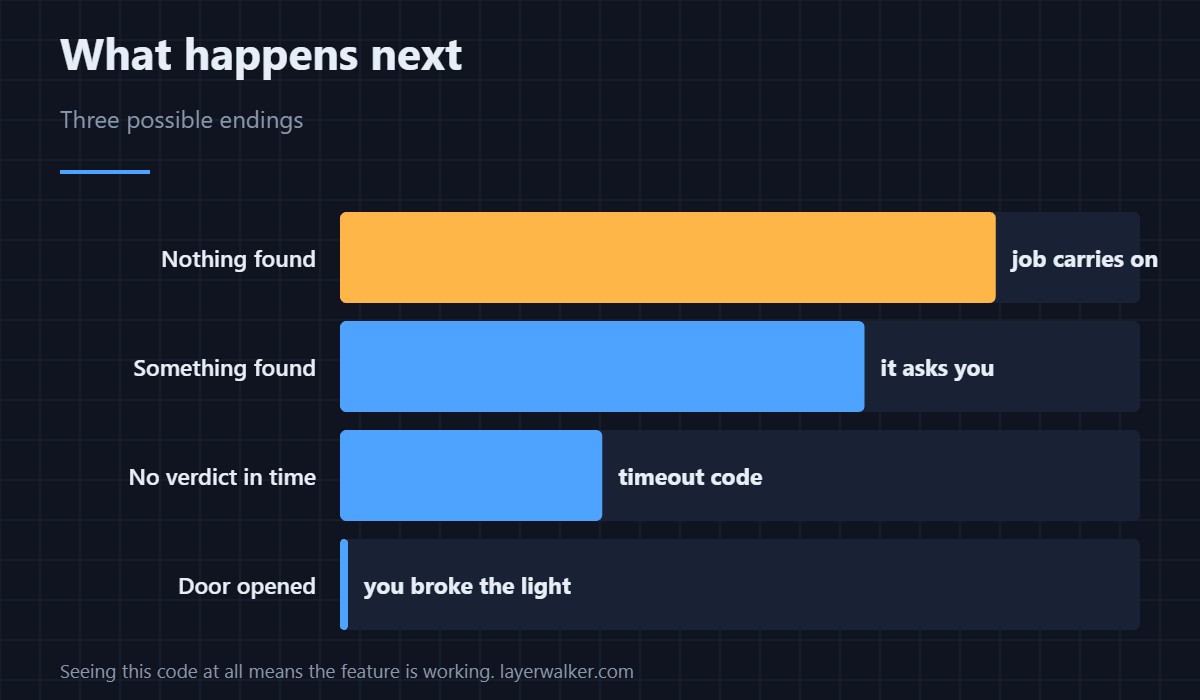
If the inspection finds something it escalates to HMS 0C00-0300-0003-0007, which hands the decision back to you. If it finds nothing, the job simply carries on and you never hear about it again. Seeing this code at all means the feature is working.
When it never appears
A machine that never shows it either has the feature switched off or cannot use it on this job. The uncalibrated case is HMS 0C00-0300-0002-0012, and the unsupported case is HMS 0C00-0300-0002-0004.
HMS 0C00-0300-0003-000B FAQ
Is this an error?
No. It is the machine telling you what it is doing for a few seconds.
Can I skip the inspection?
You can turn the feature off, but you are turning off the check that catches a bad plate in minutes.
Why does it take longer on some plates?
More parts and more perimeter mean more to compare. A full plate takes noticeably longer than one object.
Does opening the door ruin it?
It can. The light changes, and brightness is part of the comparison.
Inspection is not the only routine with a tight tolerance. HMS 0C00-0300-0002-0011 is the high-precision nozzle offset calibration, and it measures the tip itself, so retrying without cleaning the tip changes nothing.

LayerWalker
Print defect diagnosis, calibration procedures and parts that actually fit. Corrections welcome through the contact page.