HMS 0C00-0300-0002-0004: First Layer Inspection Not Supported for This Print
LayerWalker is a participant in the Amazon Services LLC Associates Program. We may earn a commission when you buy through links on our site, at no extra cost to you.
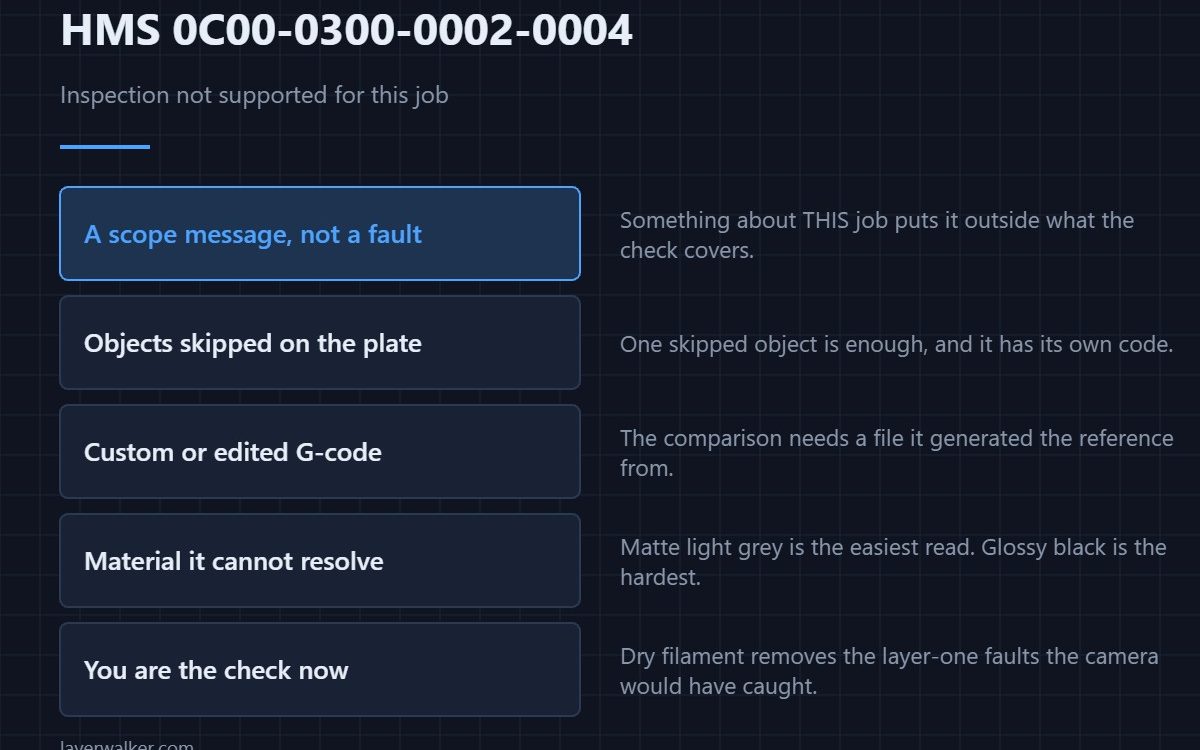
HMS 0C00-0300-0002-0004 means first layer inspection is not supported for the current print job. It is a scope message, not a fault: something about this job puts it outside what the check can handle, so the printer tells you plainly instead of reporting a result it does not have.
The useful question is not how to fix it but which of your choices took the feature off the table.
Where to buy


The usual reasons
Objects skipped on the plate, a job driven by custom or hand-edited G-code, a plate type the machine cannot recognise, or a material the camera cannot resolve. Each one breaks the comparison in a different way, and none of them means the printer is unwell. The skipped-objects case has its own code, HMS 0C00-0300-0002-000F.
Material decides more than people expect
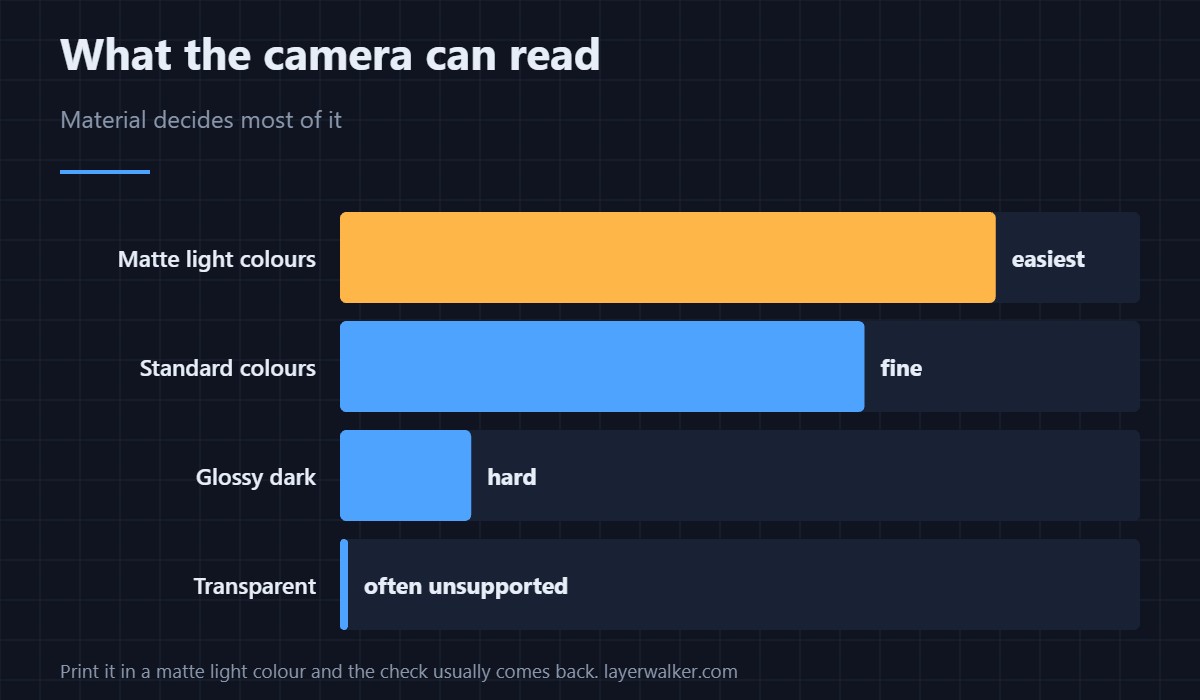
A matte light grey PLA is the easiest first layer any camera will ever read, and a glossy black is the hardest. If you want the check back for a particular job, printing it in a matte light colour is a more reliable lever than any setting in the slicer. Bambu’s own range is covered in Bambu Lab PLA.
Dry filament removes the faults you cannot see
Without the inspection you are the check, so it pays to remove the variables that cause first-layer trouble in the first place. Damp filament pops and strings on layer one, and a sealed storage box with desiccant keeps a spool usable for months — the options are in filament storage.
Feeding from outside the machine
Jobs fed from an external spool are a common habit with unusual materials, and a spool that drags adds exactly the flow variation the camera would have caught. A free-running external holder costs little and removes the drag.
What HMS 0C00-0300-0002-0004 is not
It is not the uncalibrated case, which names a menu: that is HMS 0C00-0300-0002-0012. It is not a failed inspection either, which would be HMS 0C00-0300-0003-0007. This code means the check never applied.
Getting the feature back
Re-slice without skipping objects, use a recognised plate, and print in something the camera can see. Do all three and the next plate reports HMS 0C00-0300-0003-000B as normal.
HMS 0C00-0300-0002-0004 FAQ
Is something wrong with my printer?
No. This job is outside the feature’s scope and the printer said so.
Which materials break it?
Dark, glossy and transparent are the hard cases. Matte and light are the easy ones.
Does skipping one object matter?
Yes. One skipped object is enough, because the comparison no longer matches the file.
Can I force it on?
No, and forcing a comparison against the wrong reference would be worse than having none.
Some faults are geometry rather than scope. HMS 0C00-0100-0002-0006 names the lidar extrinsic parameter, which describes where the module sits rather than how its optics work, so the mounting is where to look.

LayerWalker
Print defect diagnosis, calibration procedures and parts that actually fit. Corrections welcome through the contact page.