HMS 0C00-0300-0002-0005: First Layer Inspection Timeout
LayerWalker is a participant in the Amazon Services LLC Associates Program. We may earn a commission when you buy through links on our site, at no extra cost to you.
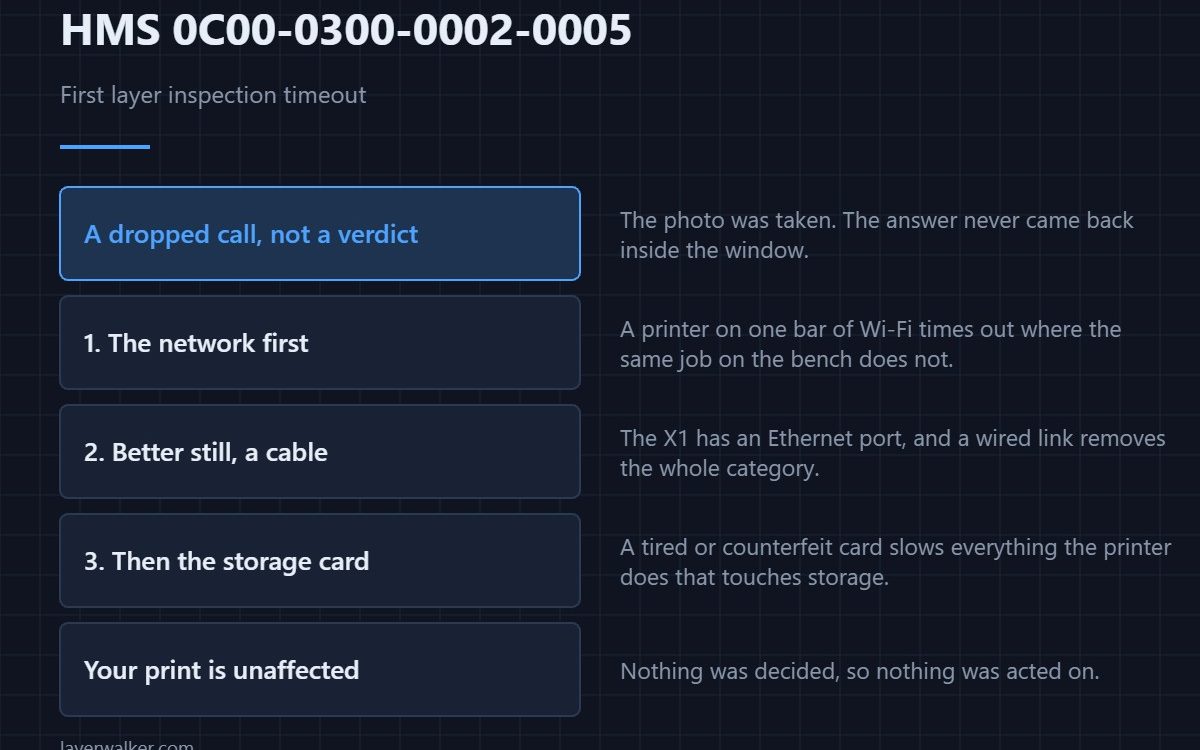
HMS 0C00-0300-0002-0005 means the first layer inspection timed out: the printer took the photograph but did not get a verdict back inside its window. That is a communication or load problem rather than a print problem, and the print itself is usually unaffected.
Read it as a dropped phone call rather than a bad diagnosis. Nothing was decided, so nothing was acted on.
Where to buy


Look at the network first
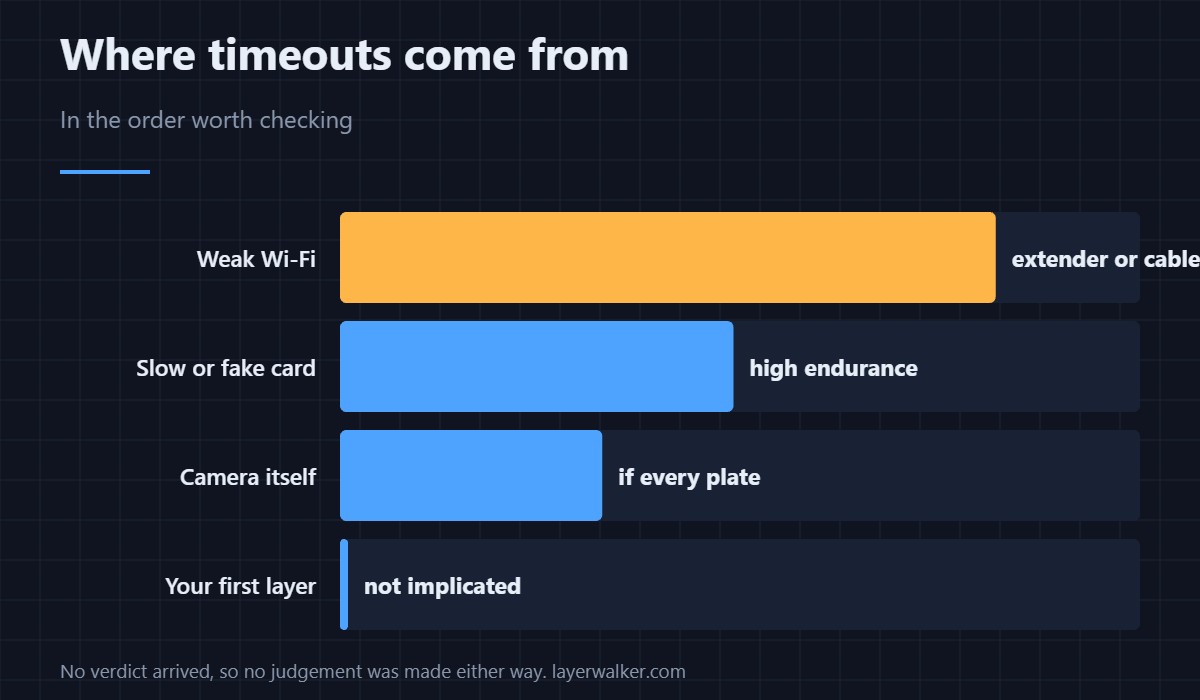
These inspections lean on a link back out of the machine, and a printer parked in the garage on one bar of Wi-Fi times out while the same job on the bench never does. A dual-band extender placed between the router and the machine fixes more of these than any printer setting, and it costs less than a plate of filament.
Better still, give it a cable
The X1 series has an Ethernet port, and a wired link removes the whole category of problem. Run a flat Cat 6 lead along the skirting if you have to. Wireless is a convenience; this code is one of the prices.
Then look at the card
A tired or counterfeit microSD card slows everything the printer does that touches storage, and timeouts are one of the symptoms. Use a high-endurance card rated for continuous writing rather than the cheapest one that fits, because cameras and printers write in the same relentless way.
If it times out on every plate
Then treat it as the camera rather than the network. A camera that is not responding at all reports as HMS 0C00-0100-0001-0001, and reseating the connector is free. General background on these cameras is in 3D printer cameras.
What HMS 0C00-0300-0002-0005 does not mean
It does not mean your first layer is bad. The verdict never arrived, so no judgement was made either way. If you want to know, look at the plate yourself or let HMS 0C00-0300-0003-000B run again on the next job.
While it keeps happening
Carry on printing. You are without an automatic check, not without a printer, and the same is true of the memory-pressure case HMS 0C00-0300-0002-0018.
HMS 0C00-0300-0002-0005 FAQ
Did my print fail?
Not because of this. The inspection simply did not report back.
Is Wi-Fi really the cause?
Often. A wired link or a closer access point is the quickest test.
Does a restart help?
Sometimes, and it costs nothing between jobs.
Will it retry automatically?
On the next plate, yes. It does not re-run on the current one.
Calibration routines fail for prosaic reasons. HMS 0C00-0300-0002-0017 is the laser Z-axis focus calibration, and it names the 350 gram test card: that card is a measuring reference, not packaging.

LayerWalker
Print defect diagnosis, calibration procedures and parts that actually fit. Corrections welcome through the contact page.