HMS 0C00-0100-0001-0001: Toolhead Camera Is Offline
LayerWalker is a participant in the Amazon Services LLC Associates Program. We may earn a commission when you buy through links on our site, at no extra cost to you.
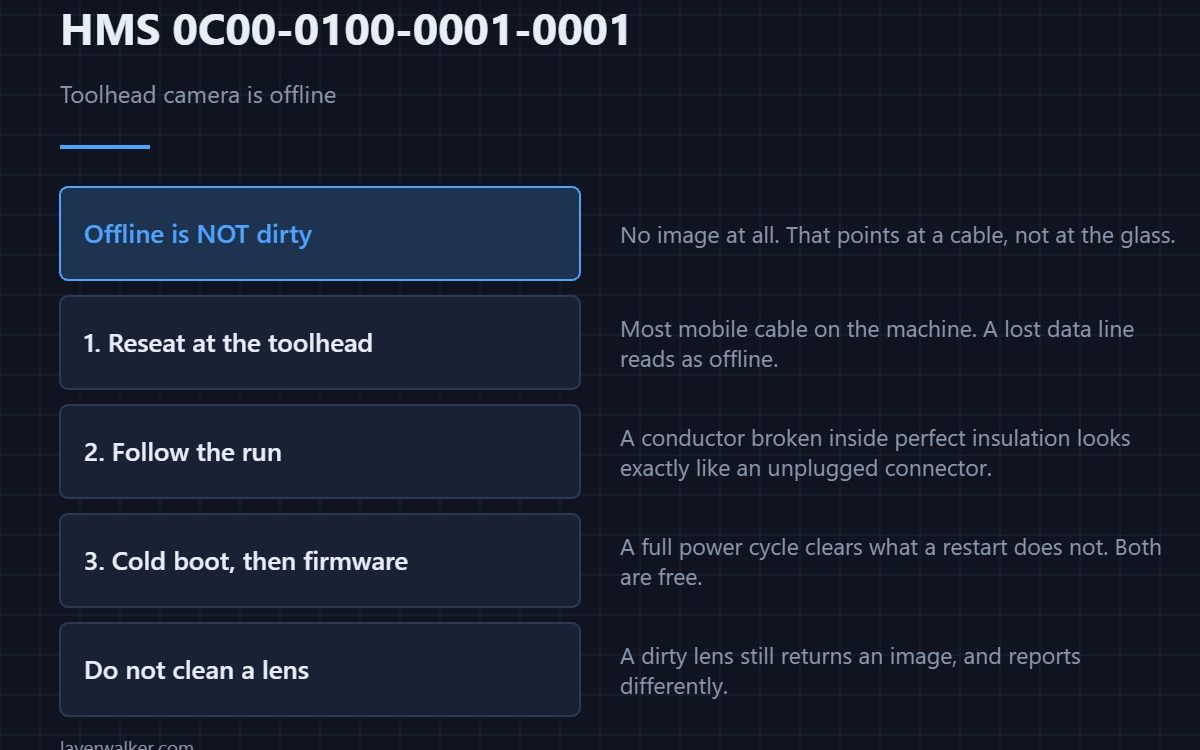
HMS 0C00-0100-0001-0001 means the toolhead camera is not responding at all, and Bambu asks you to check the hardware connection. Offline is a different fault from dirty: the machine is not getting a bad image, it is getting no image, which points at a cable rather than at a lens.
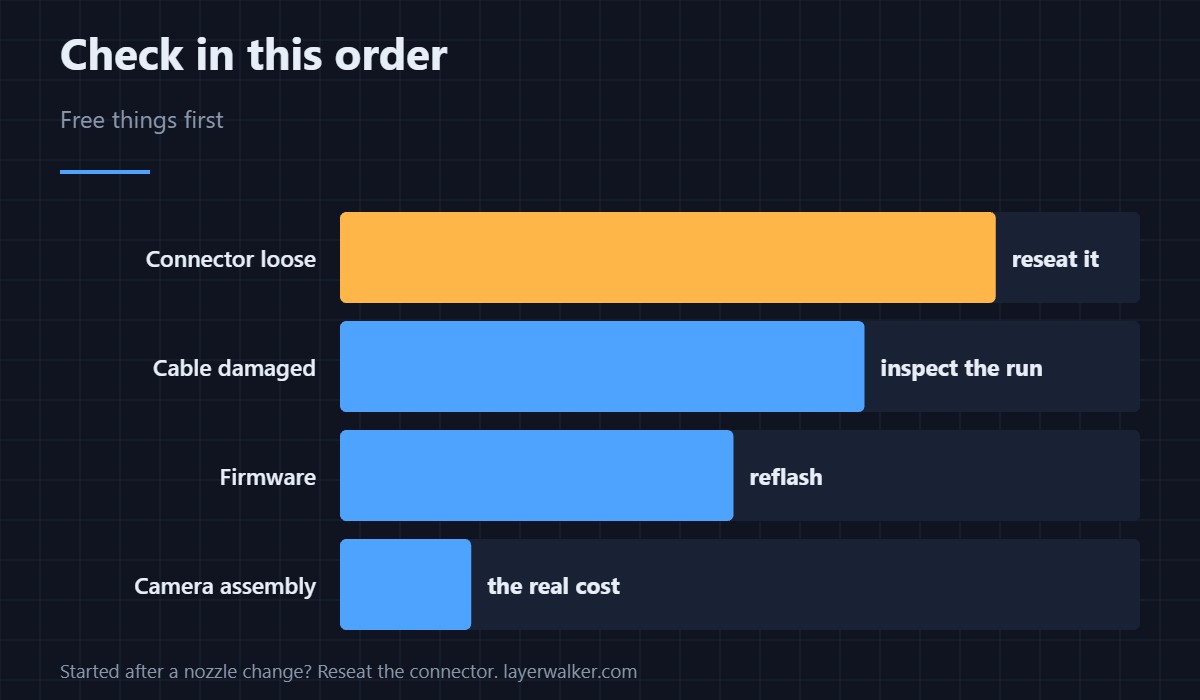
Start at the connector. It is the most mobile cable on the machine and it is free to reseat.
Where to buy


Reseat the toolhead connector
Power down fully, unseat the camera connector at the toolhead, and push it back until it clicks. Thousands of accelerations work connectors loose, and a camera that has lost its data line reports as offline rather than as faulty. A connector that needed reseating once is worth checking again after a few prints.
Then follow the cable
Look for a pinch point where the cable passes the gantry, a chafed spot where it rubs, and a kink where it was routed tightly after a repair. A conductor broken inside intact insulation looks exactly like an unplugged connector, and it is the finding people miss because the outside looks perfect. The machine and where its cabling runs are described in the Bambu Lab H2D.
Then try a cold boot and firmware
A full power cycle clears an initialisation failure that a restart does not, and camera initialisation bugs have come and gone with firmware versions on this platform. Both are free, and both are worth doing before ordering a part.
How HMS 0C00-0100-0001-0001 differs from a dirty lens
A dirty lens still returns an image, which is why it reports as HMS 0C00-0100-0001-0004 instead. Cleaning a lens when the camera is offline wastes an afternoon, so read which of the two you have before you reach for a swab.
What goes with it
Without this camera there is no first-layer check and no AI monitoring from the toolhead view. The malfunction case, where the camera answers but returns unusable images, is HMS 0C00-0100-0002-0002, and what these cameras contribute is in 3D printer cameras.
HMS 0C00-0100-0001-0001 FAQ
Can I print with it offline?
Yes, with the automatic checks unavailable. Treat long unattended prints as a worse idea than usual.
Did a nozzle change cause it?
Often. That connector is disturbed during the job, so reseat it first.
Is the camera replaceable alone?
Usually as part of an assembly. Confirm with a meter or a known-good cable before buying.
Will a firmware update fix it?
Sometimes, when the cause was initialisation. It costs nothing to rule out.
An offline camera is not the only way detection stops. HMS 0C00-0300-0002-0013 reports it as simply not functioning, and both of the remedies Bambu names there cost nothing.

LayerWalker
Print defect diagnosis, calibration procedures and parts that actually fit. Corrections welcome through the contact page.