HMS 0C00-0300-0002-0015: Detection Inactive, a Camera Replacement Was Detected
LayerWalker is a participant in the Amazon Services LLC Associates Program. We may earn a commission when you buy through links on our site, at no extra cost to you.
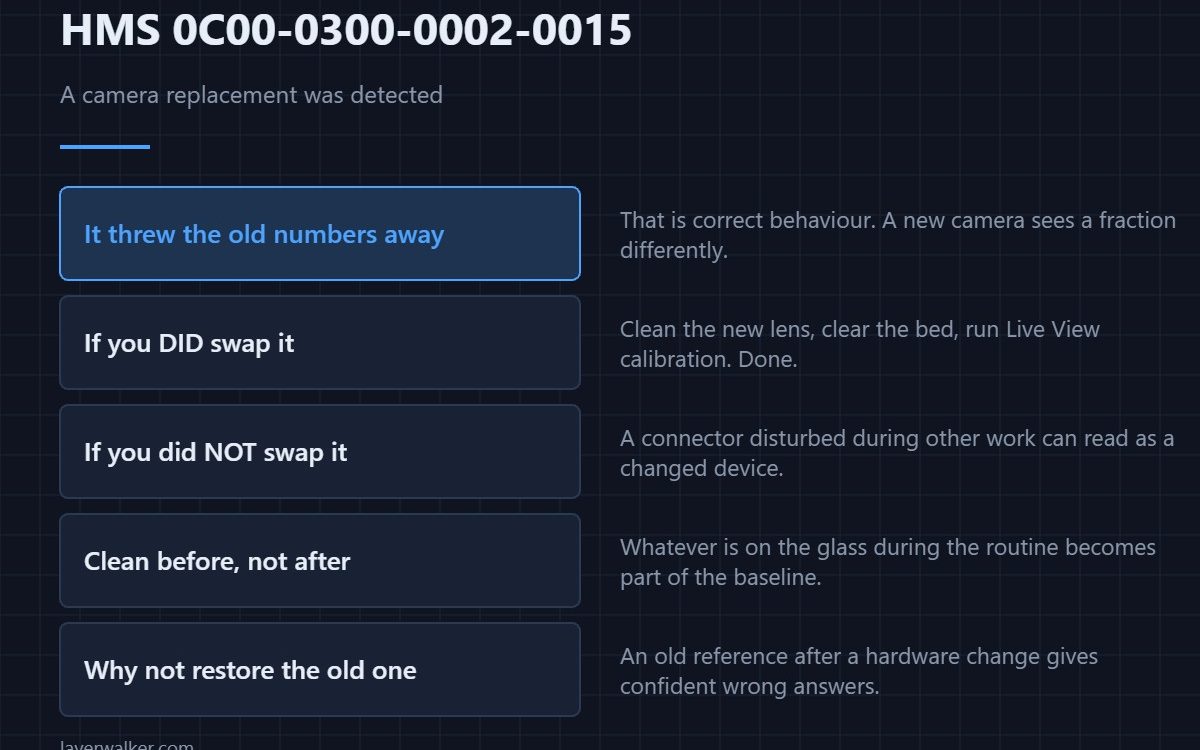
HMS 0C00-0300-0002-0015 means foreign object detection has switched itself off because the machine detected that the Live View camera has been replaced, and it wants you to run the Live View camera calibration from Settings then Calibration. Nothing is broken; the stored calibration belongs to the old camera.
If you did not swap a camera, that is the interesting part of this message, and it is worth a look.
Where to buy


If you did replace it, just recalibrate
A new camera sits a fraction differently and sees a fraction differently, so the numbers from the old one are worse than useless. Clear the bed, clean the new lens before you start rather than after, and run the routine. The lens cleaning detail is in HMS 0C00-0100-0001-0004.
If you did not replace it
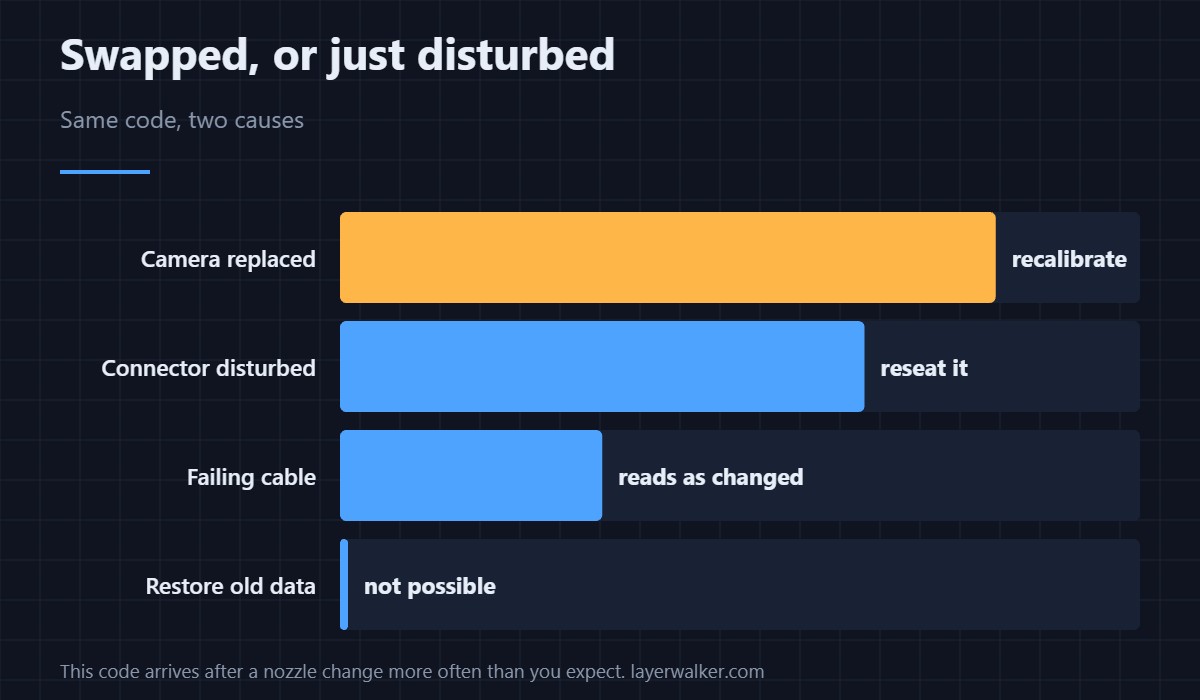
Then the machine is seeing an identity it does not recognise, and the usual cause is a connector that was disturbed during other work and has come back slightly differently. Reseat it. A failing cable can also present as a changed device, which is why this code sometimes arrives after a nozzle change rather than after a camera swap. The camera-offline case is HMS 0C00-0100-0001-0001.
Clean before calibrating, not after
Whatever is on the lens during calibration becomes part of the baseline, so a camera calibrated dirty stays wrong until you do it again. A lens pen and a few foam swabs cost less than the time wasted repeating a routine.
How HMS 0C00-0300-0002-0015 differs from never having calibrated
A machine that has never run the routine reports HMS 0C00-0300-0002-0012. This code means it had a valid calibration and has deliberately discarded it, which is the correct behaviour after a hardware change.
Why discarding it is right
Detection compares what it sees against a stored reference. Keeping an old reference after a hardware change produces confident wrong answers, which is worse than no answer. The general sequence is in calibrating a 3D printer.
HMS 0C00-0300-0002-0015 FAQ
I did not change anything. Why this?
Most often a disturbed connector. Reseat it before assuming a fault.
Can I restore the old calibration?
No, and you would not want it. Run the routine instead.
Does it affect print quality?
Not directly. It affects whether a foreign object is caught before the nozzle meets it.
Should I clean the lens first?
Always. The calibration stores whatever it sees, dirt included.
A recalibrated camera still cannot inspect every job. HMS 0C00-0300-0002-0004 means this particular print is outside what the check covers, and the material you chose is often the reason.

LayerWalker
Print defect diagnosis, calibration procedures and parts that actually fit. Corrections welcome through the contact page.