Creality K1 Error 2118: Cannot Query ADXL345 FIFO
LayerWalker is a participant in the Amazon Services LLC Associates Program. We may earn a commission when you buy through links on our site, at no extra cost to you.
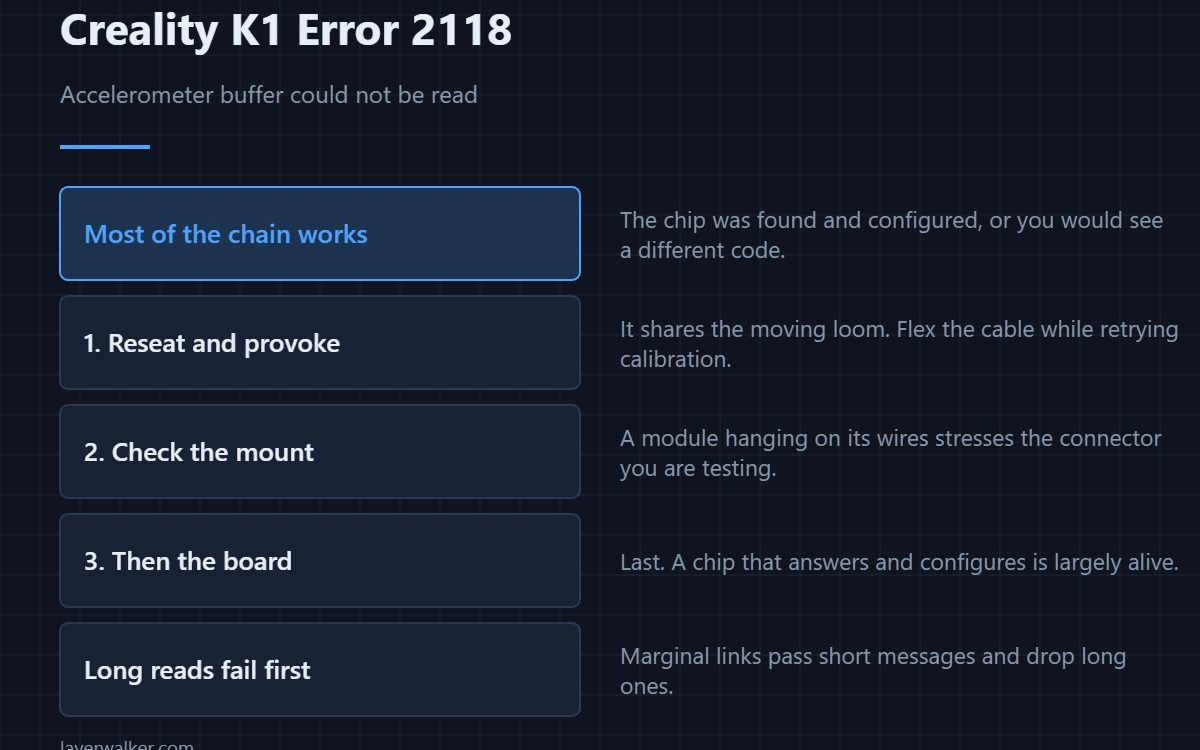
Creality K1 error 2118 means the printer could not read the accelerometer’s sample buffer. The FIFO is where the chip stores readings between collections, so this fault happens after the chip has been found and configured — it is the data collection stage failing, not the setup. As with the rest of the family, wiring comes before the chip.
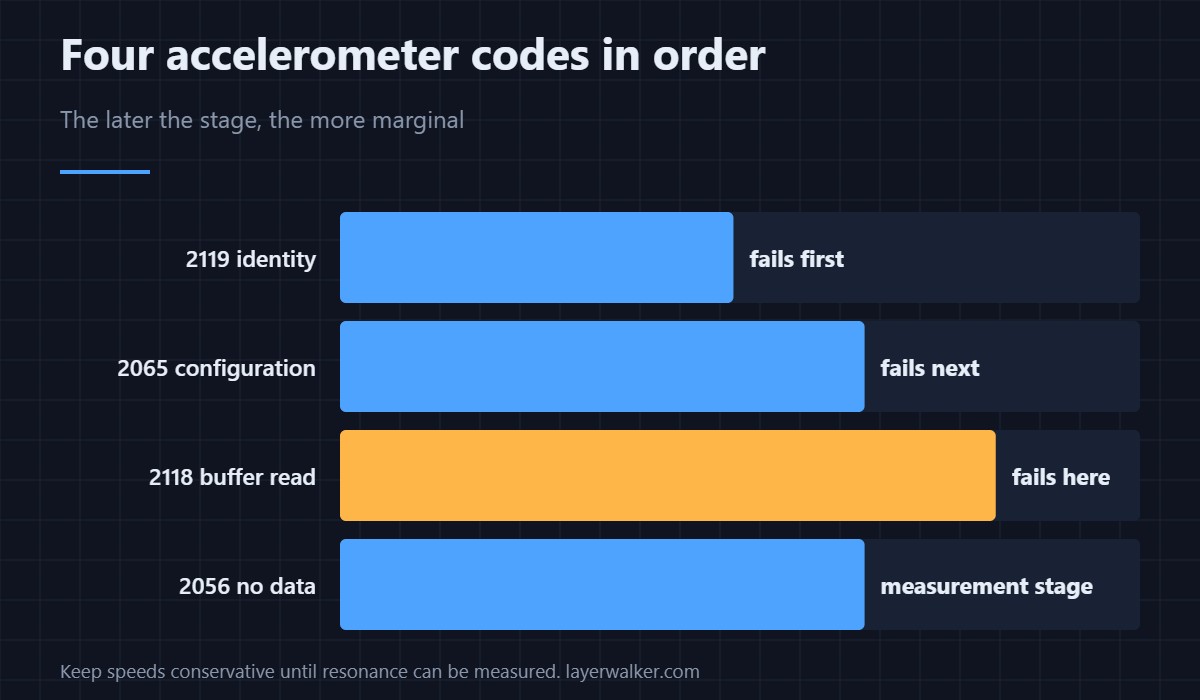
Knowing where in the sequence a fault sits tells you what has already been proven to work.
Where to buy


What has already succeeded by this point
The chip answered its identity check and accepted its configuration, otherwise you would be seeing a different code. That rules out a completely dead module and a completely dead line. What is left is a link that works for short exchanges and fails on longer ones, which is the classic signature of marginal contact.
Reseat and provoke
The accelerometer sits on the print head and shares the moving loom. Reseat both ends, then flex the cable while retrying the calibration. A fault that comes and goes as you move the loom has told you where it lives.
Check the mount while you are there
A module that is loose on its bracket produces data the printer may reject, and a module hanging on its wires stresses the very connector you are trying to prove. Fix the mounting even if it is not the cause.
Where Creality K1 error 2118 sits in the sequence
Identity check fails first as 2119. Configuration fails next as 2065. Buffer reads fail here. No usable measurement at all is 2056. Four codes, one cable, and the later the stage the more marginal the fault tends to be.
What you lose
Input shaping calibration only. The printer still prints; it simply cannot measure resonance, so keep speeds conservative until it can. Untuned speed shows up as ringing and eventually as layer shifting.
Creality K1 Error 2118 FAQ
Is this worse than the other accelerometer faults?
Not worse, later. It means more of the chain is working, which narrows the search.
Does the chip need replacing?
Only once wiring is ruled out. A chip that answers and configures is a chip that is largely alive.
Can I print meanwhile?
Yes, at reduced speed. Input shaping is a tuning feature, not a safety one.
Why does it fail only sometimes?
Because a marginal connection passes short messages and drops long ones. Reading a buffer is the longest exchange of the four.
Reading the buffer successfully is not the last thing that can go wrong. Data that arrives and cannot be processed reports as Creality K1 error 2313, the only code in this family that is not about the cable.

LayerWalker
Print defect diagnosis, calibration procedures and parts that actually fit. Corrections welcome through the contact page.

