Creality K1 Error 2562: Hot Bed MCU Communication Abnormal
LayerWalker is a participant in the Amazon Services LLC Associates Program. We may earn a commission when you buy through links on our site, at no extra cost to you.
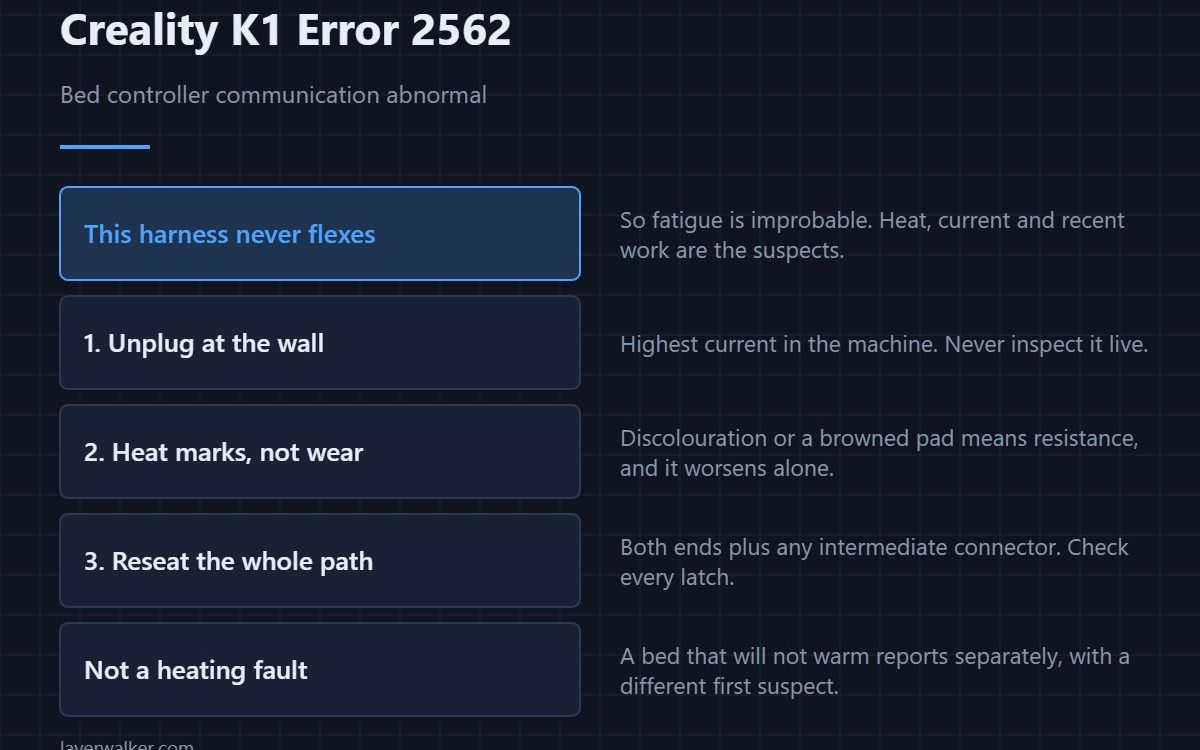
Creality K1 error 2562 means communication with the bed controller is abnormal, and Creality’s instruction is to check the wiring connection and restart. The bed harness does not flex during printing, so unlike the print head loom this one rarely fails from fatigue. Heat, current and recent work under the machine are the real suspects.
That difference redirects the whole investigation, which is why it is worth saying before anything else.
Where to buy


Unplug at the wall first
The bed side carries the highest current in the machine. Never inspect it live, and treat a warm-looking connector as a finding rather than a curiosity.
Look for heat marks, not wear marks
Because nothing moves, a break from flexing is improbable. What does happen is a connector degrading under heat cycling: discolouration, a browned pad, insulation darkened near a terminal. Resistance at bed current gets worse on its own.
Then reseat the whole path
Both ends of the harness and any intermediate connector. Press each fully home and check the latch. A terminal that looks tarnished is where the fault lives even if it feels tight.
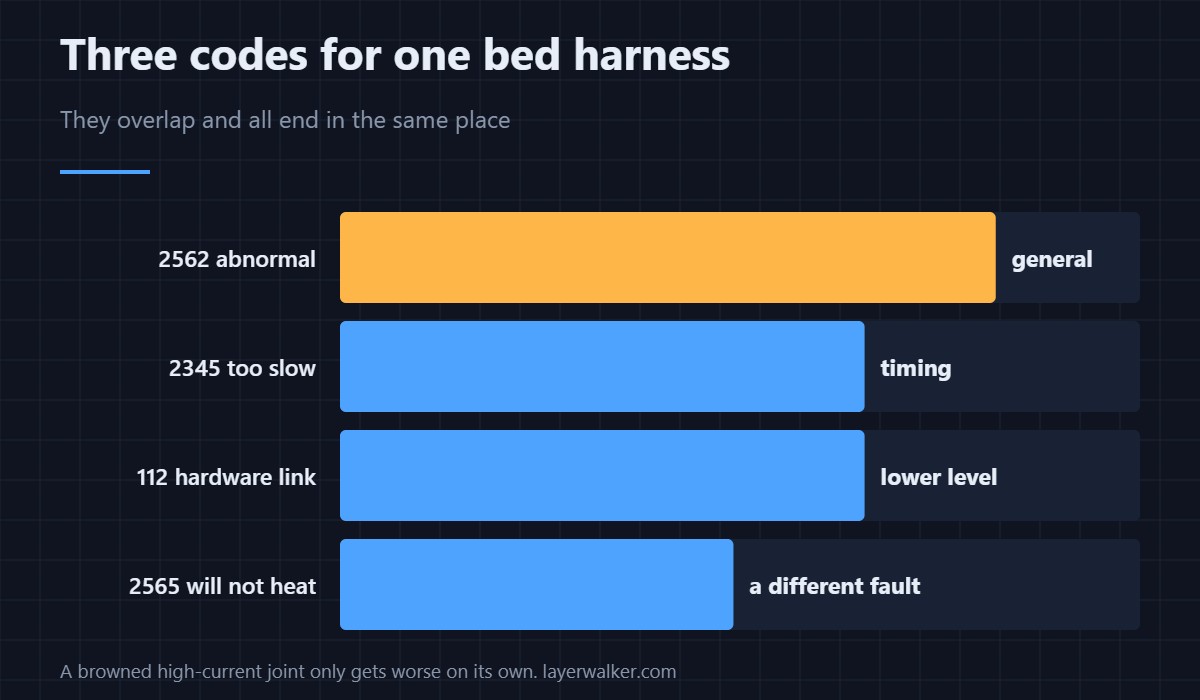
The three codes for one link
A link reported as abnormal is this one. A link that answers too slowly is 2345. A hardware connection reported as abnormal at a lower level is 112. They overlap heavily and all three end at the same harness.
Not a heating fault
This is the control link. A bed that simply fails to reach temperature reports as 2565, where the high-current solder joint is the first suspect. Reading which message you actually have saves opening the wrong thing.
Creality K1 Error 2562 FAQ
Can I print without the bed controller?
No. Adhesion depends on a heated bed for every common material, and the printer stops anyway.
It appeared after I changed the plate. Related?
Changing a sheet should not touch wiring, but anything that involved lifting the bed assembly might have. Check the harness routing underneath.
Is a discoloured connector dangerous?
Treat it as such. A high-current joint that is heating will keep getting hotter until repaired.
Does restarting help?
It recovers the session. It does not change a loose or degraded connector, and a bed sensor reporting nonsense is a different fault again — 2510.

LayerWalker
Print defect diagnosis, calibration procedures and parts that actually fit. Corrections welcome through the contact page.