HMS 0C00-0300-0002-0010: Foreign Objects Detected on Heatbed
LayerWalker is a participant in the Amazon Services LLC Associates Program. We may earn a commission when you buy through links on our site, at no extra cost to you.
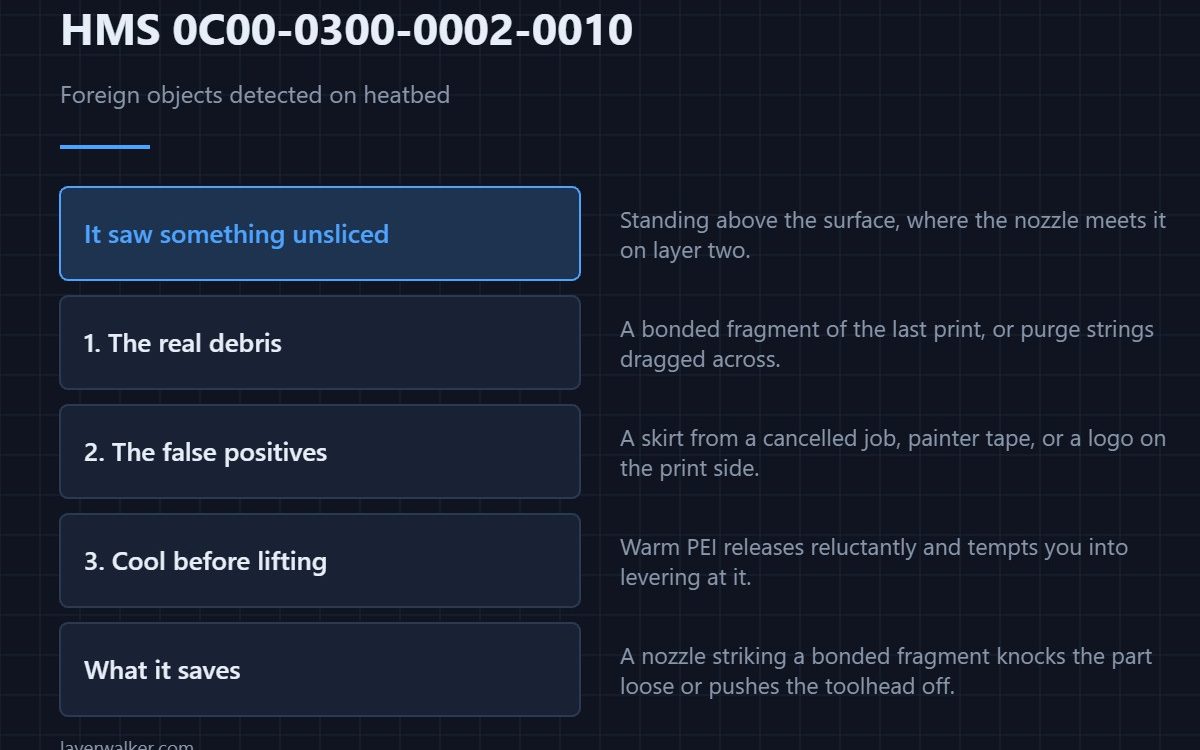
HMS 0C00-0300-0002-0010 means the first-layer inspection saw something on the plate that was not in the sliced file, and it is asking you to look and clean before continuing. Genuine debris is the common case, but a leftover skirt, a strip of tape, or a printed-on surface marking will trigger it just as readily.
The check happens after the first layer goes down, which means it catches the thing that would have wrecked the print at the one moment it is still cheap to fix.
Where to buy


The real foreign objects
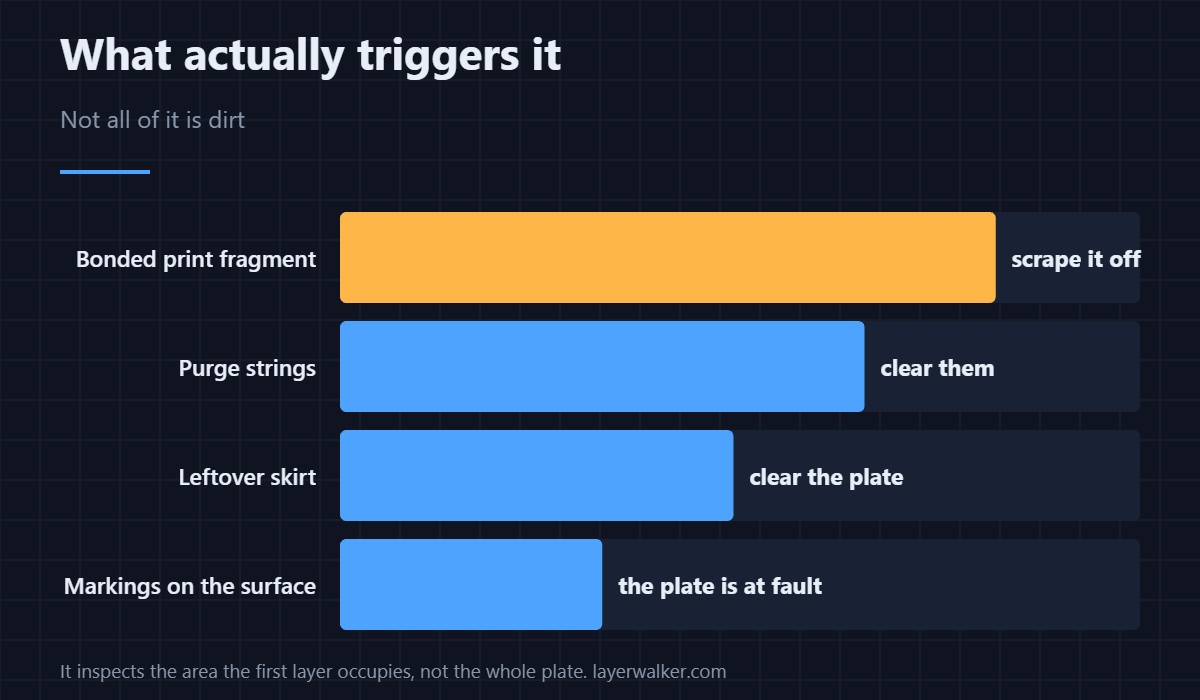
A fragment of a previous print still bonded to the surface is the usual find, followed by purge strings dragged across the plate by the toolhead. Both are removable in seconds with a plastic scraper, and both will ruin a part if the nozzle meets them at speed on layer two.
The false positives worth knowing
A skirt or brim from a cancelled job that you cleared from the screen but not from the plate reads as debris, because as far as the inspection is concerned it is. So does painter tape, and so does any writing or logo on the printing side of a third-party surface. If the code names an area you know is marked, the detection is working correctly and the plate is the problem.
Removing parts without creating the next one
Let the plate cool fully before lifting anything. Warm PEI releases reluctantly and tempts you into levering, and a lever mark is both a foreign object and a step towards replacing the plate. A flexible plate off the magnet and a gentle flex releases nearly everything without tools.
Why HMS 0C00-0300-0002-0010 and a dirty plate are different faults
This code is about objects standing above the surface. A film of grease lying flat on it produces a different complaint, HMS 0C00-0200-0002-0008, where the laser line spreads rather than hitting something. Cleaning fixes one and clearing fixes the other, and doing the wrong one leaves the code in place.
What it saves you
A nozzle striking a bonded fragment either knocks the part loose or pushes the toolhead off course, and both outcomes usually end in a plate of waste. The broader set of causes behind failed first layers is in first layer problems, and the adhesion side of it is in a first layer that will not stick.
HMS 0C00-0300-0002-0010 FAQ
Can I resume the print after clearing the object?
If the first layer underneath is intact, yes. If the debris was under the part, start again — that layer is already wrong.
Why does it flag a clean plate?
Look for something printed or stuck on the surface rather than loose on it. Markings and tape are the usual culprits.
Does it check the whole plate or just the part?
It inspects the area the first layer occupies, which is why debris in an unused corner can go unreported.
Will a textured plate trigger it more often?
Not by itself. A worn textured plate can, because deep damage reads as topography. Surface choices are in Bambu build plates.

LayerWalker
Print defect diagnosis, calibration procedures and parts that actually fit. Corrections welcome through the contact page.