HMS 0C00-0200-0002-0004: Nozzle Height Seems Too Low
LayerWalker is a participant in the Amazon Services LLC Associates Program. We may earn a commission when you buy through links on our site, at no extra cost to you.
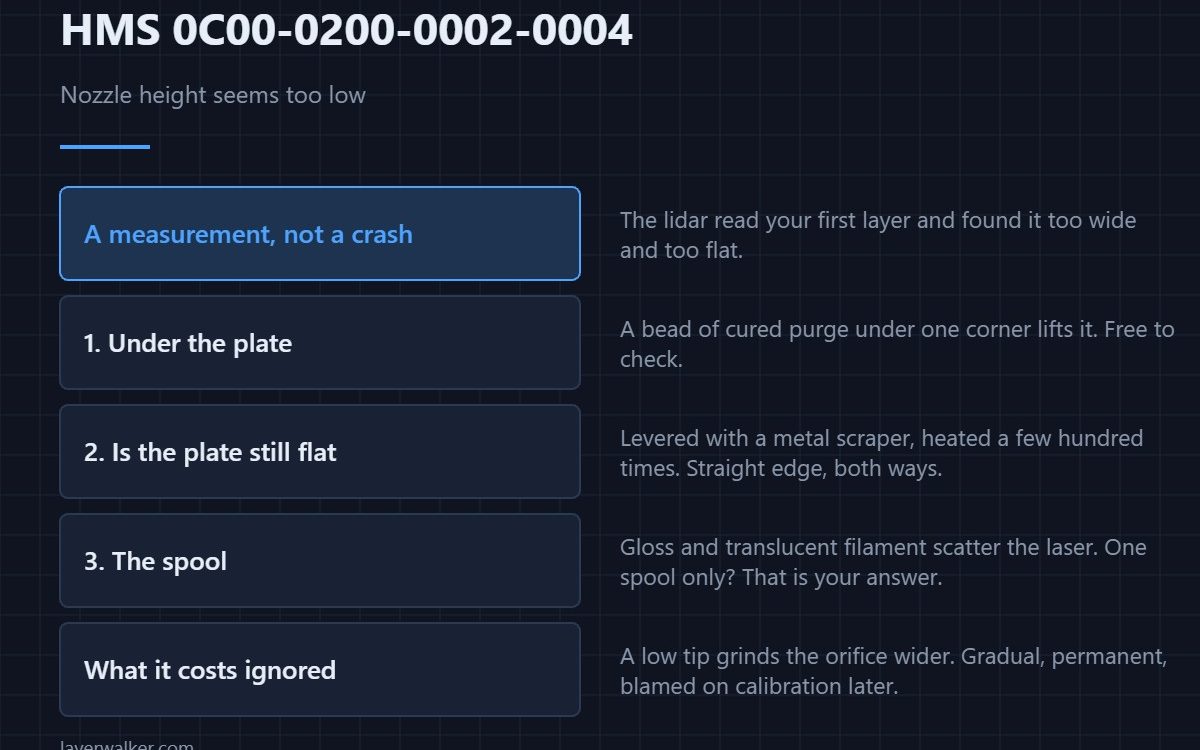
HMS 0C00-0200-0002-0004 means the Micro Lidar measured your first layer and judged the nozzle to be sitting too close to the plate. It is a measurement, not a crash, and the usual cause is not the Z offset at all but something physically raising the plate or thickening the line underneath the nozzle.
The machine is telling you what it saw. Whether it saw the truth depends on what was on the plate when it looked.
Where to buy


Read it as a measurement first
The lidar scans the extruded line and compares its width and height against what the slicer asked for. A line that came out too wide and too flat reads as a nozzle sitting low. That is the same evidence you would gather by eye, which is why the fix is the one described in Z offset and first layer squish — but only after you have ruled out the cheaper explanations.
Residue under the plate
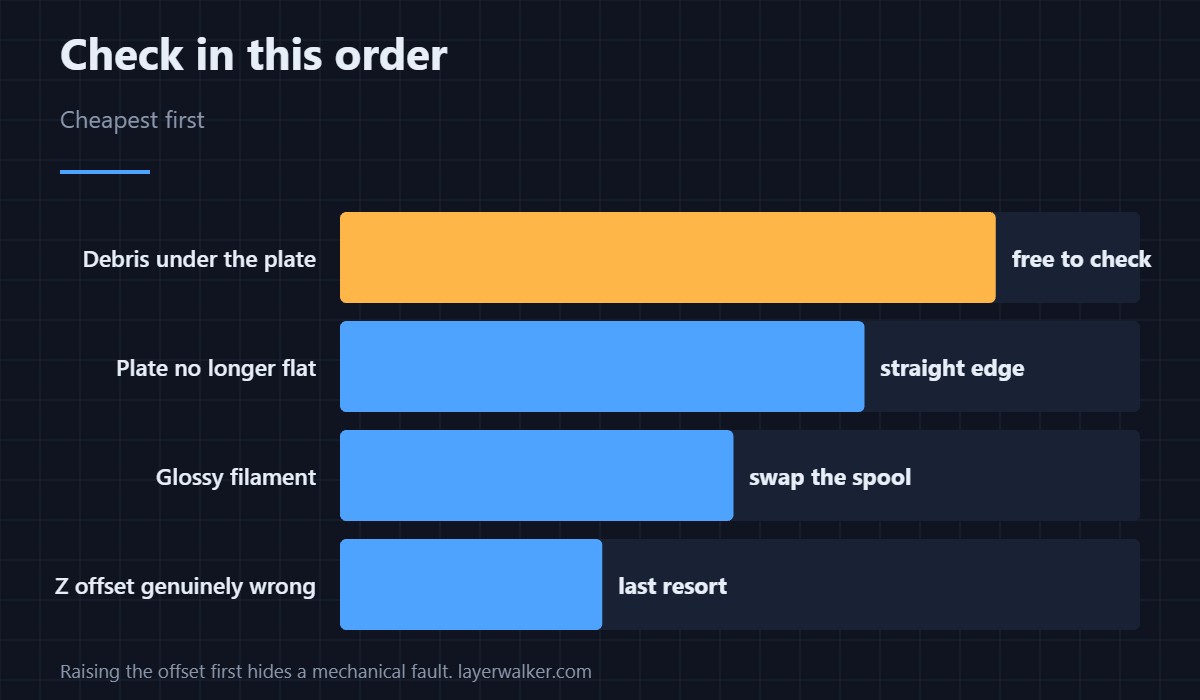
A fragment of purge or a bead of cured filament trapped under the build plate lifts one corner by a fraction of a millimetre, and a fraction is all this takes. Lift the plate off, wipe the magnetic bed underneath, and look for anything sitting in the recess. This costs nothing and explains a surprising share of these messages.
A plate that is no longer flat
Plates bend. A plate that has been levered at with a metal scraper, or heated and cooled through a few hundred cycles, develops a low middle or a raised edge. Lay a straight edge across it in both directions. Options and the differences between surfaces are in Bambu build plates.
Material that reads wrong
Glossy and translucent filaments scatter the laser, and a scattered return reads as a layer that is not the shape it actually is. If the message only appears with one spool, you have found your answer and there is nothing mechanical to fix.
What HMS 0C00-0200-0002-0004 costs you if you ignore it
A genuinely low nozzle grinds its tip against the plate, which marks the surface and eventually widens the orifice. The damage is gradual and permanent, and it shows up later as inconsistent extrusion that no calibration fixes. The opposite fault, which looks similar on screen, is covered in HMS 0C00-0200-0002-0006.
HMS 0C00-0200-0002-0004 FAQ
Should I just raise the Z offset?
Not as the first move. If debris or a bent plate caused it, raising the offset hides the fault at one spot and creates a poor first layer everywhere else.
Can I let the print continue?
For a small part, usually yes. For a full plate, stop it: a nozzle dragging through a solid first layer collects material and makes the next fault worse.
Does it mean my lidar is faulty?
Rarely on its own. A faulty lidar normally produces its own codes rather than a plausible measurement. Start with the plate.
Why does it only happen on some plates?
Because surfaces differ in thickness and in how they reflect. Measure each plate you own rather than assuming they are interchangeable — the mesh story is in bed levelling.

LayerWalker
Print defect diagnosis, calibration procedures and parts that actually fit. Corrections welcome through the contact page.