HMS 0700-5000-0002-0001: AMS Communication Abnormal
LayerWalker is a participant in the Amazon Services LLC Associates Program. We may earn a commission when you buy through links on our site, at no extra cost to you.
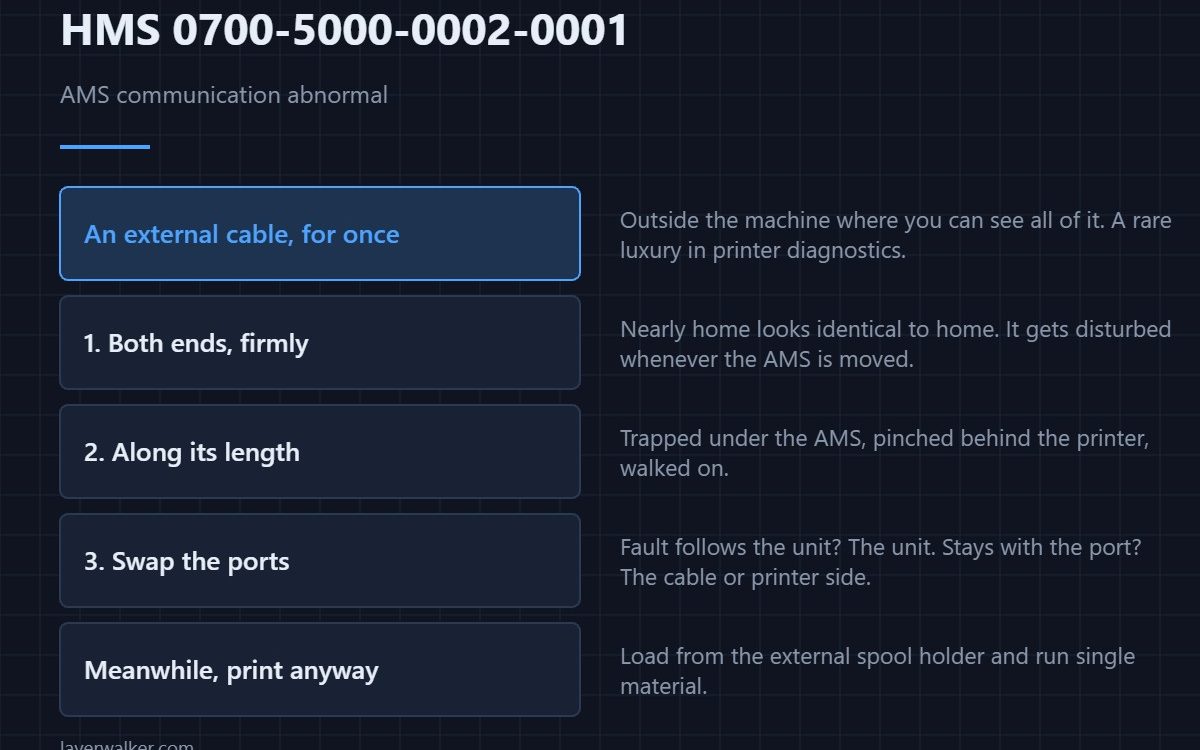
HMS 0700-5000-0002-0001 means communication with that AMS unit is abnormal, and Bambu asks you to check the connection cable. Unlike most wiring faults on a printer, this cable is outside the machine where you can see all of it, which makes this one of the easier codes to resolve properly.
An accessible cable is a rare luxury in printer diagnostics. Use it.

Where to buy


Both ends, firmly
Unplug and reseat at the AMS and at the printer. Connectors that are nearly home look identical to connectors that are home, and this cable gets disturbed whenever the AMS is moved, lifted or cleaned around.
Then look along its length
Because it is external, it gets trapped under the AMS, pinched behind the printer against a wall, and walked on. Run it through your fingers and look for a flattened section or a kink that has become permanent. Reroute it so nothing rests on it.
Then the order of units
On a multi-AMS setup, swapping which unit sits on which port isolates the fault quickly. If the problem follows the unit, it is the unit or its socket. If it stays with the port, it is the cable or the printer side — how the units chain together is covered in the AMS hub guide.
How HMS 0700-5000-0002-0001 differs from a sensor fault
Losing the whole conversation is this code. Losing one signal within a working link is different: 0700-4000-0002-0001 is a buffer position signal lost, where the cable or the position sensor may be at fault. One is the link, the other is something the link carries.
What stops working
Automatic filament selection and the RFID reading that goes with it. On a single-material print you can load from the spool holder and carry on, which is worth knowing when a deadline matters more than convenience — the AMS setup on specific models is covered in the P1S AMS guide.
HMS 0700-5000-0002-0001 FAQ
Can I print without the AMS?
Yes. Load from the external spool holder and print single material until the link is fixed.
It cleared after reseating. Am I done?
Probably, but note that it happened. A connector that needed reseating once is worth watching.
Could a long cable run cause it?
A damaged one will. Length itself is not the problem; being trodden on or pinched is.
Does it affect the other AMS units?
The message names the unit. Others on a healthy link keep working normally. Setup on the smaller machines is covered in the A1 mini AMS guide.

LayerWalker
Print defect diagnosis, calibration procedures and parts that actually fit. Corrections welcome through the contact page.