AMS Hub: A Splitter, Not a Filament System
LayerWalker is a participant in the Amazon Services LLC Associates Program. We may earn a commission when you buy through links on our site, at no extra cost to you.
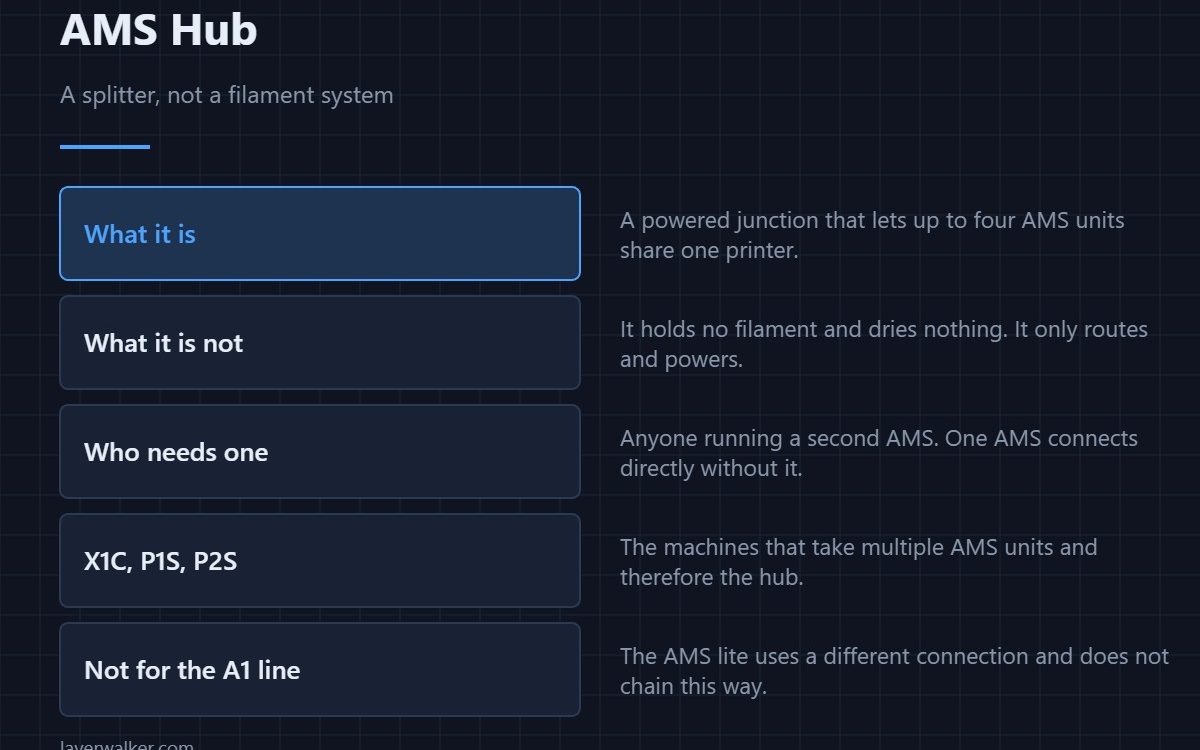
The AMS Hub is a powered junction box that lets up to four AMS units feed one Bambu printer. It holds no filament, dries nothing and does not change how the printer works — it only routes signal and power. A single AMS connects to the printer directly and needs no hub. You buy one the moment you add a second AMS.
The name causes most of the confusion. People expect a hub to do something to the filament. It does not: it is a splitter with a power supply, and the AMS units plugged into it do all the work.
Where to buy


SUNLU AMS Heater, Compatible with Bambu lab AMS Gen 1

What it connects
Four AMS units on one side, one printer on the other, plus its own power. It is designed for the enclosed machines that support multiple units — the X1C, P1S and P2S. The hub is specified for those P1 and X1 machines. The A1 and A1 mini use the AMS lite, which connects differently, so if you own one of those, check Bambu’s own compatibility list before buying any hub marketed for it.
Who actually needs one
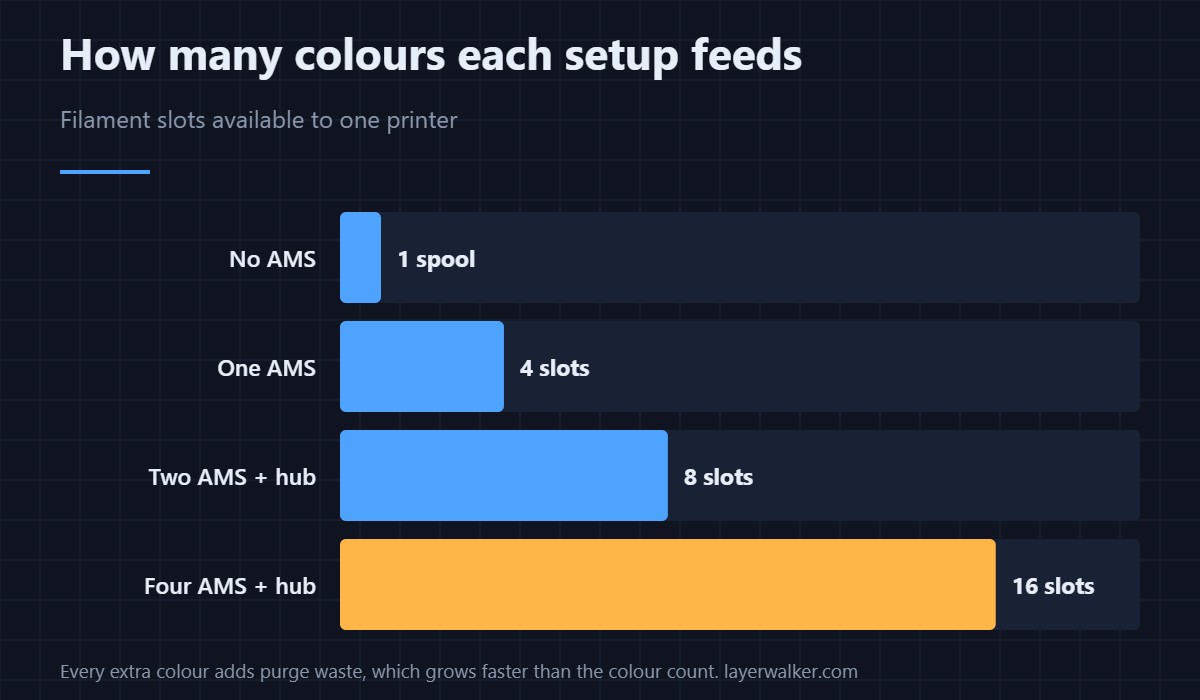
Almost nobody with one AMS, and everyone with two. If you are printing four colours or fewer, a single unit connected directly is the whole answer. The hub becomes relevant when you want eight or sixteen slots — either for genuinely multi-colour models, or more practically to keep several materials loaded and ready without swapping spools.
That second use case is the one people underrate. Having PLA, PETG, TPU and a support material all loaded is worth more day to day than sixteen colours in one print.
The cost nobody mentions
Purge waste. Every colour change flushes the hotend, and the waste grows with the number of changes rather than the number of colours. A sixteen-slot setup printing a model with frequent swaps can produce more purged filament than finished part. The maths and the ways to reduce it are in running multiple AMS units.
If you do not want the ecosystem
Multi-material does not require an AMS at all. Toolchangers and multi-nozzle machines avoid purge waste entirely by having a separate hotend per material, at a higher up-front price — see multi-head and toolchanger printers. Manual swaps at a layer change remain free, and for two-colour parts they are often the sensible answer. Other routes are in AMS alternatives.
AMS Hub FAQ
Do I need an AMS Hub for a single AMS?
No. One AMS connects straight to the printer. The hub only exists to let more than one share the same machine.
Does the AMS Hub dry filament?
No. Drying happens in the AMS unit itself, and only on the models that have it — the AMS 2 Pro and AMS HT. The hub is purely a connector.
Can I use an AMS Hub with the A1 or A1 mini?
The hub Bambu sells under this name is specified for the P1 and X1 series. The A1 line uses the AMS lite with a different connection, and third-party listings claiming A1 support are worth checking against Bambu’s own compatibility list first.
How many AMS units can one printer run?
Four, giving sixteen slots. Whether that is useful depends on how much purged filament you are willing to produce.

LayerWalker
Print defect diagnosis, calibration procedures and parts that actually fit. Corrections welcome through the contact page.