HMS 0C00-0200-0001-0005: A New Micro Lidar Is Detected
LayerWalker is a participant in the Amazon Services LLC Associates Program. We may earn a commission when you buy through links on our site, at no extra cost to you.
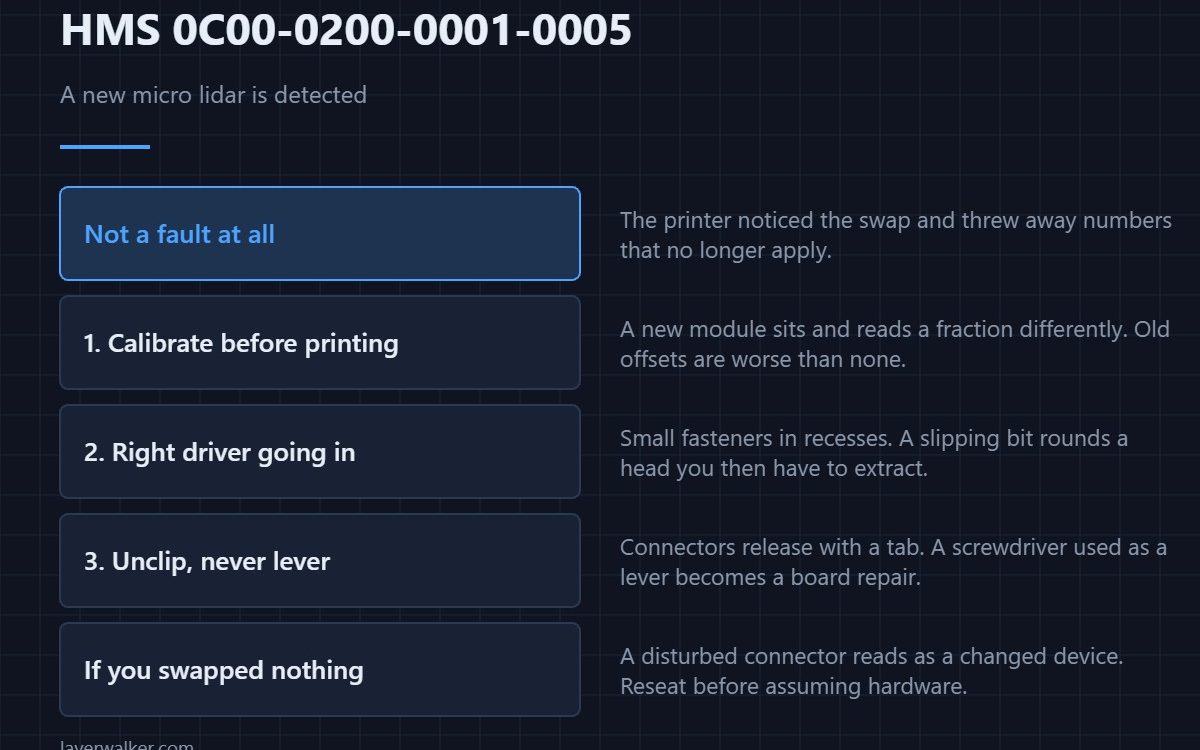
HMS 0C00-0200-0001-0005 means a new micro lidar is detected: the printer has recognised that the lidar module is not the one it had calibration data for. Nothing is broken. The stored numbers belong to the old module and have to be replaced with new ones.
If you did not fit a new lidar, that is the interesting half of this message and worth five minutes.
Where to buy


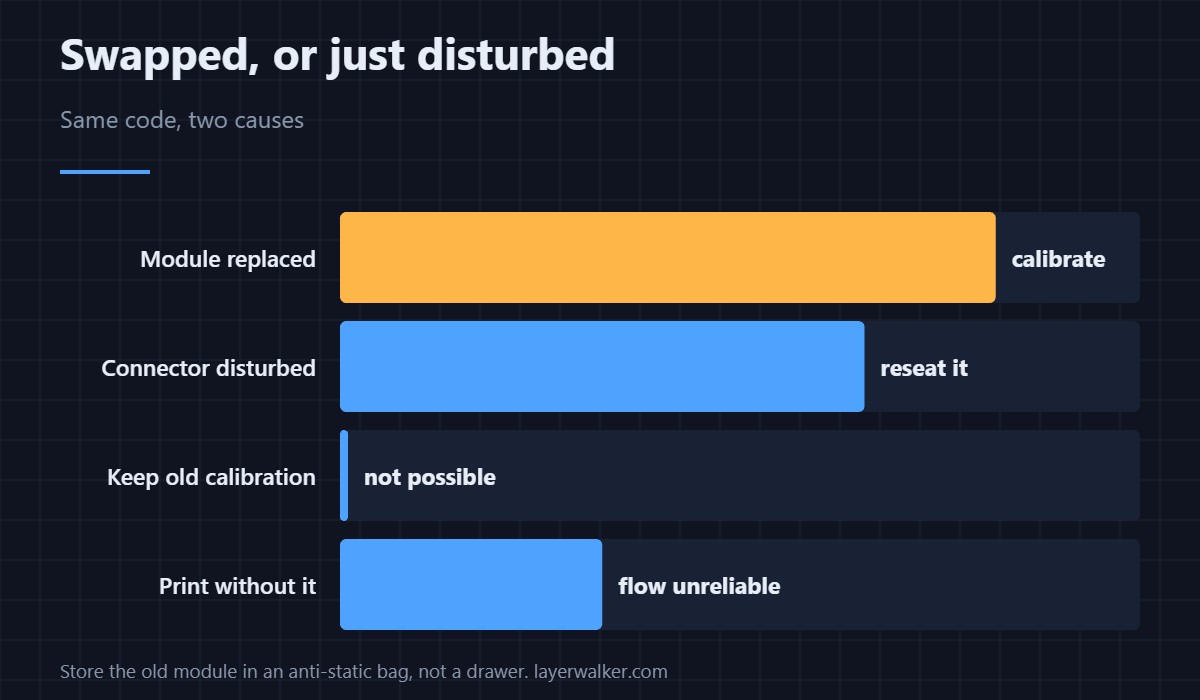
If you did replace it, calibrate before you print
A lidar sits a fraction differently and reads a fraction differently, so the old offsets are worse than no offsets. Run the calibration the machine offers rather than starting a job and hoping. The general sequence is in calibrating a 3D printer.
Use the right driver on the way in
These modules are held by small fasteners in recessed positions, and a slipping bit rounds a head you then have to extract. A precision screwdriver set with properly fitting tips is the difference between a ten minute job and an evening with a drill.
Unclip, do not lever
Connectors here release with a tab, not with force. Plastic pry tools let you lift a latch without marking the board or cracking a housing, and a metal screwdriver used as a lever is how people turn a module swap into a board repair.
Keep the old module properly
If the old lidar is going back to support or into a drawer as a spare, put it in an anti-static bag rather than a sandwich bag. These are optical sensing boards and a static discharge you cannot feel is enough to leave one subtly wrong rather than plainly dead. The flow readings that depend on this module are what go first — see under-extrusion and gappy walls.
What HMS 0C00-0200-0001-0005 leads to
Once calibrated the module reports normally. Before that you may well see the calibration chart complaint HMS 0C00-0100-0001-000B, which names the chart and its cleanliness rather than the module.
If you swapped nothing at all
Then the machine is seeing an identity it does not recognise, and a disturbed connector is the usual reason. The camera equivalent of exactly this situation is HMS 0C00-0300-0002-0015, and the fix there is the same: reseat before assuming hardware.
HMS 0C00-0200-0001-0005 FAQ
Is this an error?
No. It is the printer telling you it has discarded calibration that no longer applies.
Can I keep the old calibration?
No, and you would not want it. It describes a module that is no longer fitted.
I did not change anything. Why this?
Most often a connector disturbed during other work. Reseat it first.
Does it affect print quality?
Until you calibrate, yes. Flow calibration depends on this module reading correctly.

LayerWalker
Print defect diagnosis, calibration procedures and parts that actually fit. Corrections welcome through the contact page.