HMS 0700-8000-0001-0004: AMS Heater Abnormal Heating
LayerWalker is a participant in the Amazon Services LLC Associates Program. We may earn a commission when you buy through links on our site, at no extra cost to you.
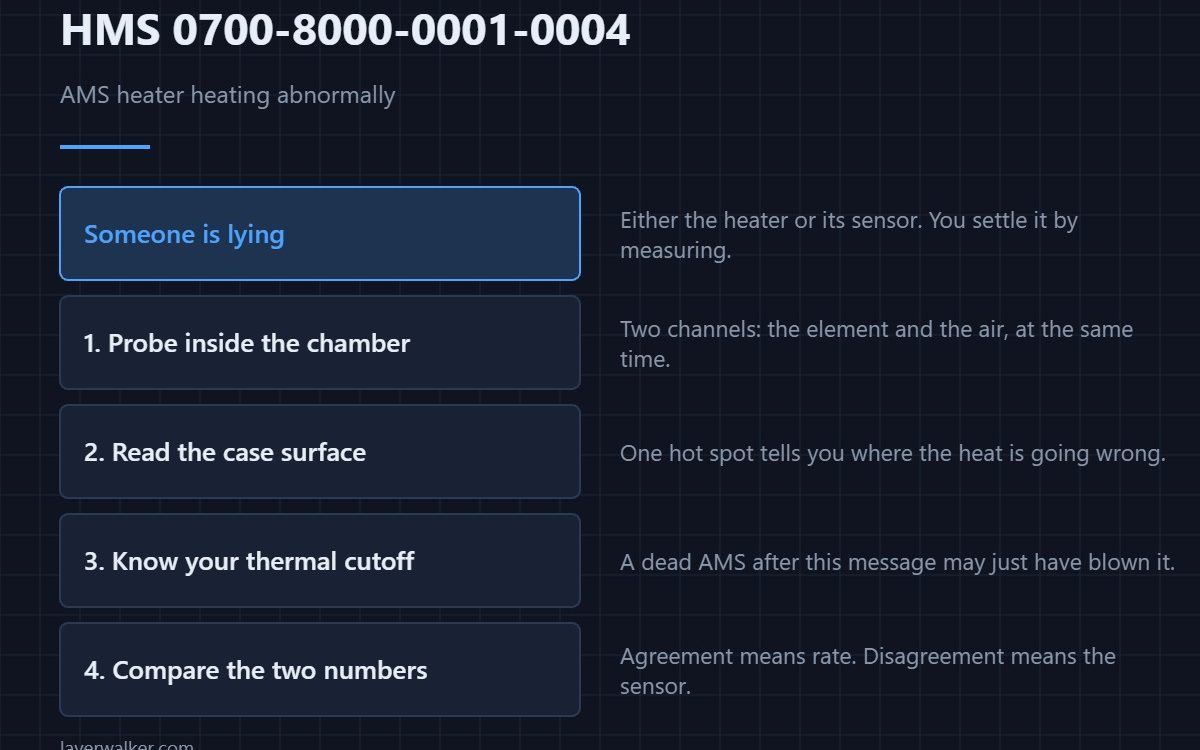
HMS 0700-8000-0001-0004 means AMS heater 1 is heating abnormally. The firmware is comparing what it commanded with what the sensor reports and finding the two do not agree, which means either the heater or the sensor is lying.
You cannot settle that argument from the outside. You settle it by measuring the temperature yourself.
Where to buy


Measure inside, where it matters
A K-type thermocouple thermometer with a probe taped next to the element tells you what the chamber is actually doing. Two channels let you watch the element and the air at once, which is the comparison that matters.
Check the surface without opening anything
An infrared thermometer reads the outside of the housing in a second. A case that is far hotter in one spot than the rest points at where the heat is going wrong before you take anything apart.
Know what the last line of defence is
A thermal cutoff is the one-shot fuse that opens if the element runs away, and it is worth knowing whether yours has one and what it is rated at. An AMS that has gone dead after this message may simply have blown it.
Then compare your number with its number
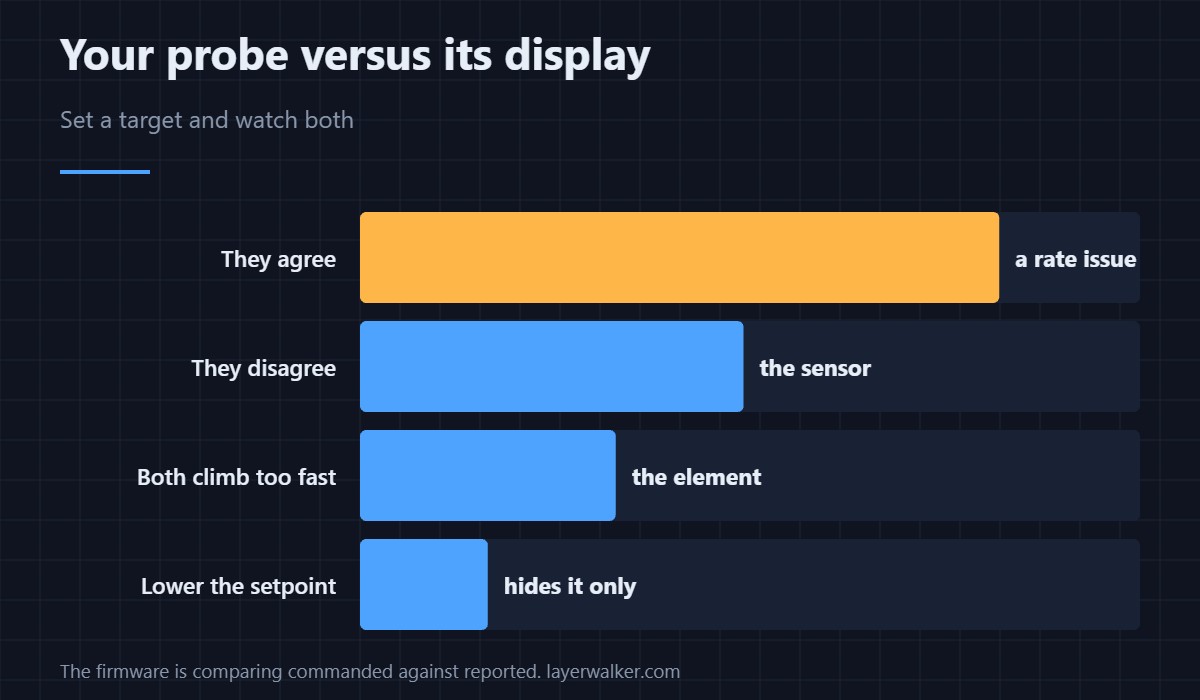
Set a drying temperature and watch both readings. If your probe agrees with the display, the control loop is fine and the complaint is about rate; if they disagree, the sensor is the fault.
How HMS 0700-8000-0001-0004 differs from a short
A shorted heater is HMS 0700-8000-0001-0003, which is an electrical fault rather than a disagreement about temperature.
When it becomes genuinely dangerous
Thermal runaway has its own code in HMS 0700-9600-0001-0001, and that one asks you to power off immediately. Drying basics are in drying filament and dryers for Bambu.
HMS 0700-8000-0001-0004 FAQ
Can I just lower the drying temperature?
It may hide the message. It does not fix the disagreement.
Where should the probe go?
Near the element and in the air stream. Compare both.
Does this stop printing?
Feeding usually continues. Drying is what gets disabled.
Is a thermal cutoff replaceable?
It is a part, but a blown one means something else failed.
Not every fault is electrical. HMS 0700-8700-0002-0009 means the Track Switch is online but filament never passed through it, so the PTFE route between the AMS and the switch is where to look.

LayerWalker
Print defect diagnosis, calibration procedures and parts that actually fit. Corrections welcome through the contact page.

