HMS 0300-0D00-0001-000B: Z Axis Motor Stuck
LayerWalker is a participant in the Amazon Services LLC Associates Program. We may earn a commission when you buy through links on our site, at no extra cost to you.
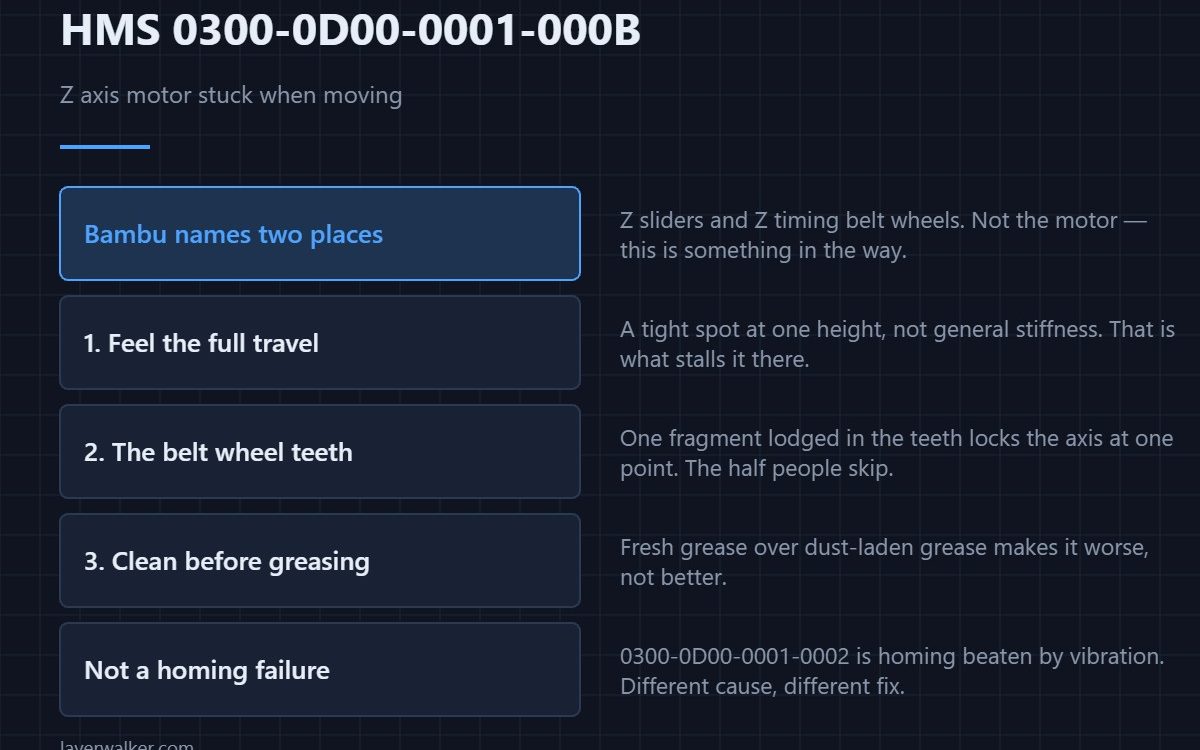
HMS 0300-0D00-0001-000B means the Z axis motor appears to be stuck while moving, and Bambu asks you to check for foreign matter on the Z sliders or the Z timing belt wheels. That is unusually specific guidance, and both places can be inspected in a couple of minutes with the machine off.
Note what is not on the list: the motor itself. Bambu is telling you this is almost always something in the way.

Where to buy


The Z sliders first
Run the bed through its full travel by hand with the power off. You are feeling for a tight spot rather than general stiffness, because a binding point at one height is exactly what makes a motor stall there and nowhere else. Look along the sliders for a fragment of purge, a shred of filament, or packing material left from transport.
Then the timing belt wheels
The Z belt wheels collect debris in their teeth, and a single piece of plastic lodged there locks the whole axis at one point in its rotation. Turn each wheel and watch the teeth rather than the belt. This is the half of Bambu’s advice that most people skip.
Then grease, in that order
Old lubricant that has collected dust turns into a paste that grips. Wipe the sliders clean along their whole length before adding anything, because fresh grease on top of contaminated grease makes the problem worse rather than better.
What HMS 0300-0D00-0001-000B is not
It is not a homing failure caused by the environment. The code family includes 0300-0D00-0001-0002, where heatbed homing fails because of excessive vibration — a completely different cause with a completely different fix. Reading which code you actually have saves cleaning an axis that was never dirty.
If it keeps returning
An axis that binds intermittently also binds during printing, which shows up as inconsistent layer heights or a band at one height. If nothing is in the way and it still stalls, check belt tension before suspecting the motor — the routine is in belt tension, and the general symptom set is in layer shifting.
HMS 0300-0D00-0001-000B FAQ
Can I just retry?
Once. Repeatedly driving a motor into something that is jammed is how a cheap obstruction becomes a bent part.
Why does it fail at the same height every time?
Because the obstruction is at that height. That consistency is the most useful clue the fault gives you.
Should I lubricate as a precaution?
Clean first, then lubricate thinly. Too much attracts dust and puts you back here in a few months.
Does the bed dropping on its own mean something is wrong?
No. A screw-driven bed with no brake does that when powered off, and it is unrelated to this fault. How the printer re-establishes zero afterwards is in bed levelling sensors.

LayerWalker
Print defect diagnosis, calibration procedures and parts that actually fit. Corrections welcome through the contact page.