Creality K1 Error 2095: Must Home First
LayerWalker is a participant in the Amazon Services LLC Associates Program. We may earn a commission when you buy through links on our site, at no extra cost to you.
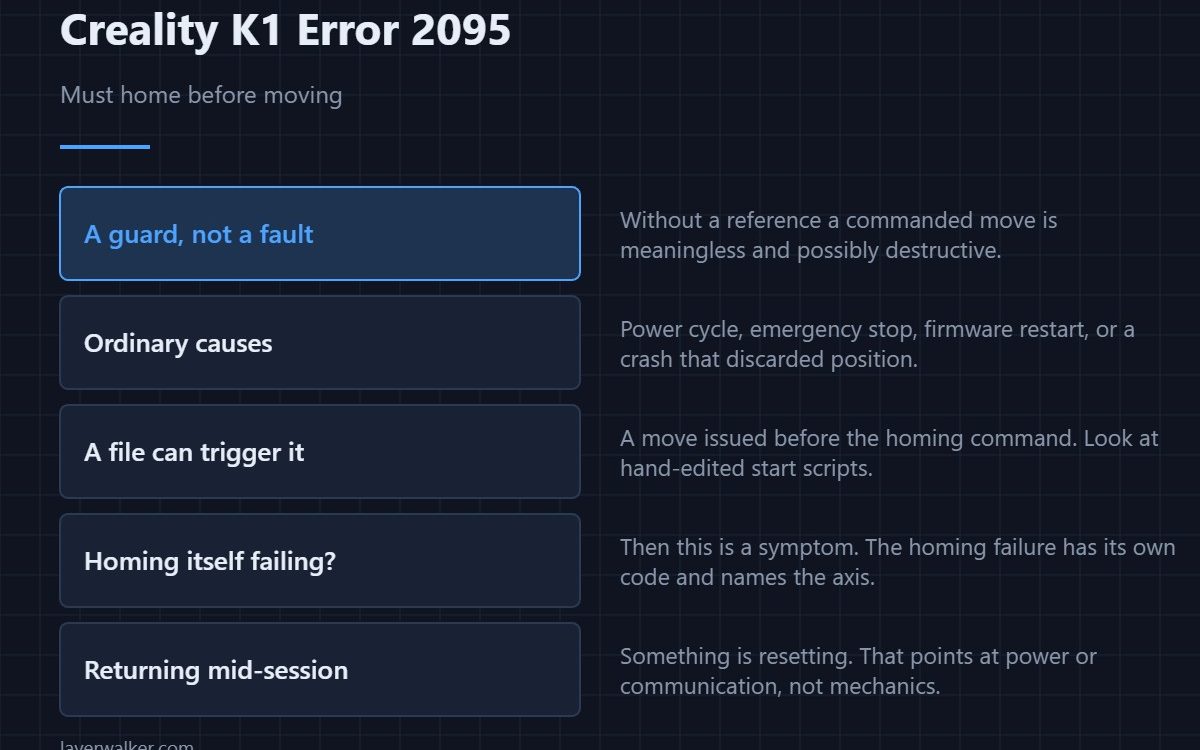
Creality K1 error 2095 means the printer was asked to move before it knew where it was, so it refused. Homing establishes the reference every coordinate is measured from. The fix is to home the machine, but the useful question is why it had lost its position in the first place.
Homing once clears the message. If it comes back, something is dropping the reference and that is worth finding.
Where to buy


The ordinary causes
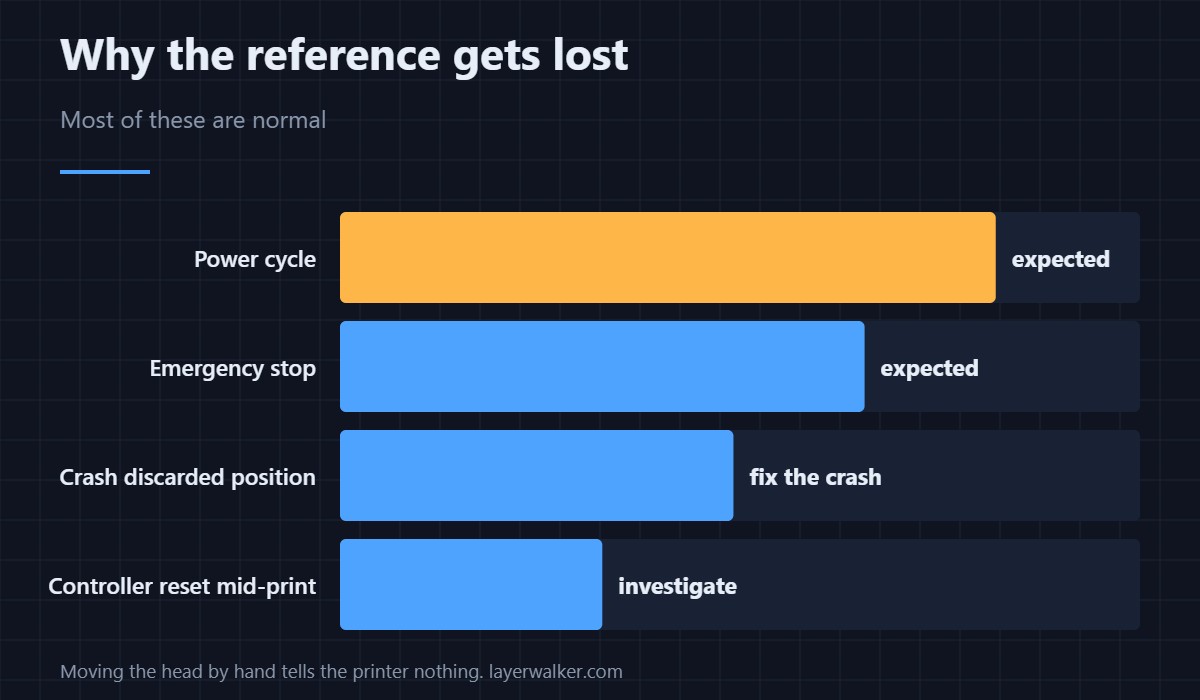
A power cycle, an emergency stop, a firmware restart, or a crash that made the printer discard its position. All of these are normal and all are cleared by homing. If you have just switched the machine on and moved it from the menu, this message is the expected behaviour rather than a fault.
When a G-code file triggers it
A file that issues a move before its homing command hits this immediately. That happens with hand-edited start scripts and with profiles carried over from another machine where homing was handled differently. If it only occurs with files from one source, look at the start G-code rather than the printer.
When homing itself will not work
Then the message is a symptom rather than the problem. A homing attempt that fails reports separately and names the axis as 2020, and a Z-specific failure is 2504. Chasing this code when homing is broken means fixing the wrong thing.
Why Creality K1 error 2095 exists at all
Without a reference, a commanded move is meaningless and potentially destructive: the printer could drive the nozzle into the plate or the gantry into a hard stop at speed. Refusing is cheap; guessing is not. Every printer worth using has this guard in some form.
If it keeps returning
Repeated position loss during a session points at power or communication rather than mechanics. A controller that resets mid-job loses its reference, and that shows up alongside connection faults like 110. Once the machine is stable again, run through the calibration sequence in calibrating a 3D printer so the stored numbers match reality.
Creality K1 Error 2095 FAQ
Is this a fault at all?
Usually not. After a power cycle it is simply the printer telling you it needs to find itself first.
Do I need to home before every print?
The start G-code normally does it for you. You only meet this message when something skipped that step.
Why does it appear mid-print?
That is not ordinary. A controller reset or a crash discarded the position, and the cause of the reset is what to investigate.
Can I move the head by hand instead?
Moving it by hand does not tell the printer anything. It still has no reference until it homes.

LayerWalker
Print defect diagnosis, calibration procedures and parts that actually fit. Corrections welcome through the contact page.