Creality K1 Error 2529: Too Many Z Homing Attempts
LayerWalker is a participant in the Amazon Services LLC Associates Program. We may earn a commission when you buy through links on our site, at no extra cost to you.
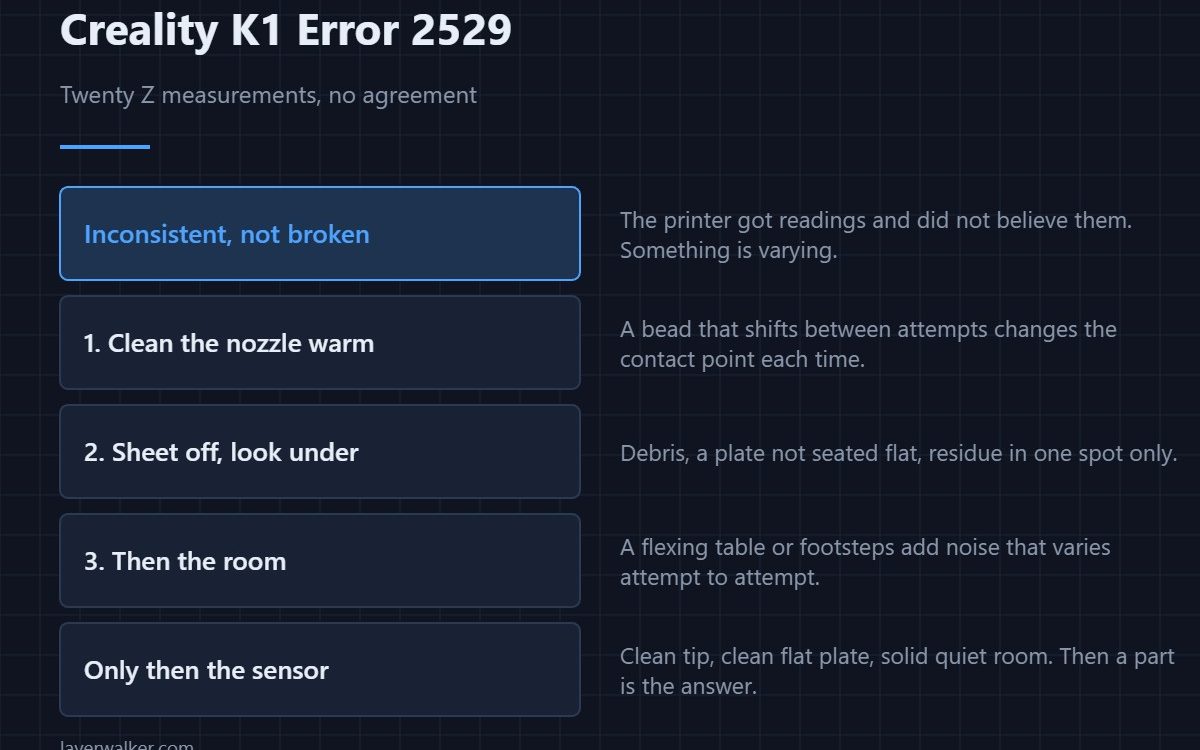
Creality K1 error 2529 means Z homing took more measurements than it is allowed — twenty is the limit — without producing a result it trusted. Creality names the same three causes as its other levelling faults: the sensor chip, a damaged sensor, or environmental influence. Twenty inconsistent readings means something is varying, not that something is simply broken.
That word, inconsistent, is what separates this from the other levelling codes.
Where to buy


The nozzle is the probe, so clean it
A bead of plastic on the tip changes the contact point, and a bead that shifts or falls off between attempts changes it differently each time. That is exactly the pattern that burns through twenty measurements. Heat the hotend, wipe the tip properly, and retry before anything else.
Then the surface it is touching
Debris under the sheet, a plate that is not seated flat, or residue in one spot gives a different answer depending on where it probes. Take the sheet off, check underneath, wash it and refit it. A plate that has never been cleaned since new is worth doing here.
Then the room
The sensor measures force at a fine enough resolution to pick up the building. A flexing table, footsteps on a springy floor or a washing machine nearby adds noise that varies attempt to attempt. That environmental case has its own code when the printer catches it standing still — 2524 — and the same fix applies: a rigid surface and a quiet moment.
How Creality K1 error 2529 differs from the other levelling faults
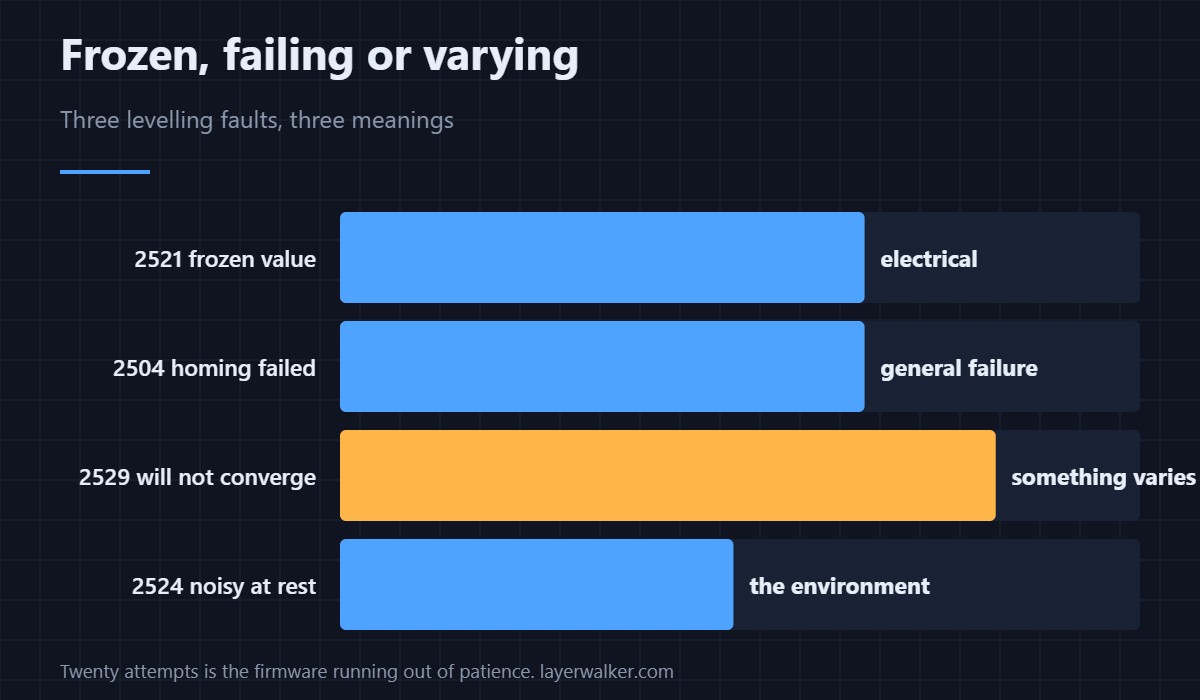
A reading that never changes at all is 2521, which is electrical. A homing attempt that fails outright is 2504. This one means the printer got readings, did not believe them, tried again, and ran out of attempts. Varying data points at the tip, the plate or the environment before it points at the chip.
Only then the sensor
If the nozzle is clean, the plate is clean and flat, and the machine is standing on something solid in a quiet room, the strain gauge or its amplifier is the remaining explanation. That is the point at which a part is the answer rather than a guess — how force probing compares with switch-based systems is in bed levelling sensors.
Creality K1 Error 2529 FAQ
Why twenty attempts?
It is the firmware’s patience limit. Beyond that the printer concludes the readings will not converge and stops rather than accepting a bad zero.
It worked yesterday. What changed?
Usually the nozzle tip or the plate. Both accumulate residue gradually and cross a threshold rather than failing suddenly.
Can a new build sheet cause it?
A sheet of different thickness or a very textured one can. Refit the original as a test before suspecting hardware.
Does the room temperature matter?
Less than vibration. It is variation between attempts that defeats this, and temperature changes far too slowly to do that.

LayerWalker
Print defect diagnosis, calibration procedures and parts that actually fit. Corrections welcome through the contact page.