Creality K1 Error 110: Primary MCU Connection Abnormal
LayerWalker is a participant in the Amazon Services LLC Associates Program. We may earn a commission when you buy through links on our site, at no extra cost to you.
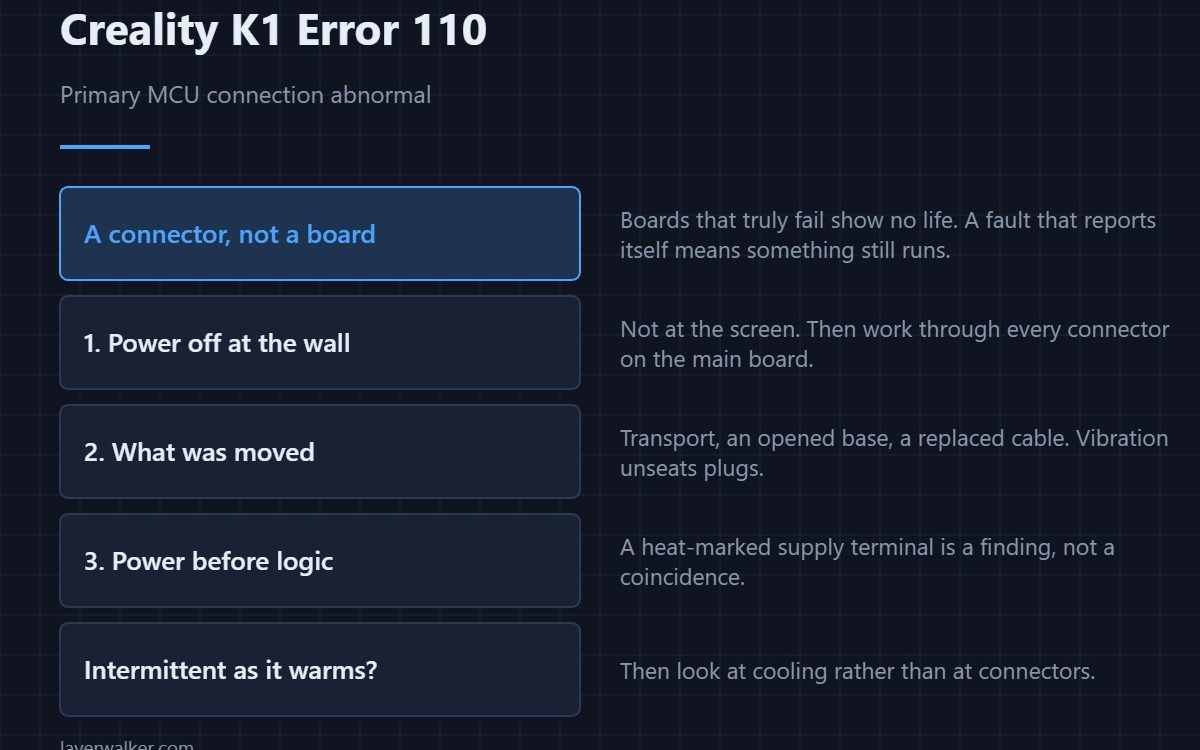
Creality K1 error 110 means the hardware connection to the primary MCU is abnormal. This is the main controller that every other board reports to, so nothing works until the link is restored. Despite how serious that sounds, the cause is almost always a connector rather than a dead board, and vibration is what loosens it.
The K1 is a fast machine that shakes its own base for hours at a time. Connectors inside it lead a harder life than in a slower printer.
Where to buy


Power off at the wall first
Not at the screen. Then open the base and work through every connector on the main board, pressing each one home. You are looking for one sitting slightly proud, a latch that never clicked, or a pin pushed back into its housing so it looks seated and is not.
What to check first if something was moved
Transport is the single biggest trigger. So is anyone having had the base open recently, and so is a replaced cable or board. If any of those happened in the past week, start there rather than assuming a component failed.
Power before electronics
A main controller that is not receiving clean power reports a bad connection rather than announcing a power fault. Check that the supply connector is firm and that nothing looks heat-marked. A browned terminal at the power input is a finding, not a coincidence.
How Creality K1 error 110 differs from its siblings
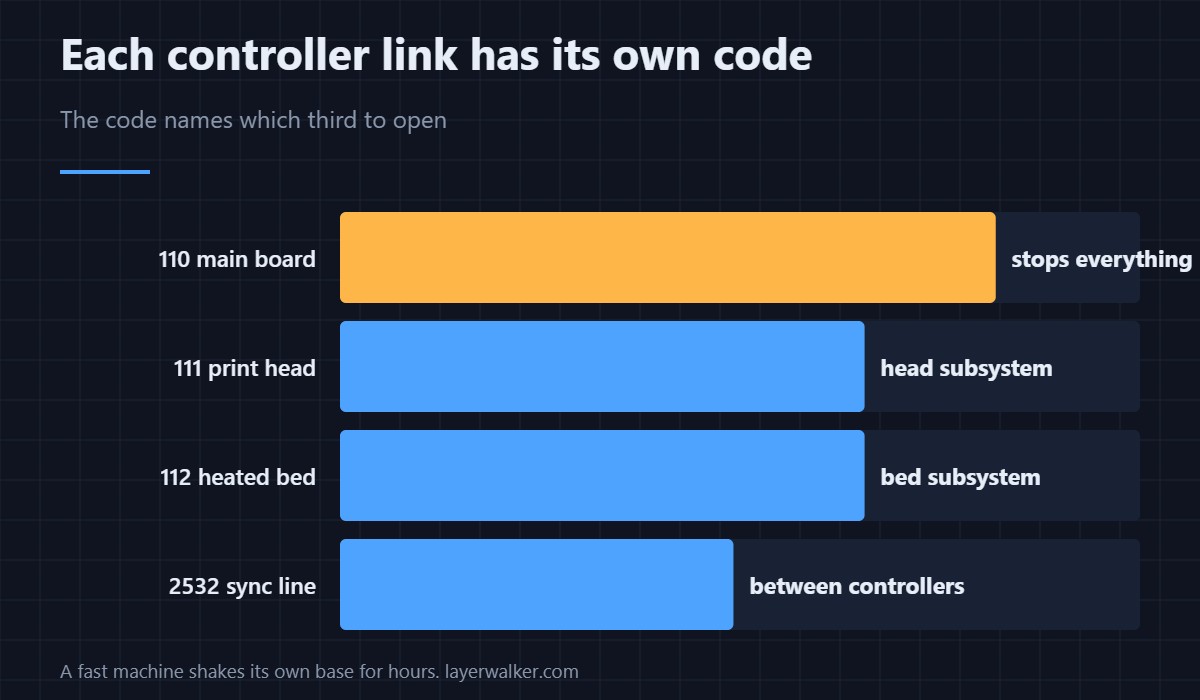
The K1 splits control across boards, and each link has its own code. The print head link is 111, the bed link is 112, and the timing line between controllers is 2532. This one is the main board itself, which is why it stops everything rather than one subsystem.
When it appears intermittently
An intermittent main link points at a marginal connector or a board that is overheating and dropping out. If it comes and goes as the machine warms up rather than as it moves, look at cooling and read 2512, which is the chip complaining about its own temperature.
Creality K1 Error 110 FAQ
Does this mean the mainboard is dead?
Rarely. Boards that fail outright usually show no life at all. A connection fault reports itself, which means something is still running.
It started after I moved the printer. Related?
Almost certainly. Transport vibration unseats connectors more effectively than months of normal printing.
Can I print while it appears occasionally?
No. An intermittent link to the main controller means motion and heating can stop without warning mid-print.
Would a firmware update help?
No. A loose connector is a physical state, and no build changes that.

LayerWalker
Print defect diagnosis, calibration procedures and parts that actually fit. Corrections welcome through the contact page.