Creality K1 Error 2014: Invalid Slicing Distance
LayerWalker is a participant in the Amazon Services LLC Associates Program. We may earn a commission when you buy through links on our site, at no extra cost to you.
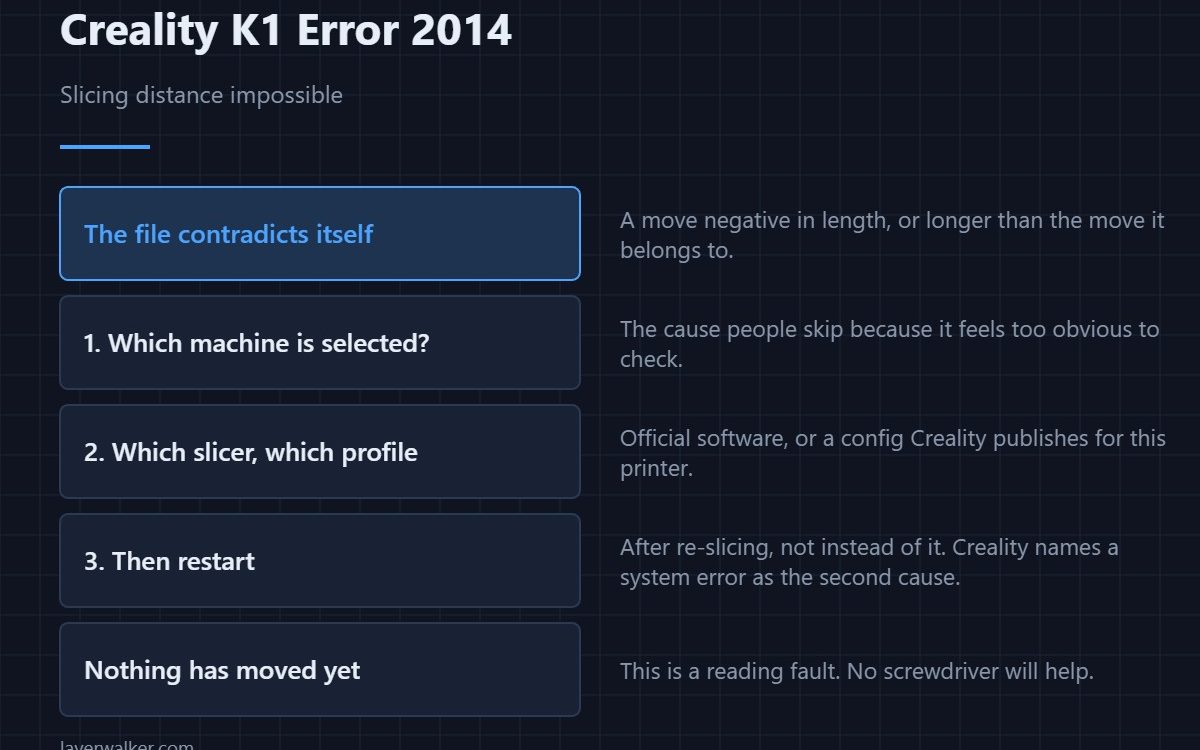
Creality K1 error 2014 means a slicing distance was negative or longer than the whole move it belongs to, which is geometrically impossible. Creality names two causes: a printing file produced by something other than the official slicer or with the wrong machine selected, and a system error. Re-slice with the right profile first, then restart the printer.
The printer is not being awkward. It has been handed instructions that contradict themselves and is refusing to guess.
Where to buy


Check which machine the profile is for
This is the cause people skip because it feels too obvious. A K1 Max profile on a K1, or a profile for a different Creality machine entirely, produces moves that do not fit the geometry the printer knows about. Open the slicer and confirm the selected model matches the machine in front of you.
Then check the slicer itself
Creality’s advice is to use their official slicing software, or a third-party slicer with a configuration file that Creality publishes for that printer. A profile someone shared on a forum, or one carried over from another brand, is exactly where this comes from. Profile handling is covered in the Creality slicer guide.
Then restart and reprint
The second named cause is a system error, and a restart is the documented response. Do this after re-slicing rather than instead of it, because restarting a printer that has been handed a bad file simply reproduces the fault.
Why Creality K1 error 2014 is a file fault, not a hardware one
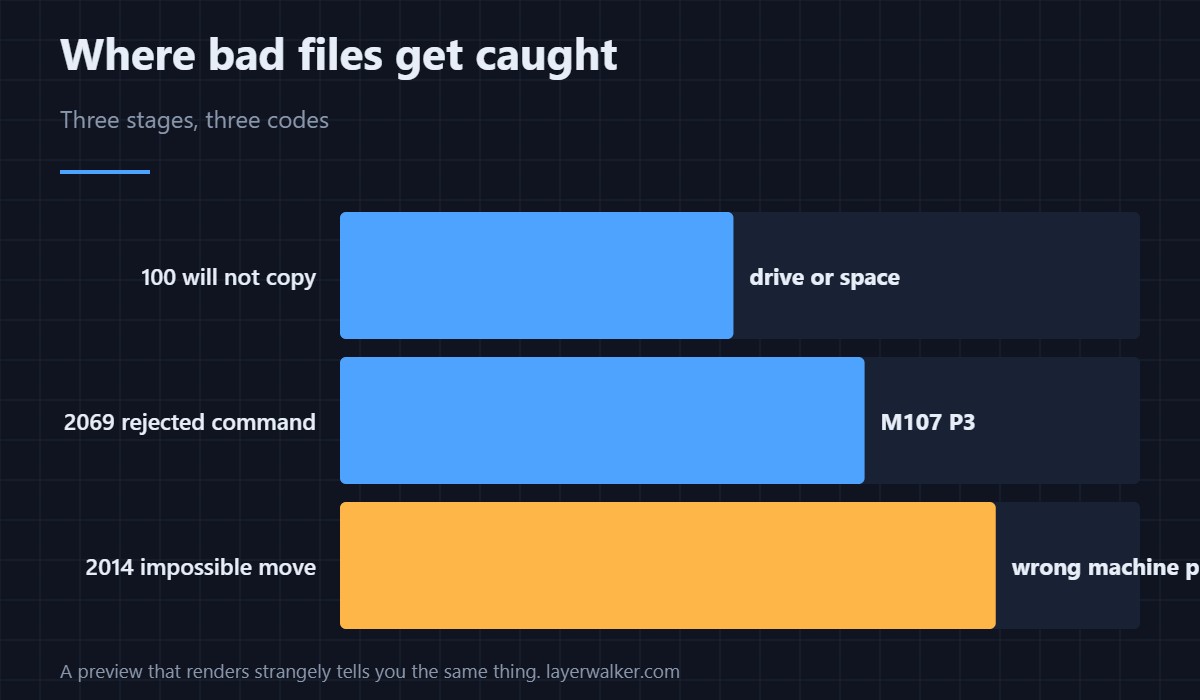
Nothing has moved yet. The printer is reading instructions and finding an impossible one, which is the same class of problem as 2069, where the file contains a command the firmware rejects. Both are fixed in the slicer and neither is fixed with a screwdriver.
Catch it before you walk to the printer
Opening the sliced file in a G-code preview shows you the toolpath the printer will follow. A file that renders strangely there, with moves shooting off the plate or paths that double back, is telling you the same thing this error does. If the file will not transfer at all, that is a different stage and reads as 100.
Creality K1 Error 2014 FAQ
Can I use a third-party slicer at all?
Yes, with a configuration Creality publishes for the machine. It is the borrowed or hand-edited profile that causes trouble, not the software.
Why does one model fail and others print fine?
Because the problem move only occurs in that geometry. The profile can be wrong for months and only show it on a specific shape.
Does re-slicing the same file help?
Only if you change the profile first. Re-slicing with the same settings reproduces the same output.
Is my model damaged?
No. The source model is untouched; the fault is in how it was translated into moves.

LayerWalker
Print defect diagnosis, calibration procedures and parts that actually fit. Corrections welcome through the contact page.