Bambu Lab A1 Review: The Easiest One to Own
LayerWalker is a participant in the Amazon Services LLC Associates Program. We may earn a commission when you buy through links on our site, at no extra cost to you.
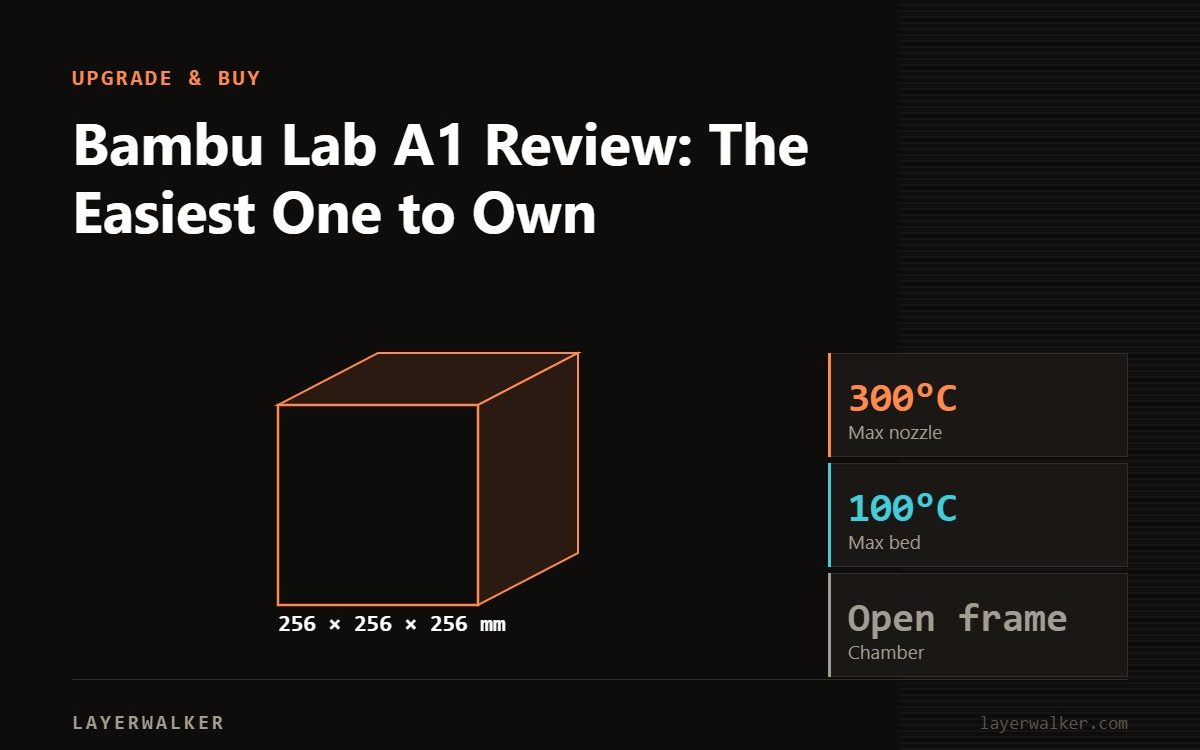
The A1 is the easiest Bambu to own. It is a bed-slinger, so no enclosure and no ABS, but it accelerates at 10,000 mm/s2, calibrates itself completely, and its hotend swaps with a single clip instead of a toolkit. Pair it with the AMS lite for four-colour printing. Buy it if you print PLA, PETG and TPU; buy a P2S or P1S if engineering materials matter.
This assessment is from Bambu’s published specifications and the design choices that separate the A1 from the CoreXY machines, not a workshop test. The A1 is worth understanding on its own terms rather than as a cheaper P1S, because the design priorities are genuinely different.
Where to buy

What makes it easy
Three things, and they are all maintenance decisions rather than performance ones.
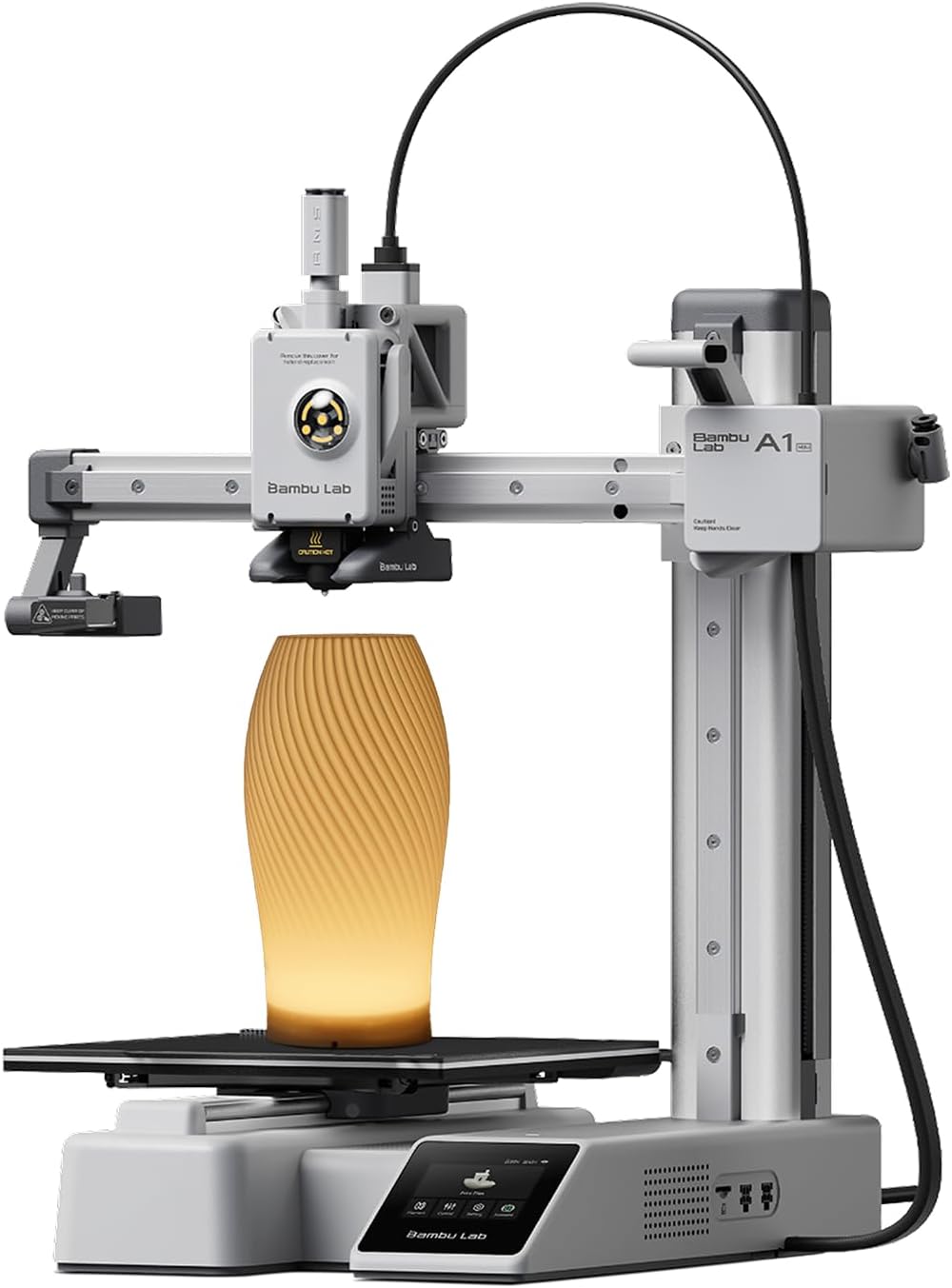
The hotend is a quick-swap unit held by a single clip. On most printers, changing a nozzle means heat-soaking, wrenches and a re-levelling afterwards. On the A1 it is a clip.
Calibration is fully automatic and covers the whole set: Z-offset, bed levelling, resonance compensation and flow. There is an eddy-current sensor measuring nozzle pressure, which is how the machine handles first-layer and flow calibration without asking you to print test patterns. If you have ever spent a weekend on a flow calibration rabbit hole, that is the appeal.
And 10,000 mm/s2 of acceleration is a lot for a moving-bed machine, which is what keeps it competitive on time despite the mechanical handicap.
What being a bed-slinger costs
The bed moves in Y, so tall parts wobble at speed and the whole machine has to be gentler than a CoreXY as height increases. There is no enclosure, so ABS and ASA warp and delaminate; that is physics, not tuning. And the footprint is wider in use than an enclosed cube of similar plate size, because the bed sweeps.
Set against that, an open machine is easier to reach into, quieter in the sense of not resonating inside a box, and cooler with PLA.
Multi-colour
The A1 uses the AMS lite, not the sealed AMS. Four spools on open rotary holders, 397 x 208 x 342 mm, 1.6 kg, RFID reading on Bambu filament, and no drying at all. It will not feed TPU, TPE, wet PVA or BVOH, or any carbon or glass filled filament, and spools must be 40 to 68 mm wide with a 53 to 58 mm hole.
The underrated feature is filament backup: load the same material in two slots and a long print continues onto the second spool. Our A1 AMS notes cover the limits properly, and AMS vs AMS lite compares the two systems.
Who should buy it
Buy the A1 as a first printer, or as a second machine that runs PLA and PETG reliably while a bigger printer does the hard jobs. It is also the right answer if the printer will be used by someone who does not want to learn maintenance.
Do not buy it expecting ABS, ASA or nylon. For those you want an enclosed machine with a warm chamber, which in this range means the P1S, P2S or above. Our A1 vs P1S comparison is the one to read next, or A1 vs A1 mini if you are choosing a size.
Bambu Lab A1 Review FAQ
Can the A1 print ABS?
Not reliably. No enclosure means warping and poor layer bonding.
How hard is it to change the nozzle?
One clip, no tools.
Does it calibrate itself?
Yes: Z-offset, bed, resonance and flow, using an eddy-current nozzle pressure sensor.
Which changer does it take?
The AMS lite, four slots, no drying, no TPU or fibre-filled filament.

LayerWalker
Print defect diagnosis, calibration procedures and parts that actually fit. Corrections welcome through the contact page.

