Prusa Error 17108: Stuck Filament Detected
LayerWalker is a participant in the Amazon Services LLC Associates Program. We may earn a commission when you buy through links on our site, at no extra cost to you.
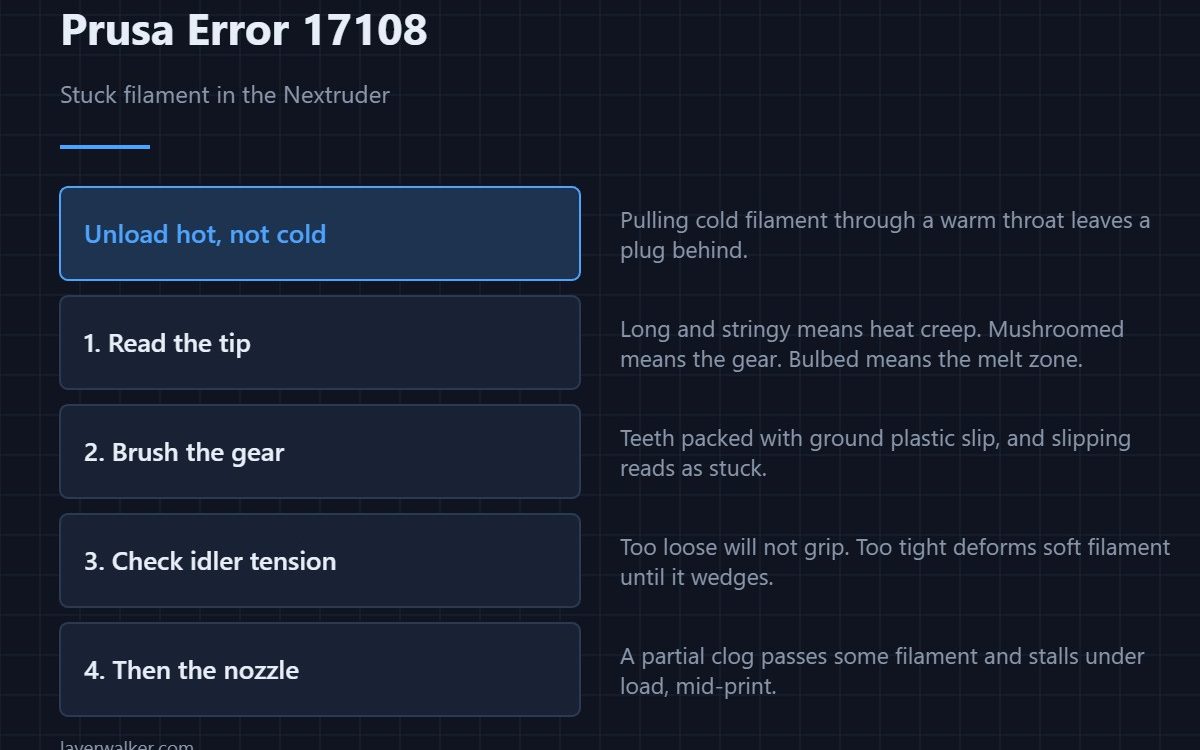
Prusa error 17108 means the XL has detected filament that will not move and is asking you to unload it from the Nextruder and load it again. The printer knows the motor turned and the filament did not. Unloading and reloading clears the easy cases; if it comes straight back, something in the path is genuinely blocked.
The Nextruder is short, which is good news: there are only a few places filament can seize, and they can be checked in order without taking much apart.
Where to buy


Do the unload first, properly
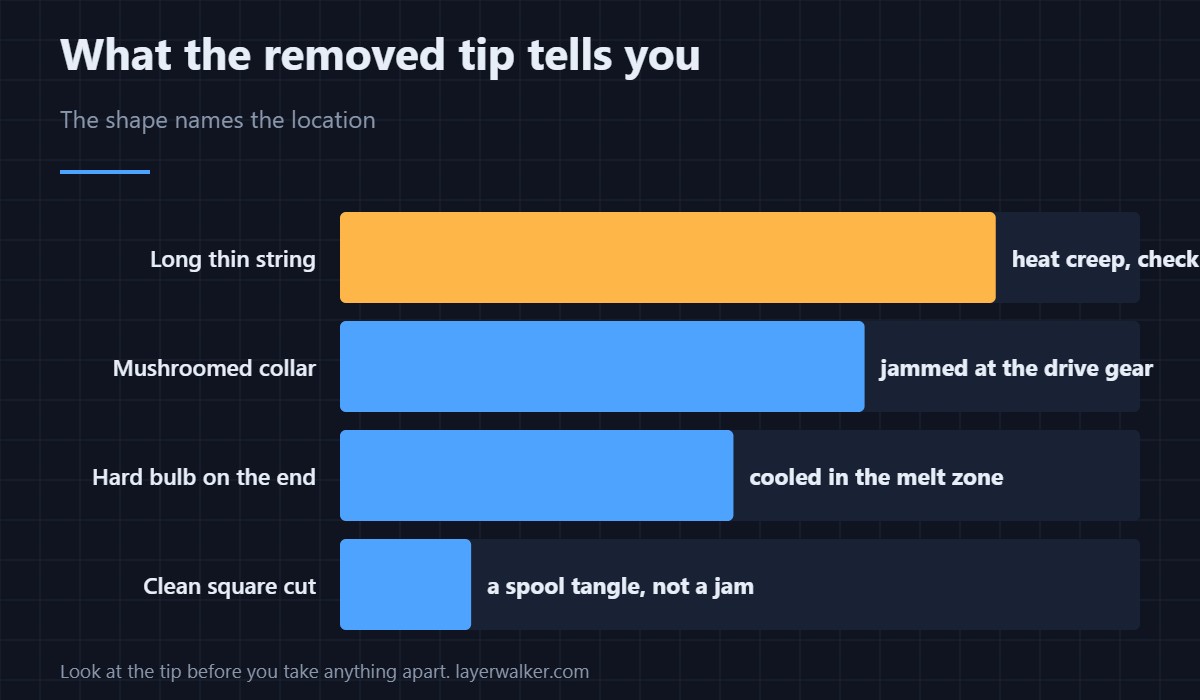
Heat to the correct temperature for the material before unloading. Pulling cold filament through a warm throat is the classic way to leave a plug behind and turn a small problem into a real one. Once out, look at the tip you removed: its shape tells you where it stuck.
Reading the tip
A tip drawn out into a long thin string means it was soft well above the nozzle, which points at heat creep and a struggling hotend fan. A blunt tip with a mushroomed collar means it jammed at the gear. A tip with a hard bulb on the end means it cooled in the melt zone, typically after a pause.
The gear and the idler
The drive gear grips filament with teeth that fill up with dust and ground plastic. Filled teeth slip, and slipping reads as stuck. Brush them out and check the idler tension: too loose and it cannot grip, too tight and it deforms soft filaments like TPU until they wedge.
Further down: tube and tip
If the path above the hotend is clean, the blockage is at or near the nozzle. A partial clog lets some filament through and stalls under load, which is exactly how this code appears mid-print rather than at load time. The clearing routine is in clearing a clogged nozzle, and a scored or heat-damaged guide tube is worth ruling out too — see PTFE tube.
Prusa error 17108 versus the load timeout
This code fires when filament that is already loaded stops moving. If instead the printer never manages to take filament in at all, you get 13836 loading timeout, which is a different part of the same story. The MK4 equivalent of a jam is reported as 13101.
Prusa Error 17108 FAQ
It cleared after one reload. Should I worry?
Not if it stays away. A single stick is often a bent tip or a tangle on the spool. A second occurrence in the same print is a real blockage.
Could the spool be the problem?
Often, yes. A tangle or a strand trapped under a coil stops the filament dead while the extruder keeps turning, and the printer cannot tell that apart from a jam.
Does brittle filament cause this?
It causes the related failure: it snaps rather than sticks, and the broken end then wedges. Wet or old PLA is the usual offender.
Why does it happen more with TPU?
Flexible filament buckles instead of pushing when there is any resistance, and buckled filament fills the gap beside the gear. Slower loading and slightly looser idler tension both help.

LayerWalker
Print defect diagnosis, calibration procedures and parts that actually fit. Corrections welcome through the contact page.

