Prusa Error 13854: Incompatible Filament for This Print
LayerWalker is a participant in the Amazon Services LLC Associates Program. We may earn a commission when you buy through links on our site, at no extra cost to you.
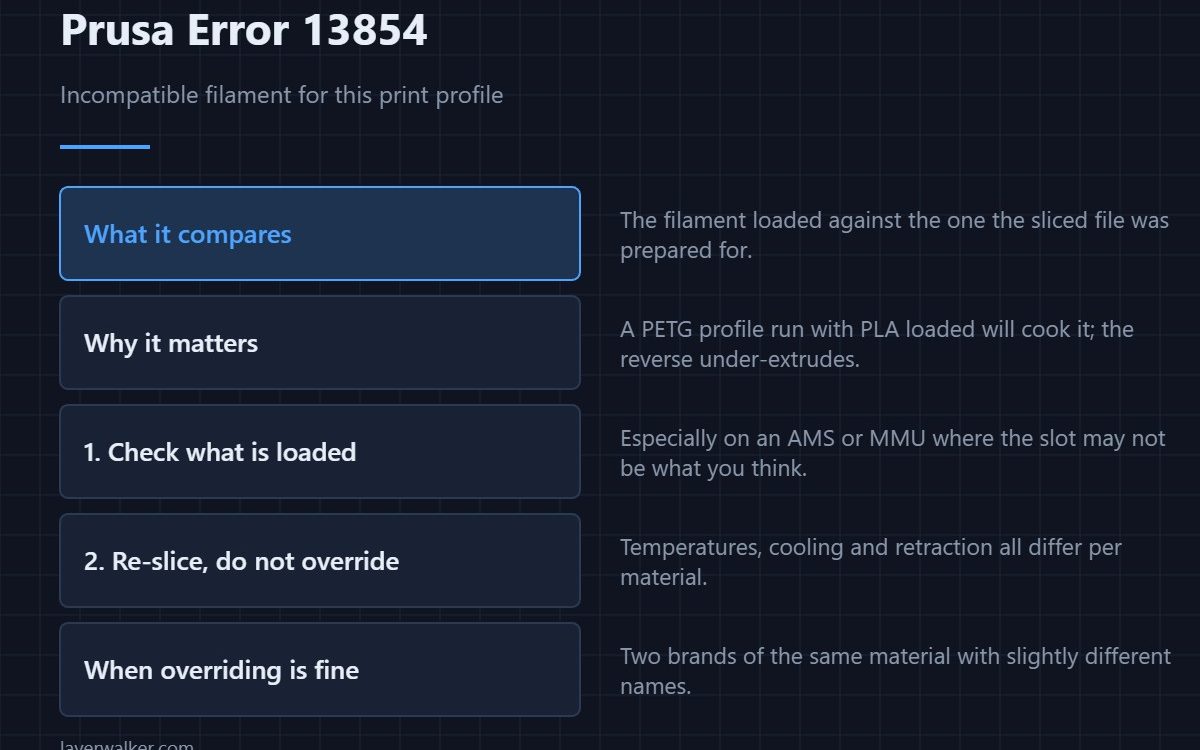
Prusa error 13854 means the filament currently loaded does not match the one the sliced file was prepared for. The printer is refusing rather than running a PETG profile on PLA or the reverse. The right fix is almost always to re-slice for what you actually have loaded, not to override the warning.
People read this as the printer being fussy. It is not: the profile carries temperatures, cooling and retraction that are specific to one material, and running the wrong set produces either a cooked part or a stringy under-extruded one.
Where to buy


What the profile actually changes
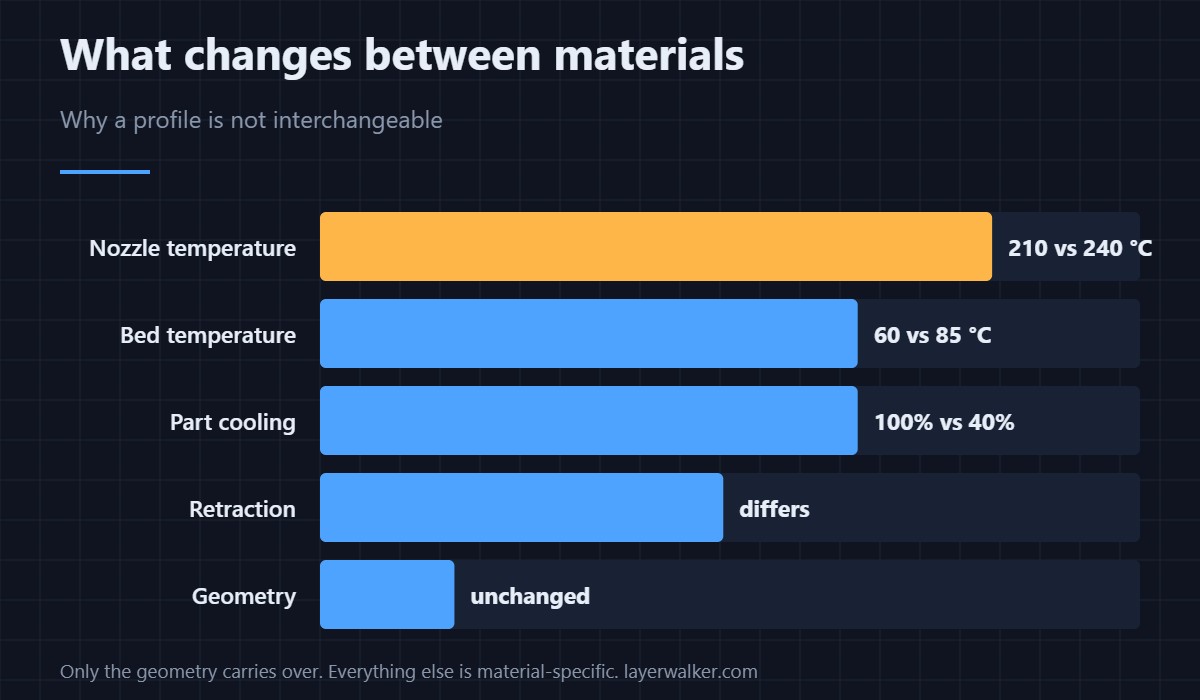
Nozzle temperature swings from around 210 °C for PLA to 240 °C for PETG. Bed temperature goes from 60 °C to 85 °C. Part cooling drops from 100% to roughly 40%. Retraction distance and speed both differ. Only the geometry is shared, which is why a profile is not a suggestion — the side-by-side is in PLA vs PETG.
Check in this order
- What is actually loaded? Especially with an MMU or a multi-material setup, the slot may not hold what the display says.
- What does the file expect? Check the filament profile in the sliced file rather than assuming.
- Re-slice. Thirty seconds, and it is the correct answer in almost every case.
- Override only for a near-equivalent. Two brands of the same material, or a profile named slightly differently, is a reasonable override.
When overriding is genuinely reasonable
If you sliced for one brand of PLA and loaded another, the profiles are close enough that the print will be fine. If you sliced for PLA and loaded PETG, it will not be. The question to ask is whether the two materials want the same temperatures — the reference is in bed temperature by material.
Related
If the printer instead reports the filament as stuck, that is 13101. If the sensor is disabled and not reporting anything, see 13115. The settings a profile actually carries are broken down in the twelve that matter.
This error reads 31854 on CORE One, 35854 on CORE One L, 17854 on XL and 23854 on MK3.5.
Prusa Error 13854 FAQ
Can I ignore error 13854?
You can override it, and you should not unless the two materials are genuinely equivalent. PLA and PETG are not.
Why does it appear when I loaded the right filament?
Usually because the printer’s record of what is loaded is out of date — common after a manual swap where the change was not confirmed in the menu.
Does this happen with the MMU?
More often, yes, because a slot can hold something different from what the profile assumes. Verify each slot before starting a multi-material job.
Is re-slicing really necessary for a different brand of PLA?
No. Same material from a different maker is the one case where overriding is sensible, though a quick temperature check is still worth doing.

LayerWalker
Print defect diagnosis, calibration procedures and parts that actually fit. Corrections welcome through the contact page.