Prusa Error 13833: Bed Levelling Failed, Try Again
LayerWalker is a participant in the Amazon Services LLC Associates Program. We may earn a commission when you buy through links on our site, at no extra cost to you.
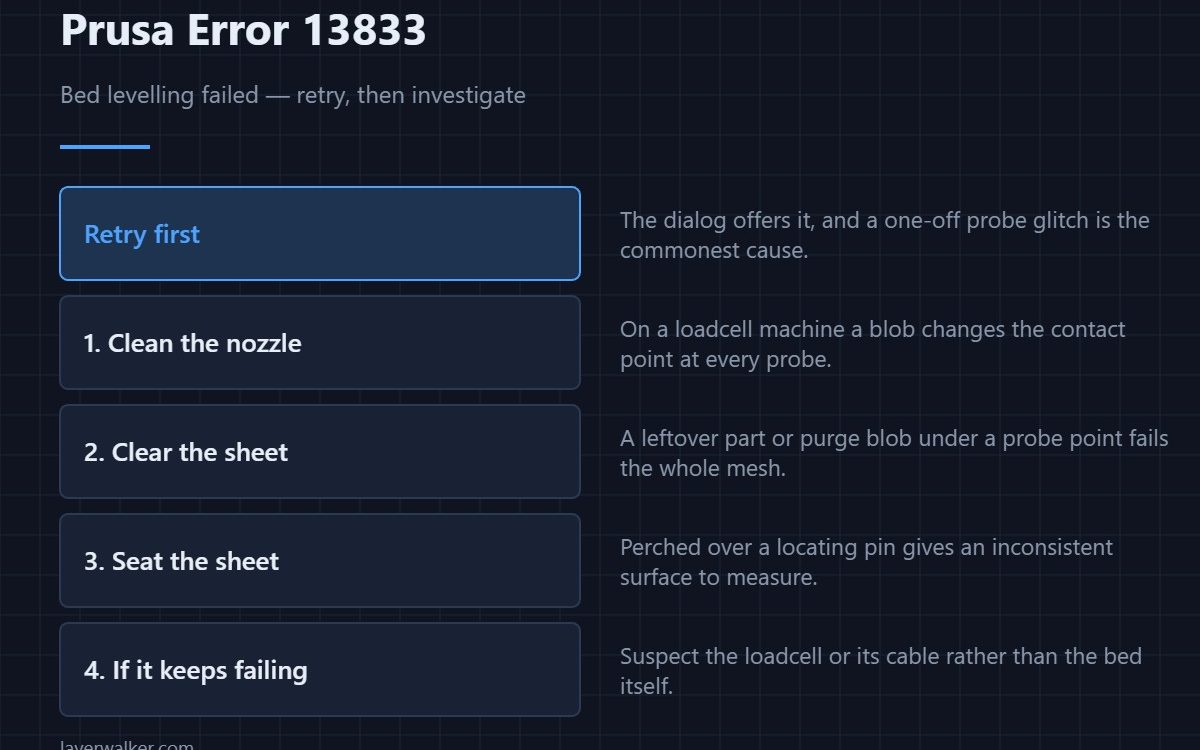
Prusa error 13833 means the automatic bed levelling pass failed and the printer is offering to retry. Accept the retry first — a one-off probe glitch is the commonest cause. If it fails again, clean the nozzle hot, clear anything off the sheet, and check the sheet is seated squarely on its locating pins.
On an MK4 or CORE One this is more consequential than it looks, because those machines probe with the nozzle itself through a loadcell. Anything on the tip changes the measurement, so bed levelling and nozzle cleanliness are the same problem.
Where to buy


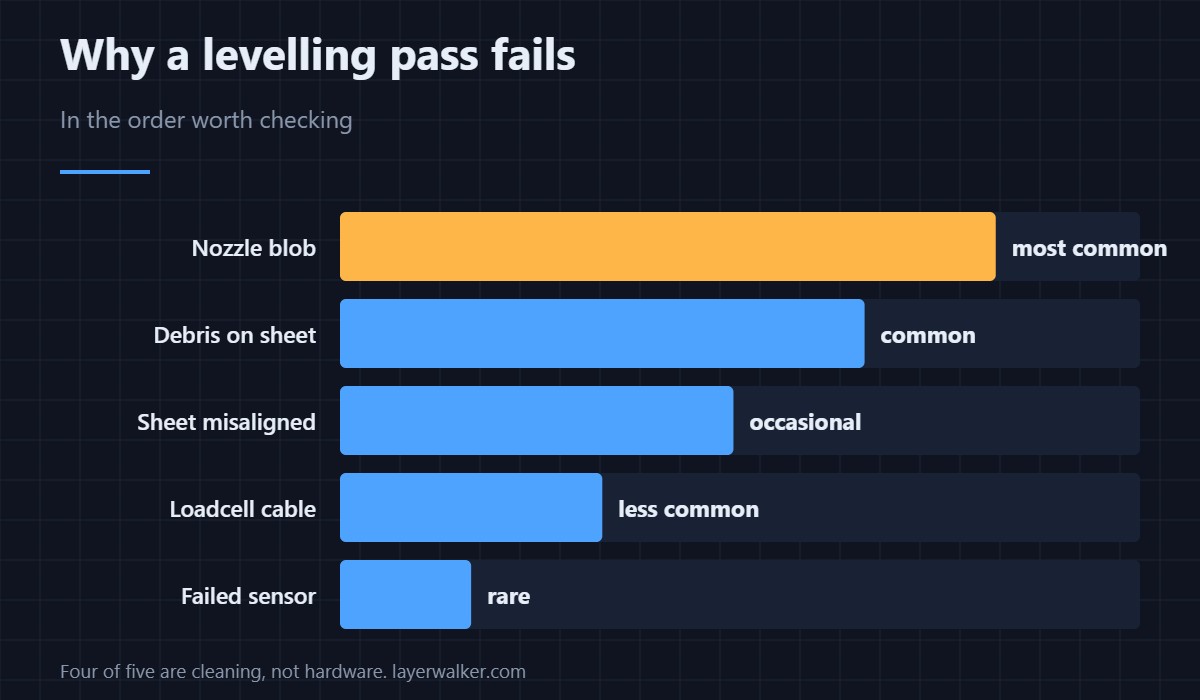
Check in this order
- Retry. The dialog offers it for a reason. A single bad probe point fails the whole mesh, and it often does not repeat.
- Clean the nozzle, hot. Heat to printing temperature and wipe with a brass brush. This is the single highest-value step on a loadcell machine — the method is in nozzle cleaning.
- Clear the sheet. A leftover part, a skirt fragment or a purge blob under any probe point will fail the pass.
- Seat the sheet. Flat against the rear pins, not perched over one. A lifted corner gives an inconsistent surface.
- Then suspect the sensor. Repeated failures after all of the above point at the loadcell or its cable — see 13526.
What levelling actually produces
A mesh of height readings that the firmware follows while printing the first layer. It compensates for a bed that is not perfectly flat; it does not compensate for a bed that is badly tilted, and it cannot fix a dirty surface. If the mesh completes but the first layer is still wrong, that is a different problem with a different fix.
Related codes
13301 is Z homing failing outright, which happens before levelling starts. 13526 is the loadcell returning an impossible value. All three share the same cable in most cases.
On other models this reads 31833 on CORE One, 35833 on CORE One L, 17833 on XL and 23833 on MK3.5.
Prusa Error 13833 FAQ
Should I just keep retrying?
Once, yes. If it fails twice in a row, stop and clean the nozzle rather than wearing out the probe cycle on a fault that will not clear itself.
Why does a dirty nozzle break bed levelling?
Because the MK4 and CORE One probe with the nozzle tip through a loadcell. A blob changes both the contact height and the force curve the firmware is reading.
Does a third-party sheet cause 13833?
It can, if it is noticeably thicker, uneven, or not sitting flat on the magnets. Test with the original sheet to isolate it.
Can I skip levelling entirely?
Not sensibly. Without a mesh the printer assumes a perfectly flat bed, and almost no bed is flat enough for a good first layer across its whole area.

LayerWalker
Print defect diagnosis, calibration procedures and parts that actually fit. Corrections welcome through the contact page.