Prusa Error 13301: Z Homing Failed, and the Loadcell
LayerWalker is a participant in the Amazon Services LLC Associates Program. We may earn a commission when you buy through links on our site, at no extra cost to you.
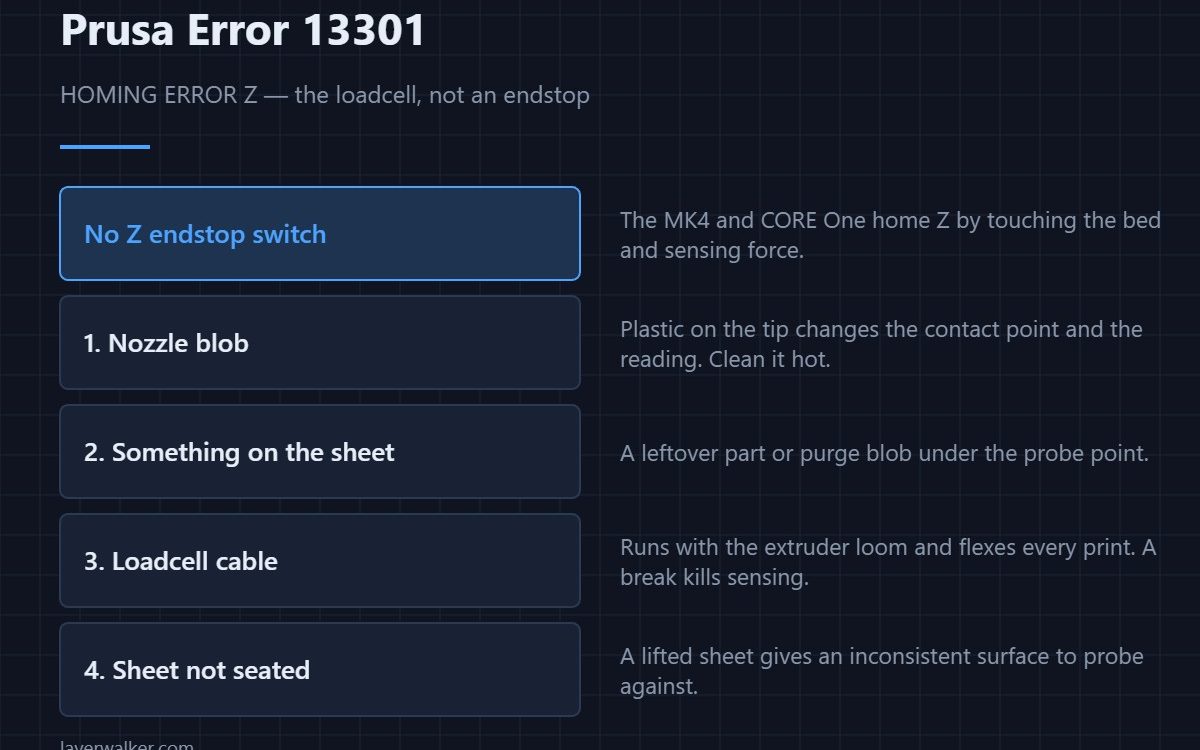
Prusa error 13301 is a Z homing failure, and Prusa’s own text points at the loadcell. The MK4 and CORE One have no Z endstop switch: they touch the nozzle to the bed and sense the force. That means a blob of plastic on the nozzle tip, or anything on the sheet, is a genuine homing fault rather than a cosmetic problem.
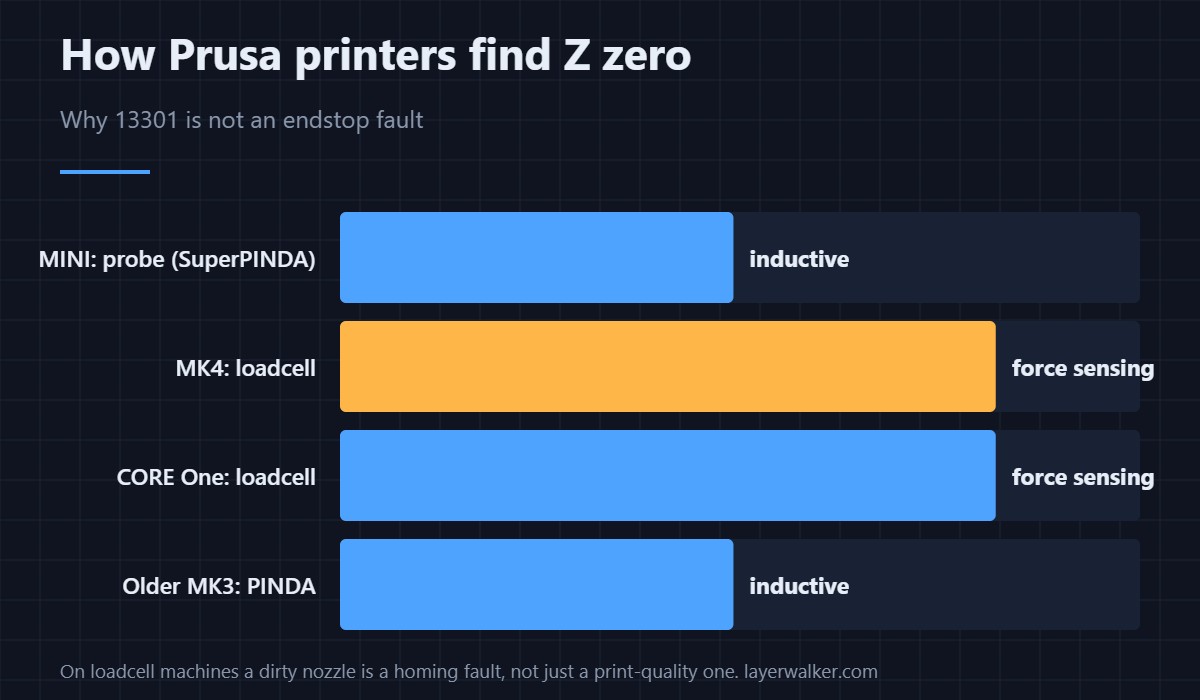
This catches out anyone coming from an older printer. On an MK3 with a PINDA probe, the nozzle never touches the bed to find Z. On an MK4, it does — so the state of the nozzle tip directly affects whether homing works at all.
Where to buy


Check in this order
- Clean the nozzle, hot. Heat to printing temperature and wipe the tip with a brass brush — the routine is in nozzle cleaning. A blob changes both the contact point and the force curve.
- Clear the sheet. A leftover part, a purge blob or a skirt fragment under the probe point will do it.
- Seat the sheet properly. A sheet perched over a locating pin gives an inconsistent surface to probe.
- Loadcell cable. It runs with the extruder loom and flexes every print. Reseat it, then flex the bundle gently and retry.
- Re-run the calibration. After any of the above, run the loadcell test from the Calibrations menu rather than assuming it is fine.
Why loadcell homing is worth the trouble
Because it measures the actual nozzle, not a probe offset from it. That removes a whole class of first-layer problems caused by probe drift with temperature. The trade is that nozzle cleanliness now matters more — see nozzle blockages for the related symptom, and Z-offset for setting the squish afterwards.
The same error elsewhere
31301 on CORE One, 35301 on CORE One L, 16301 on iX. The MINI uses an inductive probe instead, so its Z faults behave differently. The X-axis equivalent is 13304.
Prusa Error 13301 FAQ
Does my MK4 have a Z endstop switch?
No. It homes Z by touching the nozzle to the bed and measuring force through a loadcell. That is why nozzle cleanliness affects homing.
Why does 13301 appear after a failed print?
Because a failed print usually leaves plastic on the nozzle or debris on the sheet. Clean both before retrying rather than homing repeatedly.
Can I home Z with a cold nozzle?
The printer heats it for the probe step deliberately, so that any plastic on the tip is soft rather than a hard lump. Let it complete that step.
Is the loadcell replaceable?
It is, but check the cable and the connector first. A break in the loom produces the same symptom and is far more common than a failed sensor.

LayerWalker
Print defect diagnosis, calibration procedures and parts that actually fit. Corrections welcome through the contact page.