Prusa Error 13613: USB Flash Drive File System Error
LayerWalker is a participant in the Amazon Services LLC Associates Program. We may earn a commission when you buy through links on our site, at no extra cost to you.
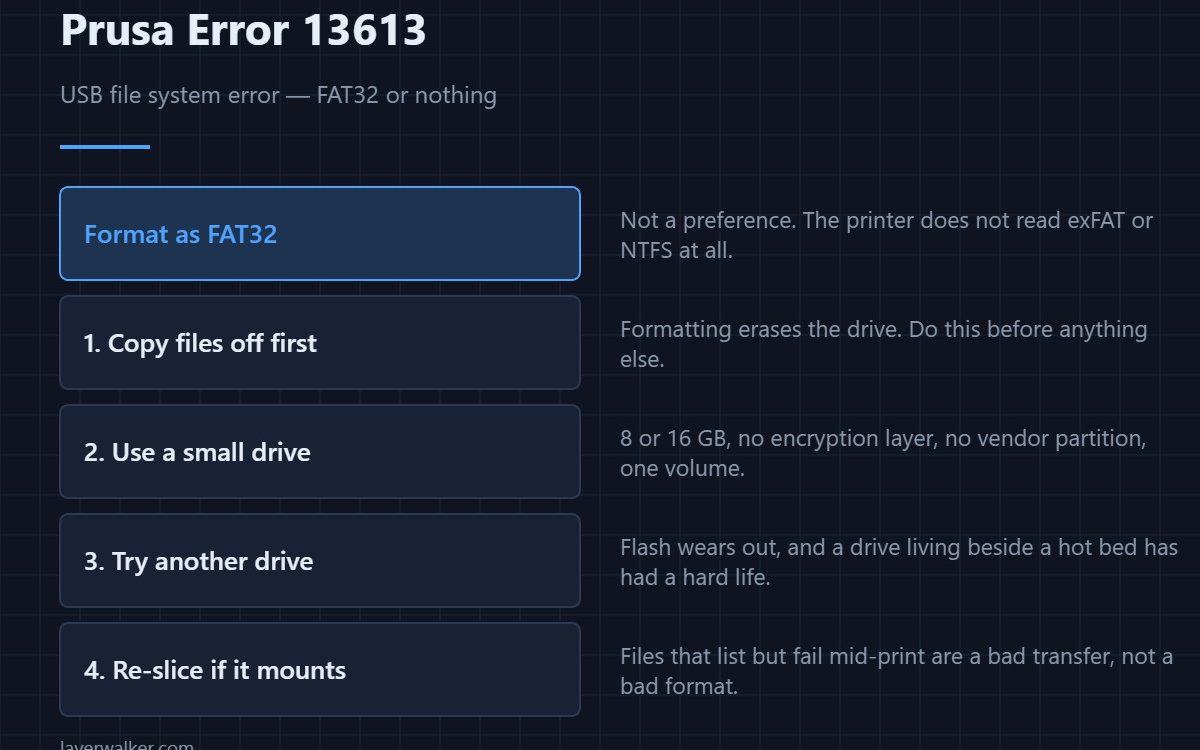
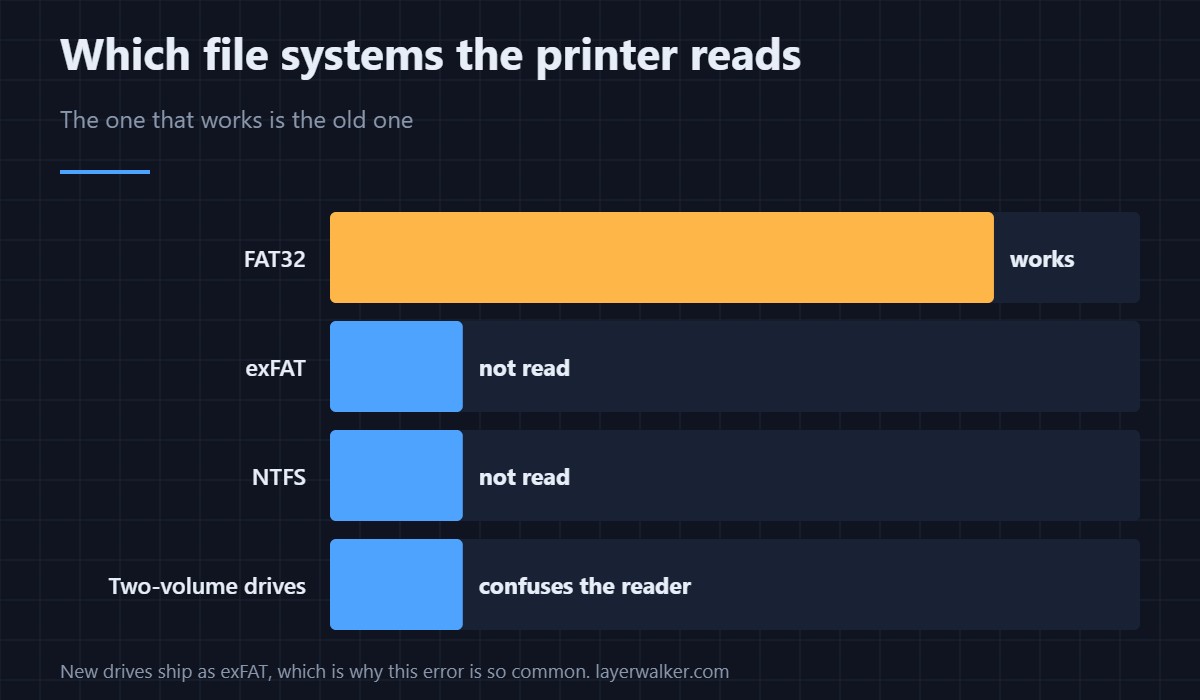
Prusa error 13613 is a file system error on the USB drive: the printer can see the drive but cannot read its contents. The fix is almost always to format it as FAT32, or to use a smaller, simpler drive. Modern drives ship as exFAT or NTFS, and the printer does not read either.
This catches people out because the drive works perfectly on a computer. The printer is not a computer, and its file system support is deliberately narrow.
Where to buy


FAT32 is the requirement, not a preference
Reformat the drive as FAT32 and the error usually disappears. Everything on the drive is erased, so copy anything you need off it first. On drives larger than 32 GB, the standard Windows dialog will not offer FAT32 at all — which is one more reason a small drive is the better tool here.
Smaller and plainer is better
A basic 8 or 16 GB drive with no encryption software, no vendor partition and no U3-style autorun layer is the most reliable choice. Drives that present two volumes, or that expose a small read-only partition alongside the main one, confuse the printer even when the main volume is FAT32.
When formatting does not fix it
If a freshly formatted drive still fails, suspect the drive itself. Flash wears out, and a drive that has lived in a printer next to a hot bed has had a hard life. Try a different one before assuming the port is at fault. A port fault would normally announce itself as overcurrent instead — that is a different family of codes.
Corrupt G-code versus a corrupt drive
A drive that mounts and lists files but fails partway through a print points at a bad transfer rather than a bad format. Re-slice and re-copy, and eject the drive properly rather than pulling it out while the write is still flushing. Checking the file in a G-code preview before printing catches truncated exports quickly.
Why this matters during firmware updates
Firmware is installed from the same drive, so a file system the printer cannot read blocks updates as well as prints. If you are stuck in a loop where the printer demands an update it cannot read, sort the drive first — then check that the build actually matches the machine, because a mismatch reports as 13609 and a bad file reports as 13324.
The code reads 12613 on MINI, 17613 on XL, 23613 on MK3.5 and 31613 on CORE One.
Prusa Error 13613 FAQ
Will formatting erase my G-code?
Yes, everything on the drive. Copy the files to your computer first, format, then copy back.
Windows will not offer FAT32. What now?
That limit applies to volumes over 32 GB. Use a smaller drive, or format it with a tool that allows FAT32 on larger volumes. A small drive is the simpler answer.
Does exFAT really not work?
Not on these printers. It looks identical in a file manager, which is exactly why this error is so common on new drives.
Can I print over the network instead?
Yes, and it sidesteps the drive entirely. It is worth setting up if you hit drive problems repeatedly rather than once.

LayerWalker
Print defect diagnosis, calibration procedures and parts that actually fit. Corrections welcome through the contact page.

