HMS 0C00-0400-0002-0023: Thickness Measurement Failed
LayerWalker is a participant in the Amazon Services LLC Associates Program. We may earn a commission when you buy through links on our site, at no extra cost to you.
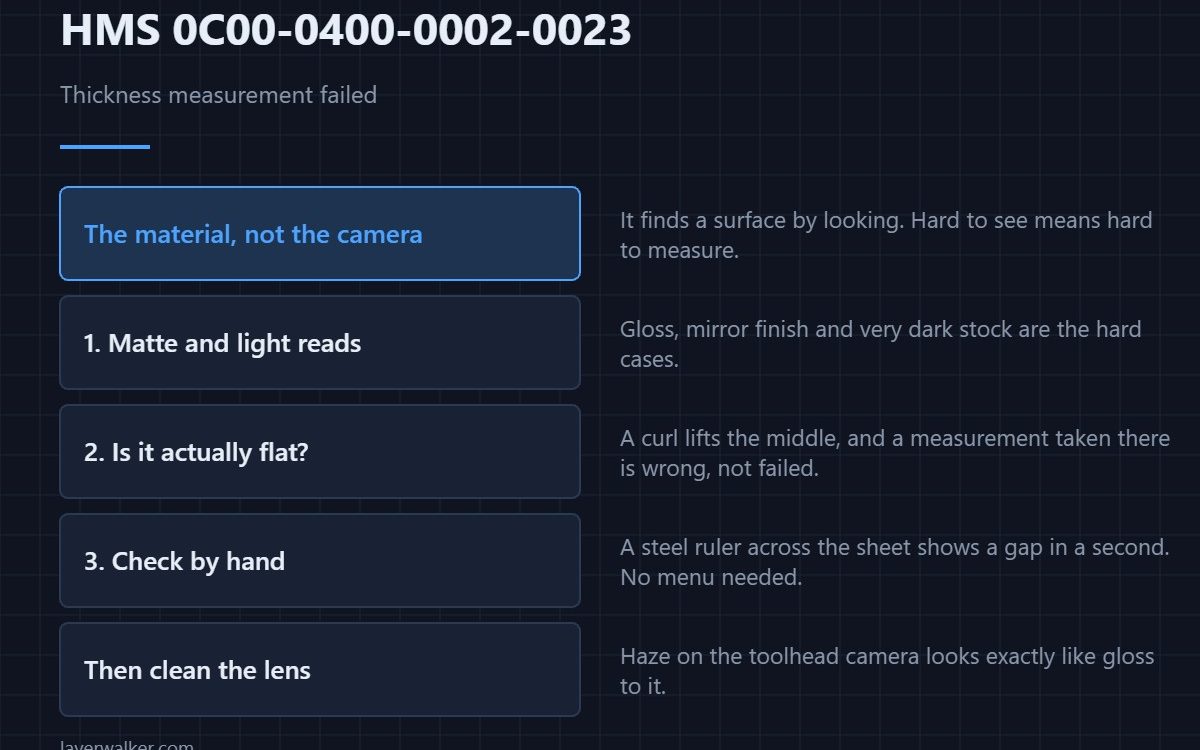
HMS 0C00-0400-0002-0023 means thickness measurement failed because the toolhead camera could not detect the material surface. Nine times out of ten the problem is the material rather than the camera: too shiny, too dark, too uneven or not sitting flat.
The machine is trying to find a surface by looking at it, so anything that makes a surface hard to see makes this fail.
Where to buy



Give it a surface it can read
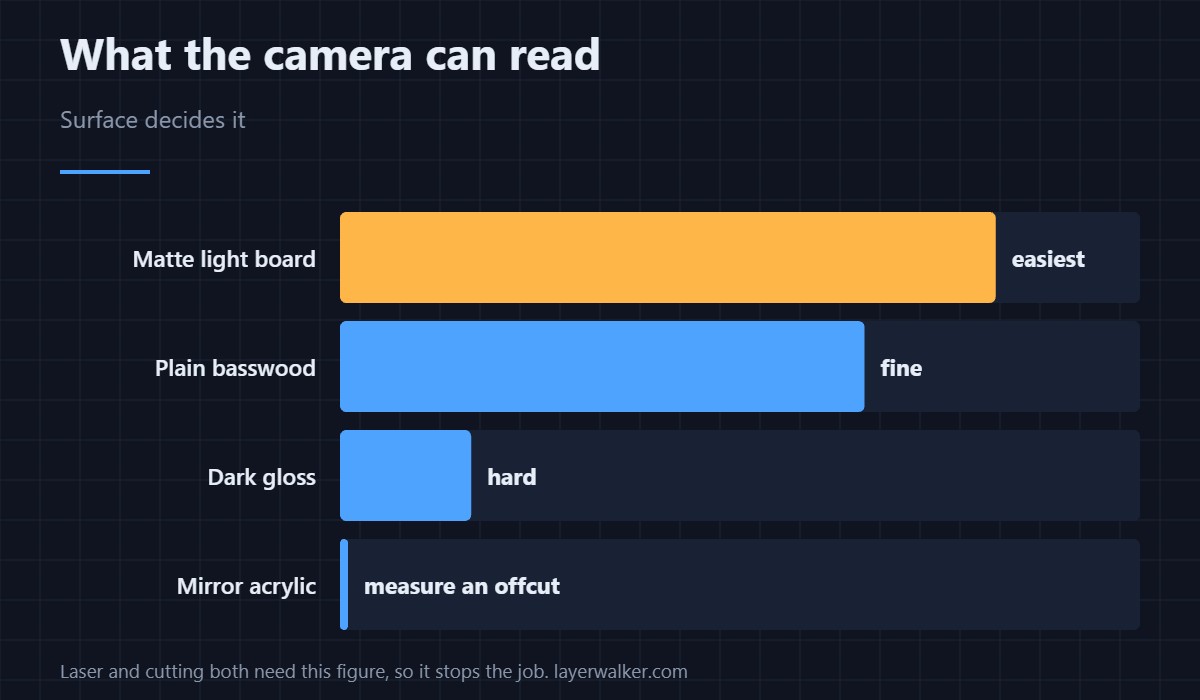
Matte and light reads easily; gloss and black are the hard cases. If you are cutting or engraving something reflective, measure on a matte offcut of the same stock first and work from that figure. Plain matte cardstock is the easiest reference surface you will find.
Make sure it is actually flat
A sheet with a curl lifts away from the bed in the middle, and a measurement taken there is wrong rather than failed. Basswood sheets and board stored flat stay flat; the same sheets stood in a corner for a month do not.
Confirm by hand before you trust it
A stainless steel ruler across the sheet shows a gap under the middle in a second, which is faster than any menu. Mechanical checks like that are also how you catch a bed with debris under the material, which the foreign-object code HMS 0C00-0300-0002-0010 catches on the print side.
Then clean the camera
The toolhead camera does this measurement, so a hazed lens defeats it exactly as a shiny surface does. That lens has its own code when it is dirty — HMS 0C00-0100-0002-0017 — and cleaning it is the free half of this job.
What HMS 0C00-0400-0002-0023 blocks
Laser and cutting work both need the thickness figure to set focus and depth, so a failed measurement stops the job rather than degrading it. The Z-focus calibration that depends on it is HMS 0C00-0300-0002-0017.
When the material is simply unsuitable
Mirror-finish acrylic and some coated boards cannot be measured this way at all. That is a property of the material, not a fault, and the honest workaround is to measure a matte sample of the same stock. The machine and its modules are reviewed in the Bambu Lab H2D review.
HMS 0C00-0400-0002-0023 FAQ
Which materials fail most?
Gloss, mirror finishes, very dark stock and anything with a curl.
Can I enter the thickness manually?
Where the workflow allows it, yes, and measuring a matte offcut gives you the figure.
Is the camera at fault?
Sometimes. Clean the lens before deciding, because haze looks the same as gloss to it.
Does bed debris matter?
Yes. A chip under the sheet lifts it and the measurement goes with it.

LayerWalker
Print defect diagnosis, calibration procedures and parts that actually fit. Corrections welcome through the contact page.