Supports that will not come off
LayerWalker is a participant in the Amazon Services LLC Associates Program. We may earn a commission when you buy through links on our site, at no extra cost to you.
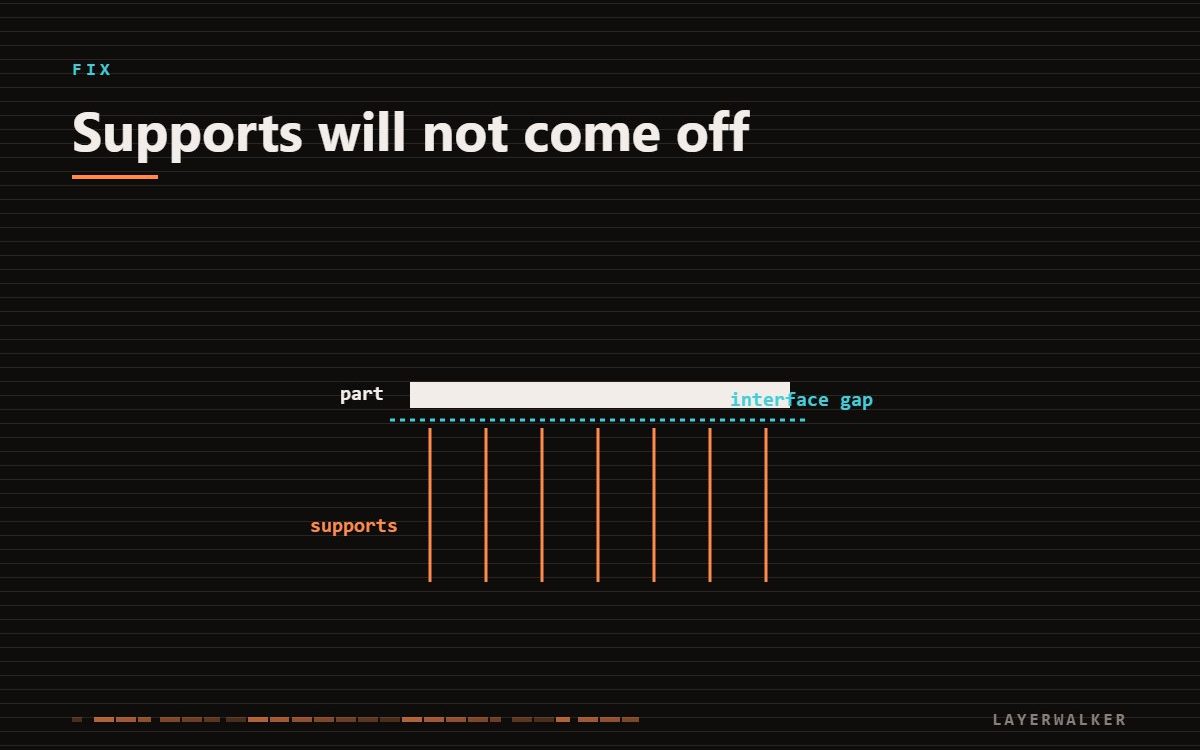
Supports fuse to the part when the gap between them is too small. Increase the top Z distance to one layer height and reduce interface density — you want them to hold, not to weld.
Support settings are a balance. Too far away and they do not hold the overhang; too close and they become part of the model.
Top Z distance is the setting that matters most. Change it first.
Supports welded to the part, or removal tears the surface
Support-to-part gap too small, or interface too dense
- Set the top Z distance to exactly one layer height. Zero means fused, always.
- Reduce interface density to 40-50 percent. Dense interfaces give a smooth underside and a part you cannot separate.
- Increase XY distance to 0.8 mm so side supports do not bond to walls.
- Switch to tree supports for organic shapes. They touch in fewer places by design.
- Remove supports while the part is still warm from the plate. Warm PLA releases far more easily.
Where to buy


KATA Mini Flush Cutters, 5-Inch Micro Wire Cutters for Jewelry & Model Kits

Bivethoi 3pcs Micro Wire Cutters Flush Cut Snips, 5 Inch, Light Blue
3D print supports wont come off: PETG needs more gap than PLA
PETG bonds to itself aggressively. Settings that give clean support removal in PLA produce welded supports in PETG. Increase the top Z distance to 0.25-0.3 mm and drop the interface density further.
When to design them out
If a part needs heavy support, consider splitting it into two pieces that each print support-free and gluing them. The join is usually easier to finish than a scarred support face, and the print is faster.

LayerWalker
Print defect diagnosis, calibration procedures and parts that actually fit. Corrections welcome through the contact page.