HMS 1A00-2100-0002-0001: Power Outage While Fetching the Hotend
LayerWalker is a participant in the Amazon Services LLC Associates Program. We may earn a commission when you buy through links on our site, at no extra cost to you.
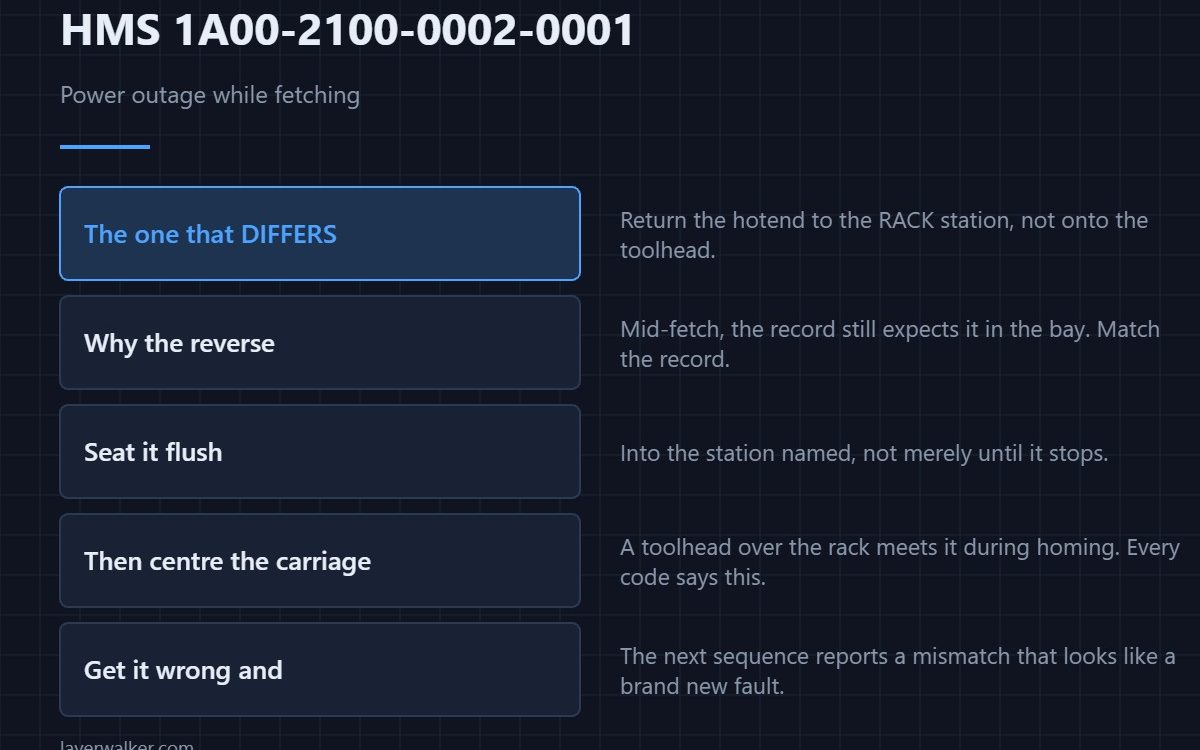
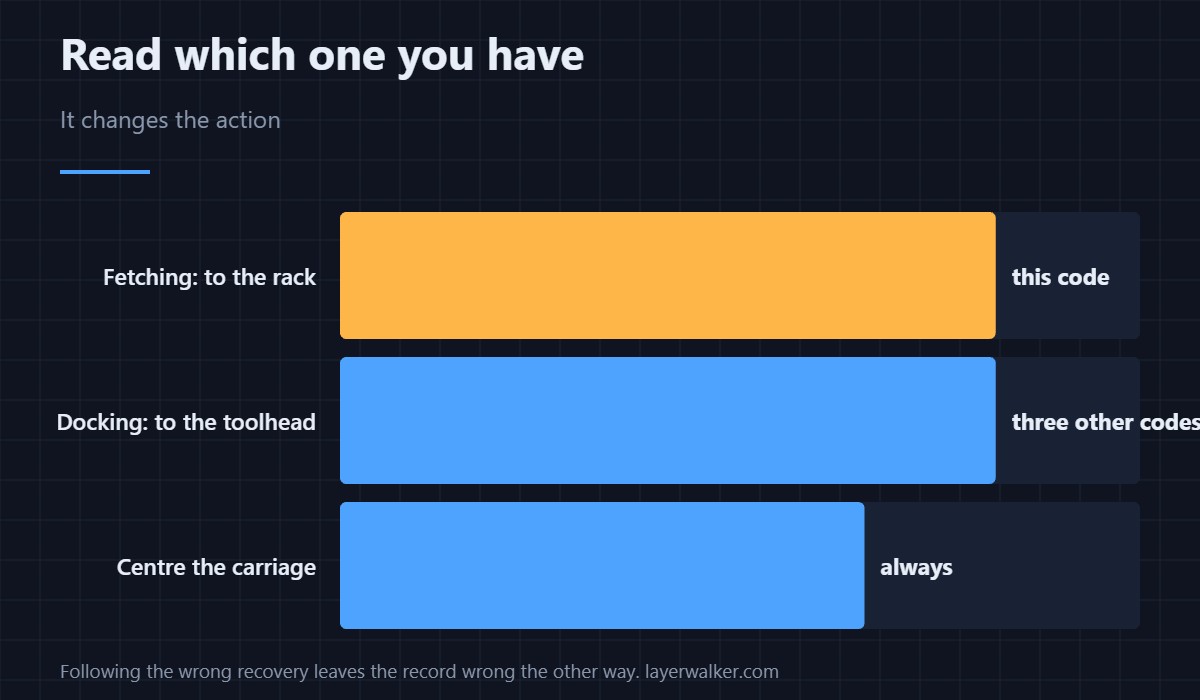
HMS 1A00-2100-0002-0001 means power was lost while the machine was collecting a hotend from the rack, and the instruction is the reverse of the docking codes: return the hotend to the named rack station, then move the toolhead to the centre of the build plate. Put it back in the rack, not on the carriage.
This is the one code in the power-loss family whose recovery genuinely differs, so it is worth being sure which you have.
Where to buy


Return it to the rack, not the toolhead
The machine was mid-fetch, so its record expects the hotend still to be in the bay. Returning it there matches the record and lets the next fetch start cleanly. Put it into the station named in the message and seat it flush, not merely until it stops — the rack and its bays are described in the H2D combo.
Then clear the toolhead’s path
Push the carriage to the middle of the plate by hand. A toolhead left over the rack will meet it during homing, and that is a collision rather than an error message. The instruction appears in every code in this family for exactly that reason.
Check before you reseat
Look at the hotend’s mounting faces and its top before returning it to the bay. A hotend caught mid-move may have picked up residue or a burr, and a bad face in the bay turns into a failed fetch next time — the empty-slot report is HMS 1A00-0100-0002-0030.
How HMS 1A00-2100-0002-0001 differs from the docking codes
Docking codes ask you to put the hotend on the toolhead; this one asks you to put it in the rack. Following HMS 1A00-2100-0001-0001 by mistake leaves the hotend on the carriage when the machine believes the bay holds it, and the next sequence then reports a mismatch that looks like a new fault.
The thing that removes all of them
Every code in this group starts with mains power disappearing mid-swap. A modest battery backup covers the brownouts that cause most of them, and the general case is HMS 1A00-2000-0002-0001.
HMS 1A00-2100-0002-0001 FAQ
Toolhead or rack?
Rack. This is the fetching code, and that is what makes it different.
Which station?
The one named in the message, not the nearest free one.
Can I print straight after?
Home the machine and run a test swap first. The plate that was running is lost either way.
What if I already did the docking recovery?
Move the hotend back to the bay and re-home. The record resolves on the next successful swap.

LayerWalker
Print defect diagnosis, calibration procedures and parts that actually fit. Corrections welcome through the contact page.