HMS 0300-2700-0001-0001: Nozzle Offset Calibration Sensor Frequency Too Low
LayerWalker is a participant in the Amazon Services LLC Associates Program. We may earn a commission when you buy through links on our site, at no extra cost to you.
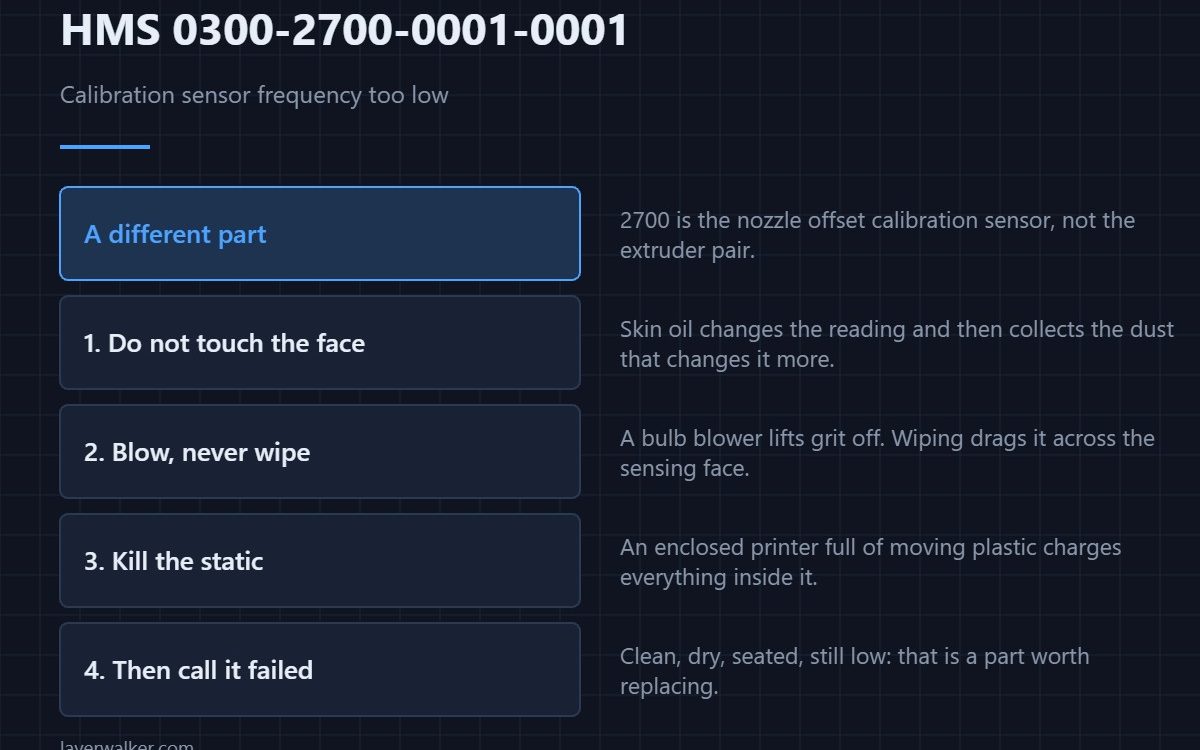
HMS 0300-2700-0001-0001 means the sensor frequency during nozzle offset calibration is too low, and that the sensor may be damaged. The 2700 group covers the calibration sensor itself rather than the extruder-mounted pair, so this is a different part from the 2500 and 2600 codes.
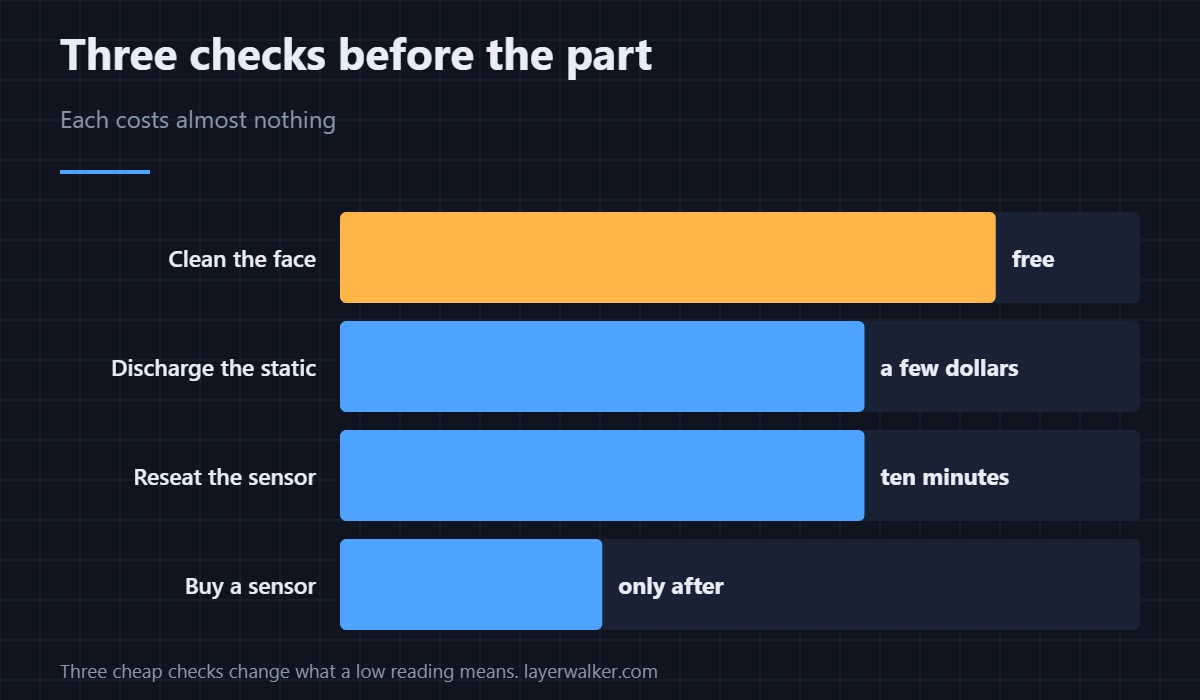
Before condemning it, remove the two things that make a healthy sensor read low: dirt and static.
Where to buy


Handle it without touching the face
Skin oil on a sensing face changes the reading and attracts dust that changes it further. Nitrile gloves cost pennies and keep the surface as it left the factory.
Blow the debris off, do not wipe it
A rubber bulb blower removes filament dust and swarf without dragging anything across the face. Wiping a hard particle across a sensor is how a dirty sensor becomes a scratched one.
Deal with the static charge
An enclosed printer full of moving plastic generates static, and charge sitting on and around the sensor skews a frequency reading. An anti-static brush grounds the area while it cleans, which a dry cloth does the opposite of.
Then test whether it is really the part
Clean, dry, properly seated, still low: that is a sensor to replace. Reaching that conclusion after three cheap checks is very different from reaching it first. The same logic applies to the probe underneath, covered in bed levelling sensors.
How HMS 0300-2700-0001-0001 pairs with its opposite
Too high on the same sensor is HMS 0300-2700-0001-0007. A sensor that reports both at different times is more likely contaminated than failed.
A weak signal is not the same thing
If the message says the signal is too weak rather than the frequency too low, that is HMS 0300-2700-0001-0008, which blames a sticky nozzle or a positioning error. The full sequence is in calibrating a 3D printer.
HMS 0300-2700-0001-0001 FAQ
Which sensor does 2700 refer to?
The one used for nozzle offset calibration, not the extruder-mounted pair.
Can I clean it with isopropyl?
Blow the dust off first. Then a lint-free wipe, lightly.
Is static really a factor?
In an enclosed printer, yes. It shifts frequency readings.
Will a firmware update help?
Update anyway, but a low frequency is a physical reading.

LayerWalker
Print defect diagnosis, calibration procedures and parts that actually fit. Corrections welcome through the contact page.