3D Printer Cabinet or Stand: What a Good One Does for Print Quality
LayerWalker is a participant in the Amazon Services LLC Associates Program. We may earn a commission when you buy through links on our site, at no extra cost to you.
A stand for a 3D printer has one job that matters: be rigid and heavy so the printer does not rock. A wobbly desk or a cheap shelf shows up directly as ringing on the print. An enclosed cabinet adds heat retention and storage; buy that only if you print ABS or want the printer out of sight.
People buy a cabinet to tidy up and discover it changed print quality. That is not the cabinet; it is that the printer moved from a flexing desk onto something that does not sway. Fast printers throw the toolhead around hard enough to rock a light table, and every rock prints as ghosting around corners. A stand that is rigid and heavy solves that. Everything else about a cabinet is convenience.
Where to buy


What to look for
- Rigidity first. Steel frame or thick wood with a solid back panel. Push the corner: if it sways, it will ring.
- Load rating and footprint. A CoreXY printer with a spool and a multi-material unit on top can weigh 25 kg and stand 60 cm tall. Measure height with the lid open.
- A shelf for spools and a dryer at feeding height, so the filament path runs level into the printer.
- Cable management and a power strip. A built-in outlet saves a trailing lead; a rear cut-out keeps cables off the bed.
- Wheels that lock. Castors are useful for cleaning behind it; unlocked castors are a wobble.
- If enclosed: ventilation. A closed cabinet holds heat like an enclosure and needs the same vent port for ABS.
The options in the box
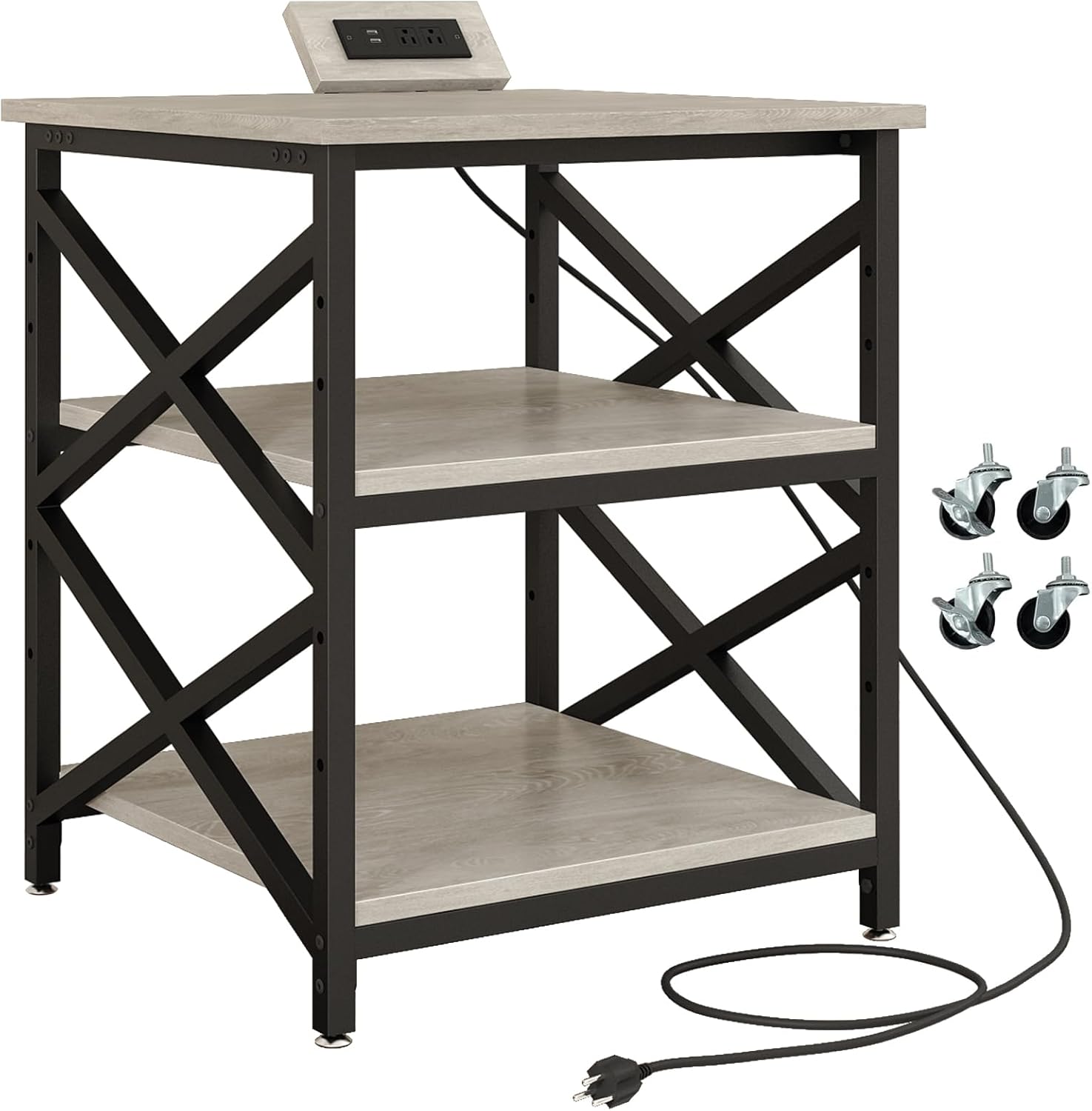
The METYERRY three-tier cart is a large open stand with a power outlet and shelves sized for a printer up to about 60 cm square; it appears twice for two finishes. It is the tidy-up-and-stiffen option for a bed-slinger or a mid-size CoreXY. The BIQU Panda Station is the purpose-built stand for Bambu-Lab-class printers: a rigid frame with a matching footprint and storage for spools and tools below, and the one to pick if the printer’s exact dimensions are already known.
Making any stand better
- Put a paving slab or a 40 mm concrete tile under the printer. Mass kills resonance more than stiffness does; this is the cheapest print-quality upgrade there is.
- Add rubber feet or a foam mat between slab and printer to stop noise transmitting into the floor.
- Level the stand, then level the printer. A stand that rocks on one foot is a wobbly desk again.
- Keep the dryer and spool off the printer’s own frame if you can; a swinging spool is a periodic load.
When you do not need one
A solid workbench or a heavy kitchen table already does the job. If your prints show no ringing and no layer shifts, spend the money on a dryer.
3D printer cabinet FAQ
Does an IKEA Lack work as a stand?
For a light bed-slinger, with a slab on top for mass, yes. For a fast CoreXY it flexes.
Can a cabinet replace an enclosure?
If it seals and has a vent, it is an enclosure. Most open stands are not.
Metal or wood?
Either, if rigid. Steel is stiffer per kilogram; a thick plywood box with a back panel is quieter.

LayerWalker
Print defect diagnosis, calibration procedures and parts that actually fit. Corrections welcome through the contact page.