HMS 0300-9000-0001-0004: chamber heating failed, heating fan too slow
LayerWalker is a participant in the Amazon Services LLC Associates Program. We may earn a commission when you buy through links on our site, at no extra cost to you.

HMS 0300-9000-0001-0004 means chamber heating failed, and names the reason: the speed of the heating fan is too low. A chamber heater is an element plus a fan, and the fan is not an accessory. Without it the element heats itself instead of the chamber, which is both useless and the first step towards an over-temperature trip.
Affected machines: X1 series. The printer measures fan speed from a tachometer, so it knows the difference between commanded and actual. Reporting slow rather than stopped usually means drag rather than failure, and drag is something you can remove.
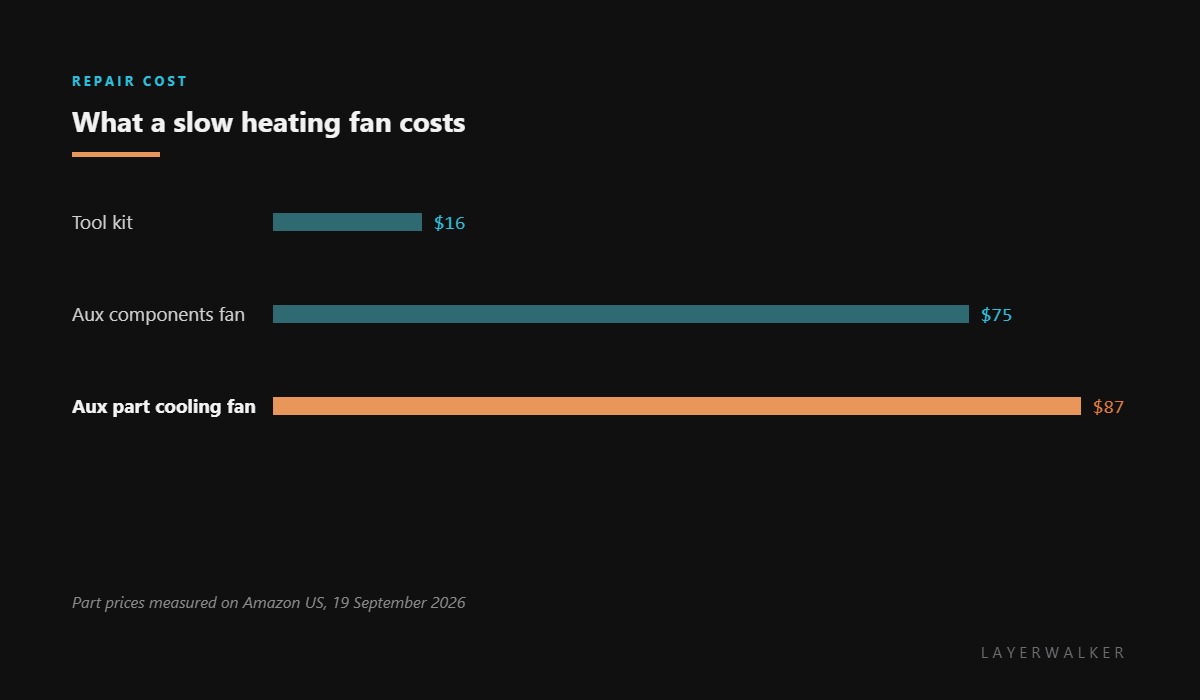
Where to buy


Dust is the usual answer
This fan lives in the warmest, dustiest air path in the machine. Dust packs into the hub, a filament wisp wraps the shaft, or a filter on the same path loads up until the blades are fighting a wall of air. All three slow it without stopping it, and all three cost nothing to fix.
The test is simple: spin it by hand with the machine off. A healthy fan turns freely and coasts. One that stops dead has bearing drag, and a fan with bearing drag will keep reporting slow until it stops altogether.
Check the connector while you are there. A plug that is half seated on an assembly that gets warm and cool every print behaves exactly like a failing fan.
Chamber never reaches temperature and the printer reports the heating fan speed as too low
Dust or debris in the fan, a loaded filter, a loose connector, or a worn bearing
- Power off at the wall and let the chamber and heater cool completely.
- Find the chamber heating fan and inspect the blades and hub with a torch.
- Spin it by hand. It should turn freely and coast rather than stopping dead.
- Clean dust from the blades and the intake with a soft brush, holding the blades still.
- Clean or replace the filter on that air path if your model has one.
- Reseat the fan connector and power up, watching whether the reported speed comes back to normal.
Do not keep retrying chamber heating with a slow fan. An element that is not having its heat carried away is the exact condition the over-temperature protection exists to catch, and you will meet that code next.
The general version is chamber heating failed, and the consequence of poor airflow is heater over-temperature. Our pages on cooling fans and enclosed printers cover the system.
HMS 0300-9000-0001-0004 FAQ
Can I print PLA meanwhile?
Yes. PLA does not use chamber heating, so the machine is fully usable for it.
Will cleaning really fix it?
Often. A packed hub or a loaded filter is the most common cause of a fan reporting below its commanded speed.
Is this the same as the auxiliary fan?
They are on related air paths and the parts differ by model, so check the listing covers your machine before ordering.
Why does the chamber stay cold if the element is hot?
Because the fan is what moves the heat. Without airflow the heat stays at the element.

LayerWalker
Print defect diagnosis, calibration procedures and parts that actually fit. Corrections welcome through the contact page.

