HMS 0300-0100-0001-0002: heatbed heater open circuit or blown thermal fuse
LayerWalker is a participant in the Amazon Services LLC Associates Program. We may earn a commission when you buy through links on our site, at no extra cost to you.

HMS 0300-0100-0001-0002 means the heatbed heater circuit is open: current is not getting through. Bambu names two possibilities and they mean very different things. Either the heating element itself has failed, or the thermal fuse that protects it has blown. The second is more common, and it matters because a thermal fuse only blows when something made the bed too hot.
Affected machines: X1 series. A thermal fuse is a deliberate weak link in the mains circuit: a component designed to fail open at a set temperature so that nothing else has to. Finding one blown is not bad luck, it is the safety system doing its job.
Where to buy


Why a blown fuse is a symptom, not a cause
If the fuse has opened, something drove the bed past its limit. That could be a failed temperature sensor telling the controller the bed was cold, a control circuit stuck on, or an obstruction trapping heat under the plate. Replacing the fuse without finding that cause means it blows again, and the second time may be at a less convenient moment.
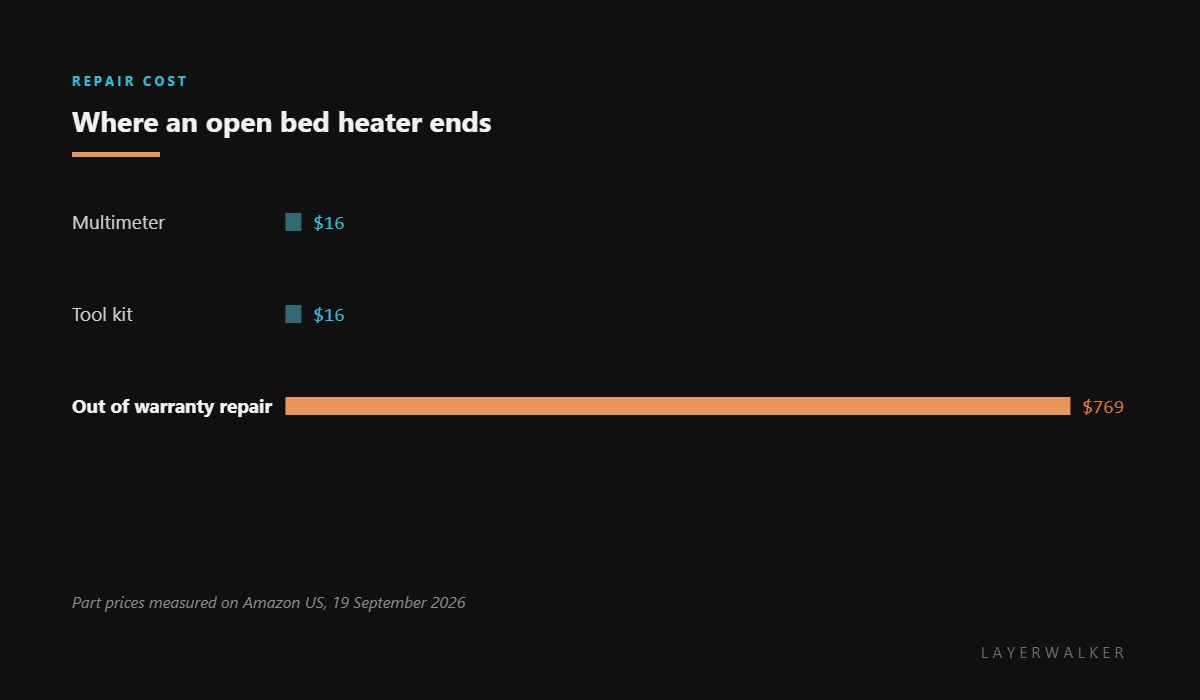
This is why the honest answer here is a service ticket rather than a shopping list. Diagnosing the cause means working on the mains side of the machine, and the fuse itself is not a retail part for these printers.
What you can check with the machine unplugged
Look, do not measure. Check the bed cable run for a pinch point or chafed section where it flexes. Check the connectors for discolouration. Check underneath the plate for anything that should not be there, because a trapped object is one of the few causes of overheating that you can see and fix.
Bed does not heat at all and the printer reports the heater as open circuit
Failed heating element, or a blown thermal fuse triggered by an earlier overheat
- Unplug the printer at the wall and leave it unplugged while you work.
- Wait several minutes before opening any panel so that mains-side capacitors discharge.
- Inspect the bed cable along its full run for a pinch, a chafe or a damaged connector.
- Look under the plate for any trapped object that could have blocked heat from spreading.
- Do not attempt to bridge or replace a thermal fuse. If it blew, find out why first.
- Record the code and raise a support ticket, noting anything you found during the inspection.
Mention the inspection in the ticket. Telling support that the fuse is open and the cable is intact saves a round trip and usually gets you a more specific answer than the code alone.
The short-circuit version is heatbed heater short circuit, and the overheat version is heatbed over temperature. Our page on bed temperature explains the system, and the troubleshooting index covers the rest.
HMS 0300-0100-0001-0002 FAQ
Can I just replace the thermal fuse?
No. It is not a retail part, and replacing it without finding what made it blow recreates the hazard.
How do I know if it is the fuse or the element?
Properly, by measuring at mains potential, which is why this goes to service rather than to a screwdriver.
Can I print anything meanwhile?
No. Without a working bed nothing sticks, and the machine should not be run until it is checked.
Does this damage anything else?
Not usually. The fuse opened precisely so that nothing else had to take the heat.

LayerWalker
Print defect diagnosis, calibration procedures and parts that actually fit. Corrections welcome through the contact page.

