HMS 1A00-0100-0002-0034: The Hotend Dropped While Being Fetched
LayerWalker is a participant in the Amazon Services LLC Associates Program. We may earn a commission when you buy through links on our site, at no extra cost to you.
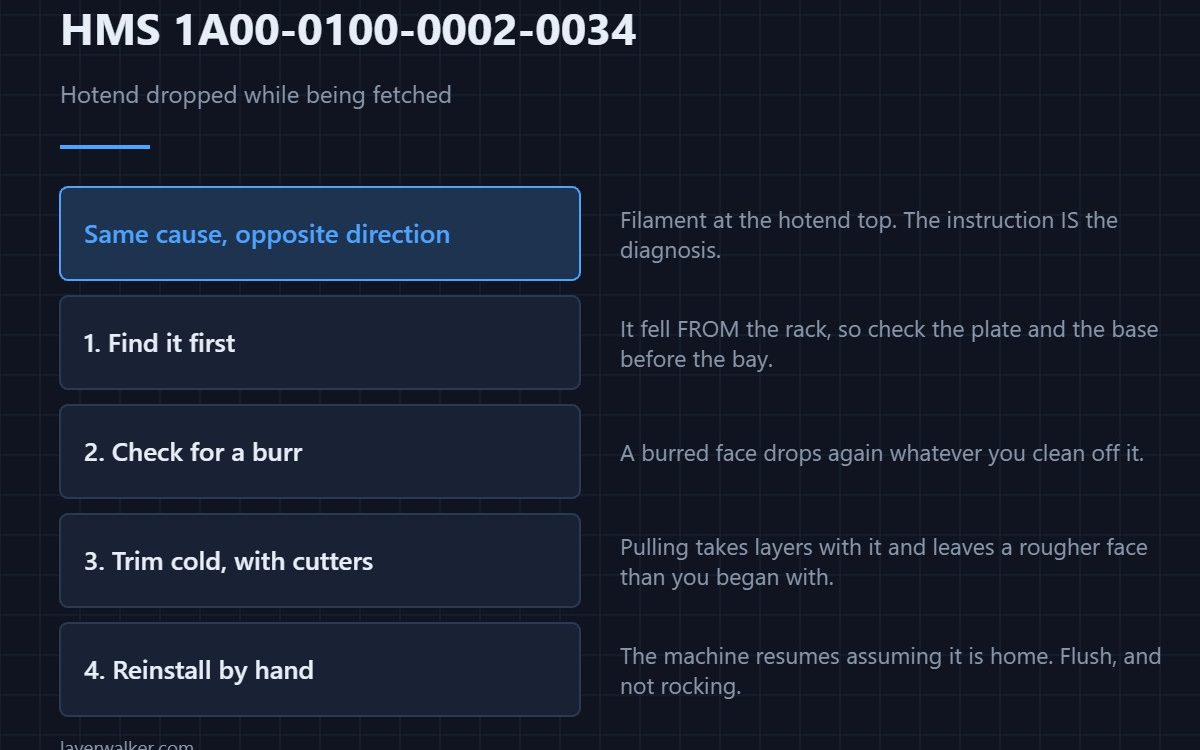
HMS 1A00-0100-0002-0034 means the hotend came loose while the machine was collecting it from the rack, and Bambu asks you to check for excessive filament or other debris at the top of the hotend, trim it, reinstall the hotend into the slot and continue. The instruction is the diagnosis, so follow it literally.
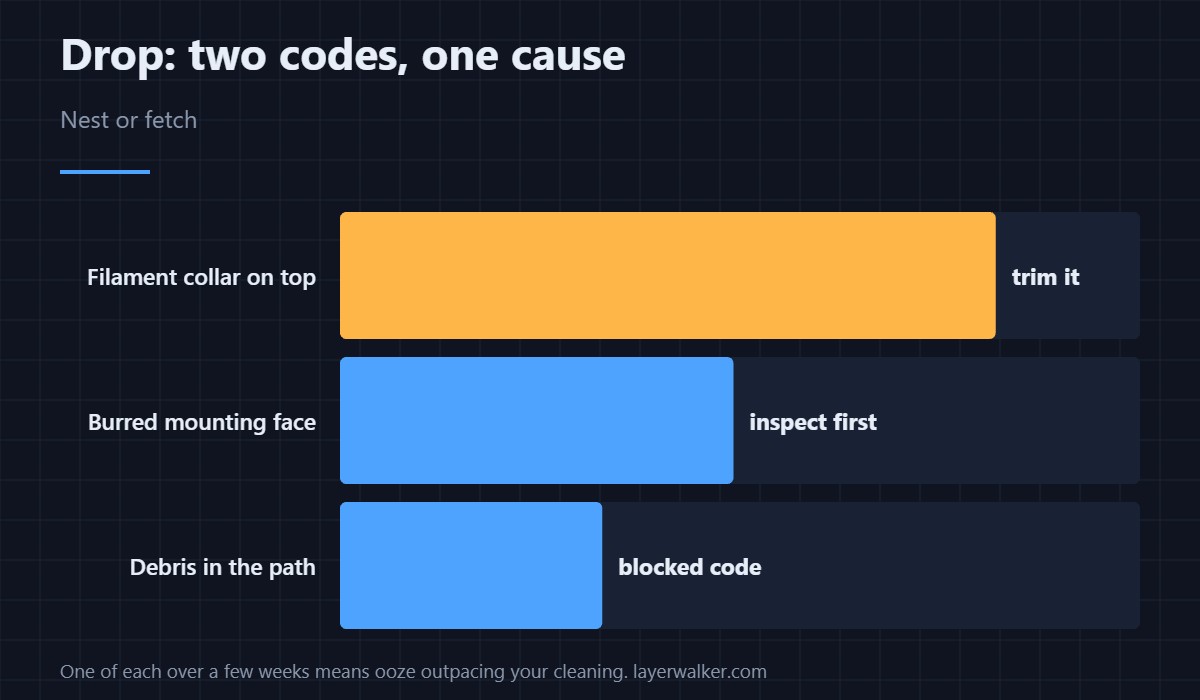
A drop while fetching and a drop while nesting share one cause. What differs is where the hotend ends up.
Where to buy


Find it before you fix it
A hotend dropped during a fetch has fallen from the rack rather than into it, so look on the plate and in the base of the machine before assuming it is still in its bay. Check the mounting faces for a burr where it landed, because a burred face drops again on the next attempt whatever you clean off it.
Trim the filament at the top
Let it cool, then cut the collar of cooled filament away with flush cutters. Pulling at it takes thin layers with it and leaves a rougher surface than you started with, which is the opposite of what the grip needs. Finish the surrounding metal with a brass brush and lift the last film with isopropyl alcohol.
Reinstall by hand, as asked
The message tells you to put the hotend back into the slot yourself before continuing, and that matters because the machine resumes from the assumption that it is there. Seat it flush, check it does not rock, then click through.
How HMS 1A00-0100-0002-0034 relates to its nesting twin
The nesting version is HMS 1A00-0100-0002-0025 and names the same filament at the hotend top. Seeing one of each over a few weeks is a sign of ooze accumulating faster than you are clearing it, not of two separate mechanisms failing.
And to the mounting failure
A hotend that is dirty enough to drop is also dirty enough to seat badly, which reports as HMS 1A00-0100-0002-0033. Cleaning both surfaces at once saves a second pass. Hotend construction is in 3D printing hotends.
HMS 1A00-0100-0002-0034 FAQ
Can the fall damage the hotend?
It can. Check the faces and the nozzle tip before putting it back into service.
Can I trim it warm?
No. Warm filament smears across the surfaces you are trying to clean.
How often should I check the top?
At every filament type change, and any time a swap sounds different.
Does the rack need checking too?
Look for debris it may have left behind — see HMS 1A00-0100-0002-0035.
An interrupted swap has its own family of codes. HMS 1A00-2100-0001-0001 covers power loss while docking, and the second of its two recovery steps is the one people skip.

LayerWalker
Print defect diagnosis, calibration procedures and parts that actually fit. Corrections welcome through the contact page.